Wooden molds used to make paper embossments of common birds for the blind

I use my Glowforge Pro to create items that I donate to the blind community. A teacher at the University of Michigan — herself blind — teaches a class titled “Birding by Ear.” Her students who are blind or have low vision can, either in a classroom or on a field trip, identify birds by the songs or sounds that they made.

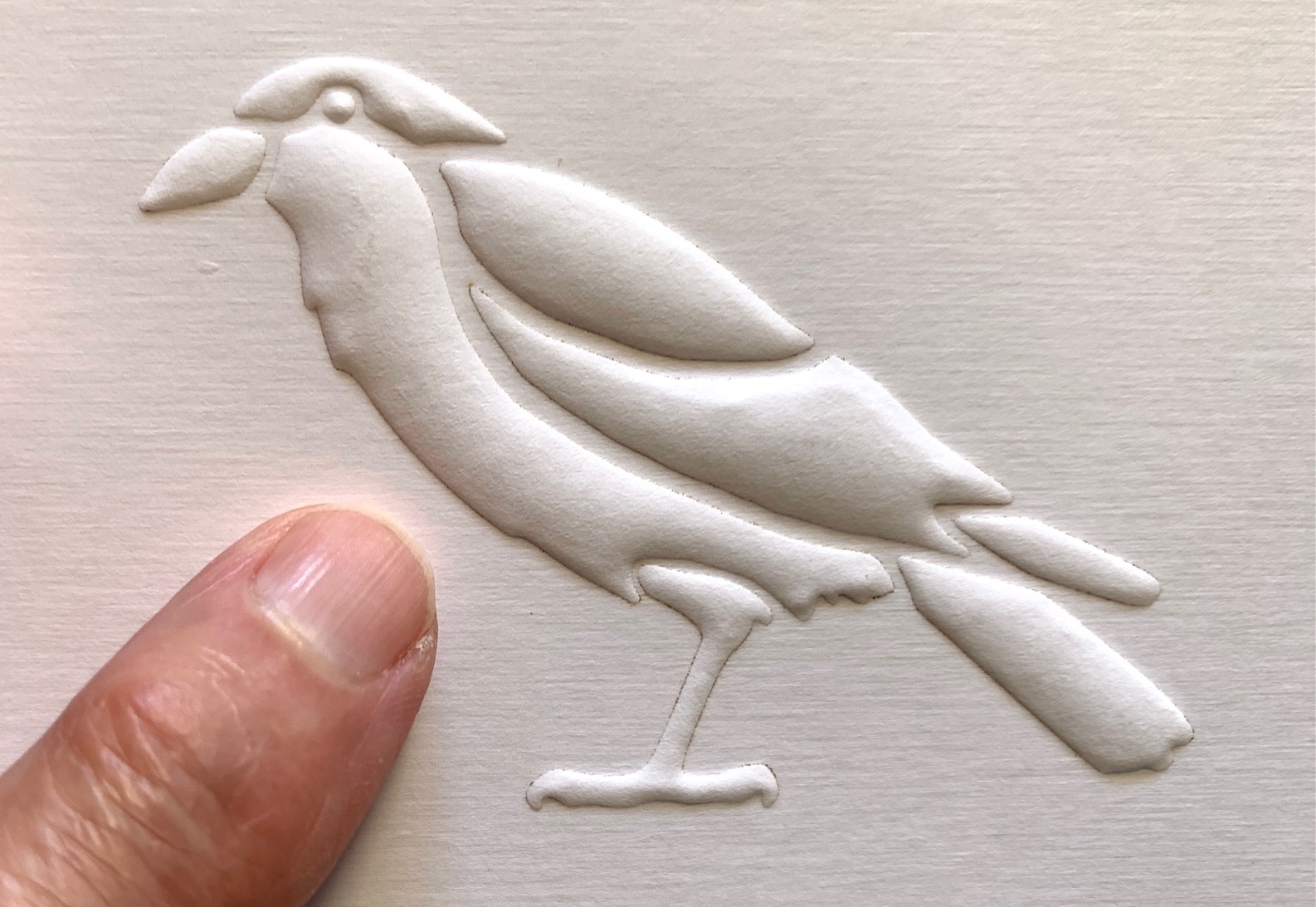
I laser cut templates of twelve common backyard birds into 1/8” birch plywood. I then placed moistened 103 lb. Bristol paper over the template, placed this “sandwich” into a plastic bag and used a vacuum machine to suck the paper deeply into the depressions in the wood. After flipping over and drying the paper, I added braille above each bird. The birds’ names were placed on the sheet of paper before I vacuumed it into the forms. Now, once a student identifies a specific bird, he or she can feel that bird’s shape. (A side note: When making paper embossments for the blind, you need to leave enough space for a person’s finger to recognize the shapes. Including numerous feathers would be too confusing. The designs need to be detailed enough to show the general shape of the birds without getting too complex.)
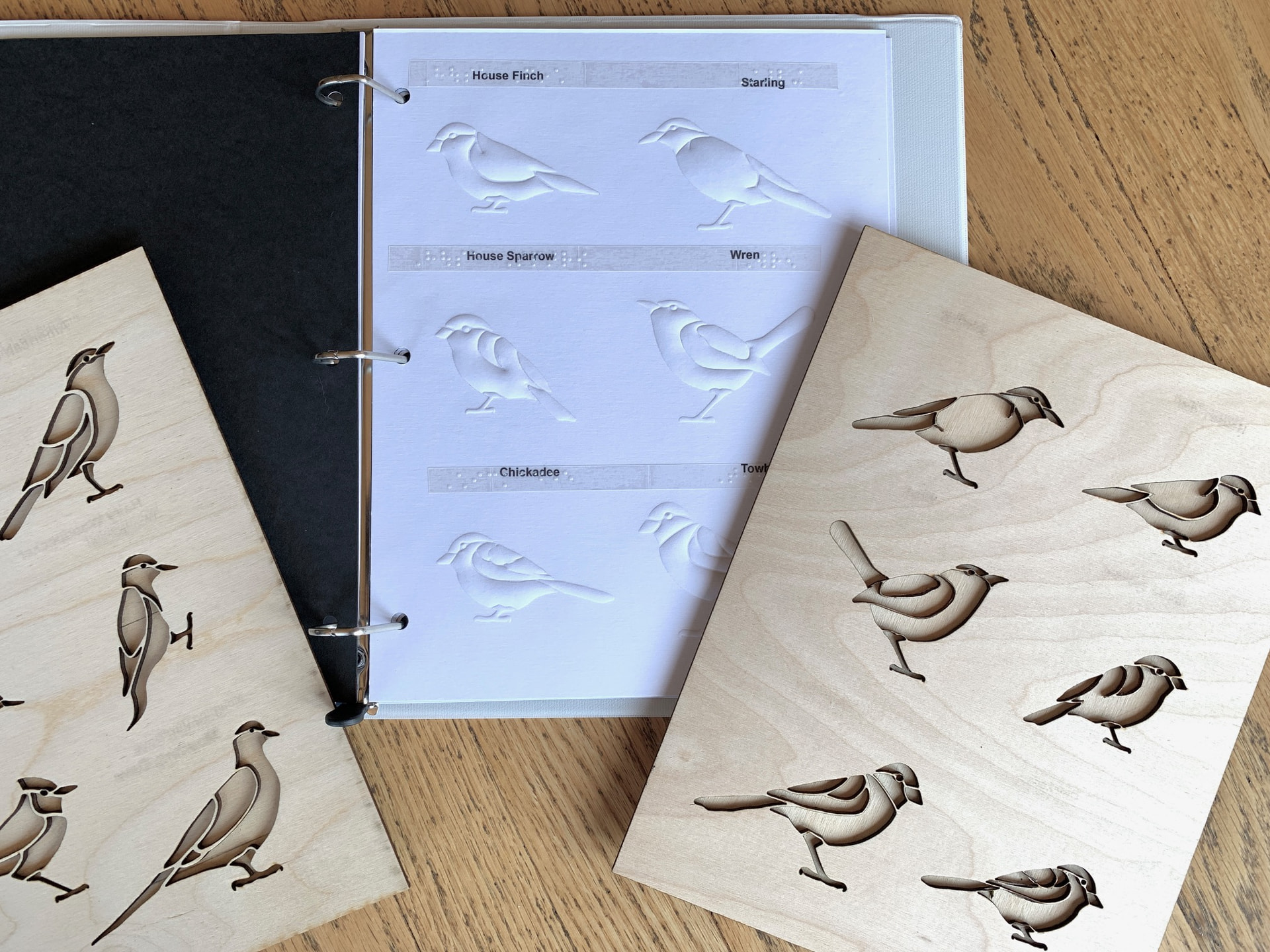
The settings for the cuts are: depth, 0.13; speed, 215; full power; 2 passes.
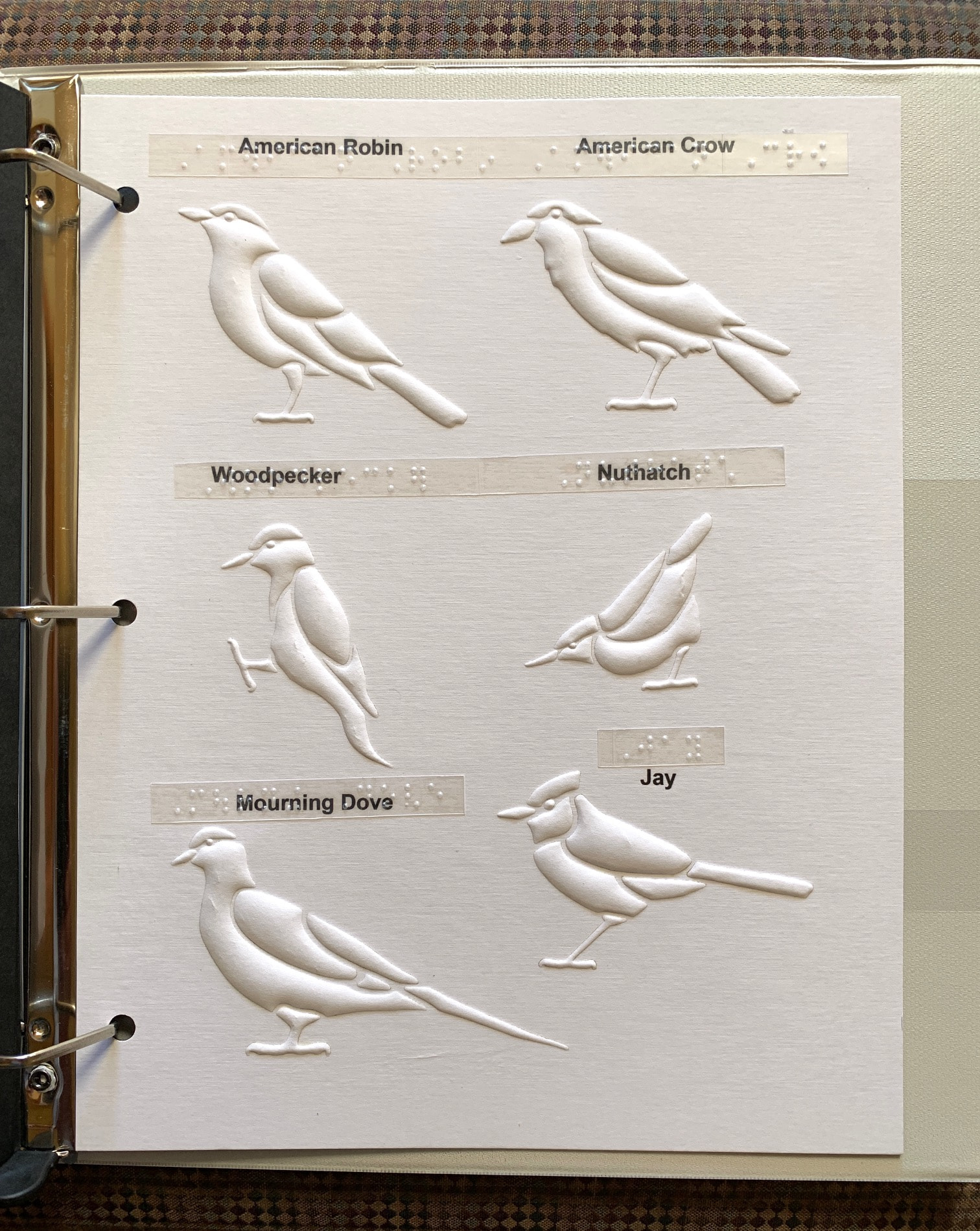
The panel above shows details within the birds, indicating where the eye, legs, wings, tail, etc. are located. The sheet of bird embossments is adhered to card stock. Holes are then punched so that it can be placed in a 3-ring binder.
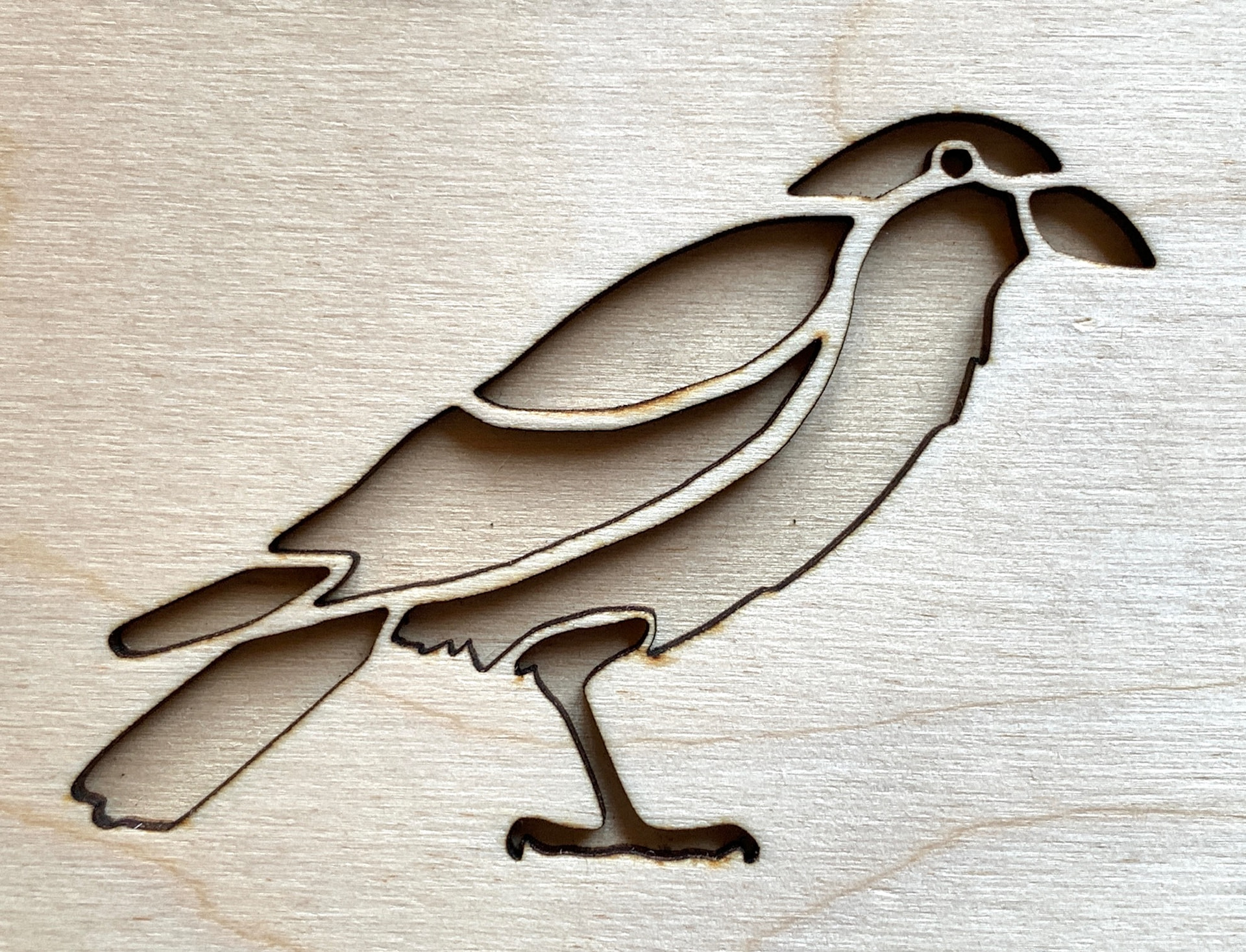
A crow image laser cut completely through the plywood. It’s backed with a thin sheet of plywood. The image below shows the paper embossment made from this template:
There are two pages with six birds to a page showing just the raised silhouettes of each bird and two additional pages of the same birds but with more details inside the forms. The birds are: American Robin, American Crow, Woodpecker, Nuthatch, Mourning Dove, Jay, House Finch, Starling, House Sparrow, Wren, Chickadee and Towhee. These birds are found throughout the U.S.

I made another similar set of images that I sent to the staff of Birdability, a nonprofit in Iowa that helps make birding and the outdoors accessible to everyone, especially people with low vision or are blind. They provide maps of numerous state trails that provide easy access for those birders needing wheelchairs, canes, guide dogs, etc. I also donate these panels to libraries for the blind. Jim Ballard

35 Likes

that is beautiful. Thank you for sharing.

16 Likes

Outstanding. Great project and great writeup, welcome back.

Don’t miss this previous @jimballard post:

16 Likes

Welcome back! Your work is so inspiring, and I am sure the blind community is very thankful for your contributions. We have all of those birds in our back yard and enjoy them all. We love identifying them by their sounds, so I think it’s great that the blind can have a sense of the birds they’re hearing because of your work.

14 Likes

Thank you for returning with such a great project. You put the Glowforge to such good use!

16 Likes

What a wonderful project, on so many levels! I will definitely make use of the vacuum technique—genius!

14 Likes

Looks amazing

13 Likes

What a beautiful project. Thank you for sharing @jimballard.

12 Likes

Fantastic! Amazing work!

12 Likes

You can use a FoodSaver vacuum system to suck the paper into the templates that you create. If you want a more powerful system, you might consider the Weston Pro-2300 Series. I’ve read that it provides about twice as much vacuum power than a FoodSaver. It’s the brand that I use, although it is more expensive. The advantage of putting the paper and template into a plastic bag is because the plastic will allow you to use additional tools like clay-working tools to push more deeply into the template’s crevices without having the paper crack and tear apart. Experiment with many different papers including Canson Multi-Media paper because it often retains more details than Bristol papers.

If you have an etching press, you can run the plastic bag containing the template and paper through it to pick up even more details. Use a flexible silicone pad and felt blankets to cushion the roller against the plastic bag.

15 Likes

Thanks for the tips!

11 Likes

This is really amazing! I love that they are able to see all of our wonderful birds!

11 Likes

Great project! Thanks for sharing the details of your process!

12 Likes

This is absolutely amazing. What a great product for such a worthy cause. I’m sure they will love learning about the different birds. Thank you for sharing!

9 Likes

These are truly amazing. You posted some other projects before in the past, right? I vaguely remember something. Love your work!

9 Likes

Thank you!

Yes, I wrote about a braille/embossment dinosaur book I made that would help children and adults learn braille as well as learn a few facts about specific dinosaurs. The link to this post is in the second comment on this page by “evansd2.”

11 Likes

Yes! It was awesome. Have you done any others besides these?

8 Likes

Years before the Glowforge became available, I made a number of paper embossments by sandblasting into wood or ceramic. By using sandblasting techniques, I created another book titled “Spineless Critters - A First Book of Invertebrates” that had twelve different raised paper invertebrates of ants, spiders, beetles, scorpions, etc. A copy of this book is being used by the Perkins School For the Blind in MA in their science classes. Copies are also at various libraries for the blind. Through sandblasting, I have been able to create paper embossments – along with braille and text – of extinct birds, constellations of the night sky, shapes of different species of dogs, etc.

Perhaps in another section of this forum, I could show a few of these sandblasted results and compare them to results from using a Glowforge. Just a thought …

11 Likes

That is awesome! All of it.

I love seeing all of the things you have done. (There is a category called “Everything Else” and you can always share things there! The main rule, which may not even apply to your info anyway, is that if you share any Glowforge settings then the post has to be in “Beyond the Manual.” Otherwise it’s fine to have it under “Everything Else.”)

10 Likes

Thanks. I’ll use the “Everything Else” section to mention topics not directly related to Glowforge Usage.

11 Likes