Just taking the China out of it, the fact that the networking aspect is a black box is concerning. There’s no pro-consumer reason to do this that I can see. It’s just a sketchy weakness.
13 Likes
There has been a dust-up recently about freedom-related concerns with Bambu Labs printers. As noted, they have shifted to forcing all prints to go through their servers (in addition to moving some previously-included features behind a paywall).
Bambu Labs’ software is built on community-developed open source code, which has licensing requirements for their derived code. When someone (legally) modified that to allow Bambu printers to continue operating with local-only data processing, Bambu Labs (illegally) threatened to sue.
There is also a developing issue due to ill-conceived legislation in places like New York, allegedly trying to curb the creation of 3D-printed (“ghost”) guns. While the laws won’t actually do that, it will result in design files being routed through various companies in various countries, where those designs can be analyzed and potentially stolen. It also means some flaky probabilistic system may soon be refusing to let you print a cosplay prop you spent days modeling.
Bambu Labs is apparently making some of the best FDM printers these days. Their stuff was at the top of my list for when I find room for an FDM printer. Now, I’m not so sure.
14 Likes
That looks to be a pretty good summation. At this point I wouldn’t buy a FDM printer that I can’t air gap and run a sneaker net on to print. Both my Prusa and my Snapmaker let me do that.
13 Likes
Another dark thought, these state laws are being written so broad that one or more of them could entangle the Glowforge.
13 Likes
I have seen people (that I have not vetted) saying that the NY law absolutely does include laser cutters and CNC machines.
10 Likes
There are two ways to keep your files local, with no traffic to/from the Bambusphere (Bambuniverse?) The tried and true sneaker net using the USB-A port, and LAN-only Developer Mode. If one is worried that BL will update the firmware to remove dev mode, one can disable firmware updates and apply a router block.
I finally pulled the trigger and bought the P2S Combo that went on sale for $100 off on Monday. This is my 4th printer and replaces my Ultimaker UM 2+. The updates in the technology over the past 5 years is nothing short of astounding.
12 Likes
Well I bought the P2S a couple months ago, and since it’s the only 3D printer I have, I have no choice. I understand about using the USB port and storing files on a flash drive so it won’t go though their server, but as far as everything else goes, I’m at a loss on how to block anything behind the scenes. And the only things I’ve been printing have been from MakerWorld for things for the house.
I still need to learn designing, but am really struggling learning Fusion and even Tinkercad. I’m right now looking at FreeCAD and Blender, hoping maybe one of those might be easier for me? As stated above, I have been printing the gridfinity stuff for my utensils, but the one shown for my wooden spoons and spatulas doesn’t work for anything which doesn’t have straight handles. I just can’t figure out how to remove the little dividers in the sections so I can make what I need. I tried a different design that I found, but it doesn’t work at all for me. I am so very frustrated right now.
10 Likes
Unless you’re worried that BL is snooping on your drawer dividers, I wouldn’t give it a second thought— your don’t have classified documents on your laptop/tablet/phone, right? Neither do I. 
Designing for 3D printing is quite similar to designing for the Glowforge— it’s often the same progression of going from using patterns as-is, to modifying them for your use case, and on to creating new designs from scratch.
It sounds like you’re at stage 2 on the drawer dividers. I use one of the simplest 3D modeling tools out there — Tinkercad. It’s pretty easy to import a 3d file into it and use simple primatives to add or delete details as needed and then export them back into STL files, ready for Bambu Slicer.
10 Likes
@ellencadwell I was in your situation a few weeks ago until I discovered Shapr3D which I have found extraordinarily easy and intuitive to use. They have a free tier that includes most of the tools most makers need to design for 3D printing. Also they have a lot of tutorials and a helpful community.
Shapr3D Website (not affiliated with them)
They also work with Windows & Mac, but the software really excels with and iPad with Apple Pencil.
13 Likes
Thank you both @dwardio and @reynoso . I just need to take a deep breath and relax about all of this. Don’t know why I stress myself out! I always seem to forget how to start something new in Tinkercad, and will also try Shapr3D.
I appreciate both of you!! (and everyone else who always helps me!)
11 Likes
Well for some reason, even though I clicked “download STL file from the design in MakerWorld, it only downloaded as a 3mf file, and neither TinkerCad nor shaper3d will open that type of file. 
6 Likes
Hmm.. Oh, I see what’s going on. Makerworld downloads the 3mf file which includes slicing and color information. The quick workaround is to load the 3mf file into BambuStudio and immediately “Export all objects as one STL file” from the File menu. The plain stl can then be uploaded into tinkercad. (I just ran through this with two different files and both made it to tinkercad ok.
I’ve used Cura for over a decade, still feeling my way through BS.
10 Likes
Thanks! I’ll try that and will let you know!
6 Likes
Makerworld is the most convoluted of the file repositories but I’ve always been able to get STL files.
7 Likes
@dwardio - well it worked to bring the file into TinkerCad, however, no matter what I click on, I can’t find the “cut” or erase or anything to change it. Even opening it up in Tinkercad added a lot of different little blocks and stuff that definitely don’t show up on the product when it’s printed.
@markevans36301 - I don’t know why it didn’t export the STL directly from MakerWorld, even when that’s what I clicked on. Whether it’s me, my computer or the file itself, I just don’t know. All I do know is that I totally fail at designing 3D.
I give up. I’ll just wait to see if the designer answers my request for help. If he doesn’t, I’ll just stick with making plain little boxes to hold my stuff.
4 Likes
Hang in there… You’re 90% of the way there. Really.
The trick is to add a cube (or other primitive) and place it over the part you want to delete. Click the “hole” version of the cube (the ghost version) and then select both objects and then group them. This is the secret sauce — grouping the various objects.
9 Likes
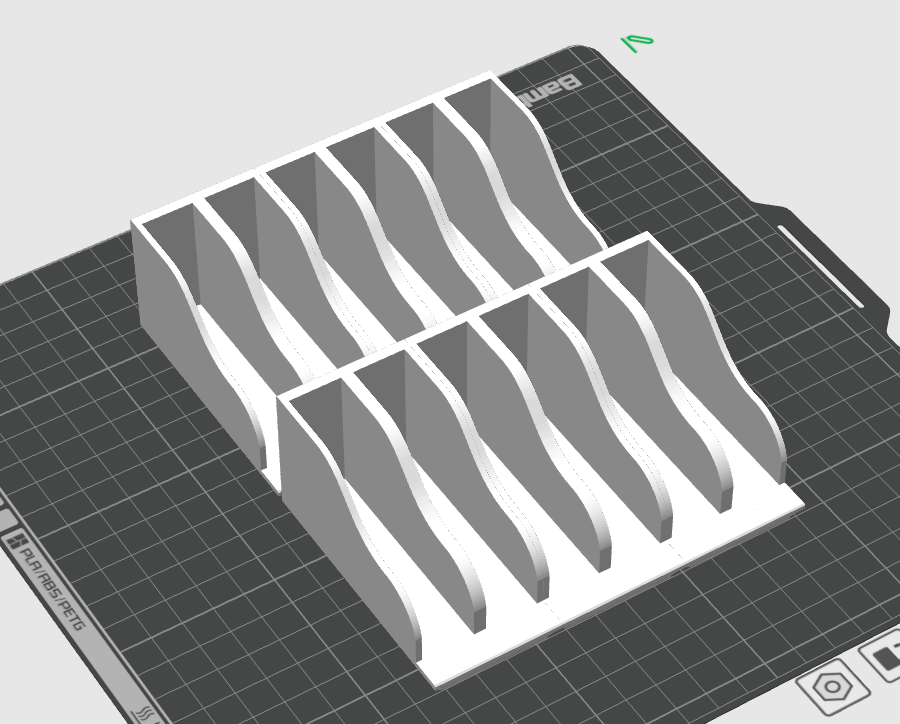
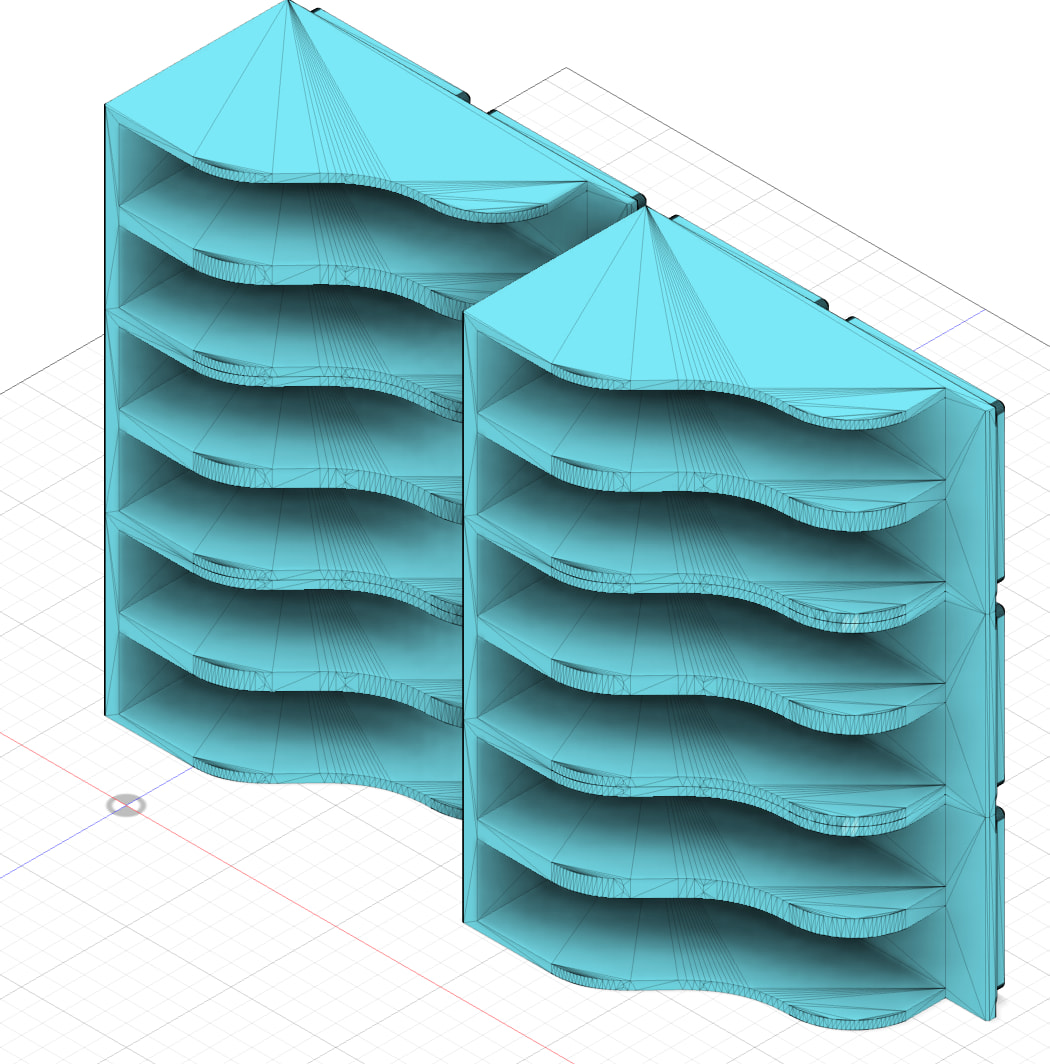
Here’s a pic of what I’ve been trying to fix (I use mainly the 3x2 base, as I make two of them to fit my drawers, but have also made the 2x2 base). My problem is I need to remove, counting from the left edge, the 2nd, 4th, and 6th partitions.
Pic from Bambu Studio:
Pic from Fusion:
Pic from TinkerCad:
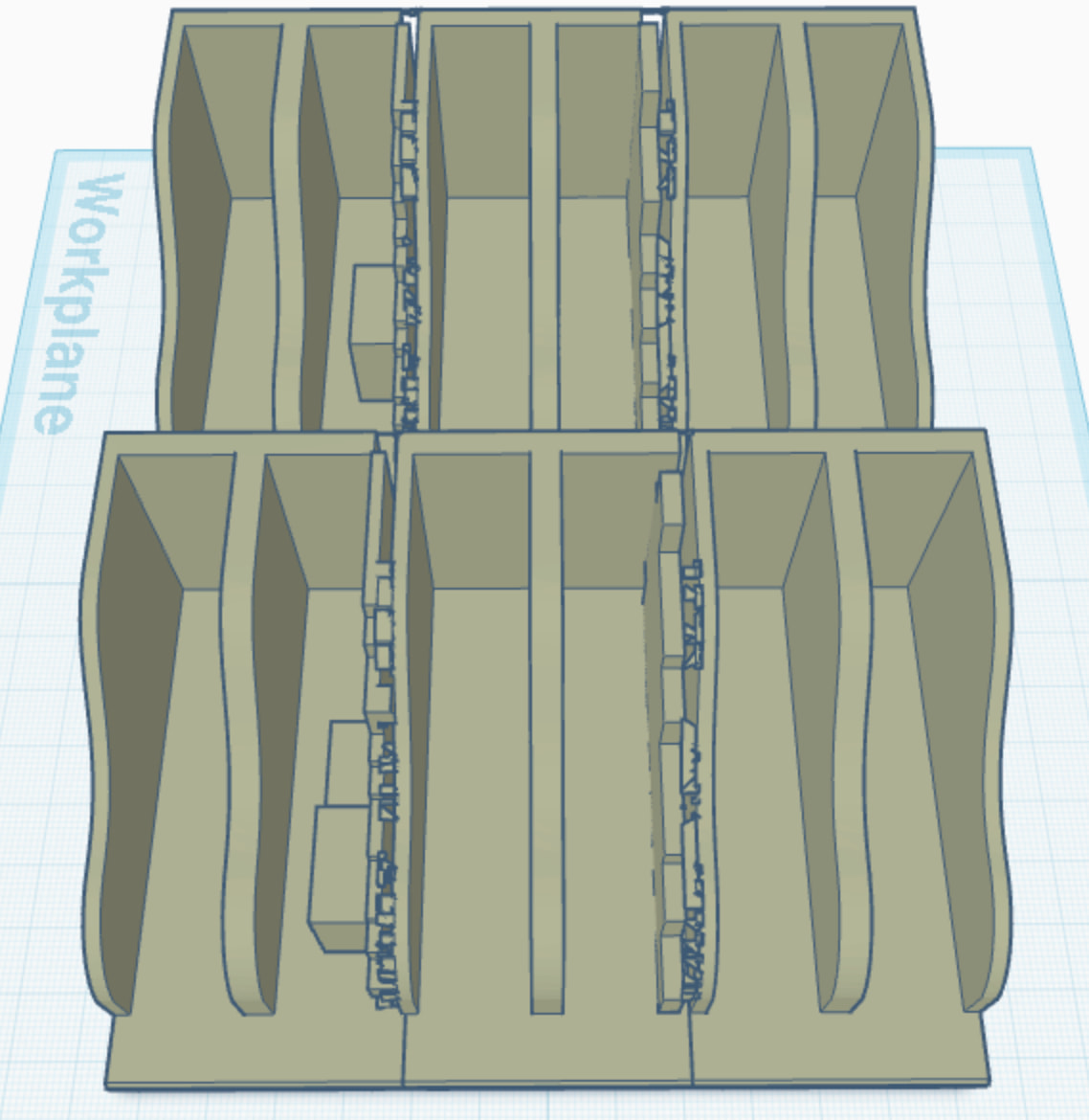
See how TC adds the extra little boxes to the left? And it’s the middle ones in each section I need to remove, whether I use the 1x2, 2x2, 3x2 or 4x2. And I tried doing a “hole cube” and selecting both the section and the cube, and it selected the entire thing.  And I tried in Fusion and it wouldn’t let me. Aarrrggghhhh!!!
6 Likes
DM me the original stl file and I’ll take a look.
8 Likes
Done. Thanks so very much!
6 Likes
Same, I think I can do it with bolline.
6 Likes