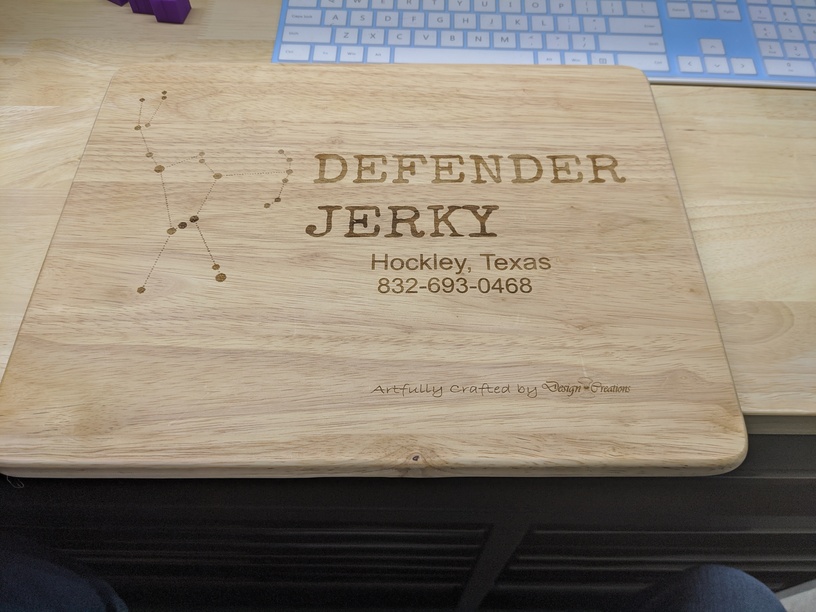
Okie dokie, I dove in feet first for my second run. I stopped by the local Hobby Lobby and picked up a few materials. A rather nice looking sheet of white marbled purple glass, a wood shadow box and small sign blank. Then I wandered on over to the next door Bed Bath & Beyond to grab a wood cutting board for an unofficial commission.
The Architec Gripperwood 11" x 14" cutting board fit the bill nicely. Though I really a couple of larger ines, unfortunately there was no way to get them into the GF.
When I got back to the workshop I popped the cutting board inti the GF to prep my design. Then wham the head collides with the board. First rookie mistake. I look up information on printing without the crumb tray. A bit of reading, some measurements, a little head scratching and a small amount of math later and thanks to a helpful post I was able to figure out that I needed to remove the crumb tray, raise the target object into the laser’s focus yet remaining below any mechanisms. In the post various methods and gricks were used. The most common and suggested procedure is to use scrap materials and such. xeeing as this was only my secind print I found myself sbirt on scraps. Dremel DigiLab 3D45 to the rescue! After checking out a diagram, checking my math I found the height I needed to elevate the board. In 3DS Max I quickly drew a cube with the right dimensions. I exported it, uploaded it to the app made the necessary adjustments and voila. Out popped four 20mm cubes to set the project on.
I fired up Inkscape, found a couple of tutorials that showed me how to paint and prep an object for printing.
Needless to xay this go around came out MUCH cleaner znd much , closer to what I had designed.