Hi there! I am trying to engrave a silicone coaster and your settings work great but no matter how much I scrub the silicone afterwards, the engraved portion is still brown. Am I doing something wrong?
2 Likes
If the residue is not grayish black dust and instead is melty brown or yellowish, the coaster isn’t the right kind of silicone and is most likely TPU. At least that’s what I have found.
4 Likes
Hi @sarahmpriest, that jig looks amazing, but I haven’t been able to download it. Is the link still available?
2 Likes
It’s the last image in the original post.
2 Likes
Ya, i’m just having trouble downloading it. It must be my computer. Thanks!
2 Likes
You’ll want to right click and save the the file from the preview. Are you seeing that option when you hover over the image on the bottom of the main post and then right click?
2 Likes
how do I download the jig so it’s the appropriate size and what size/depth of board?
2 Likes
Welcome to the community. Right click on the graphic just below the photos and ‘save as’…it will save it as an svg. Looks to me that it’s cut out of 1/8" material. Nothing thicker would be necessary for bands like that.
5 Likes
I feel like I’m missing something big trying to figure out how to center these. I’ve gone through at least 20. how do you make sure the jig is in the same place as when you created the file? I’m missing something. tutorial?
1 Like
You can mark the outline of the jig with tape on your honeycomb tray.
3 Likes
Have your design include a cut outline. Secure the jig material (typically cardboard) and cut the outline of your target. Without disturbing the jig, remove the cut part and put your bracelet in its place. Ignore the cut and print the engrave.
If you want to re-use the jig at a later time, mark the edges on the tray with tape as stated, and re-align and secure it it when needed. Obviously, you would need to re-use the same file so you can align your different designs with the original cutout, set to ignore.
4 Likes
I know this post is old but THANK YOU!! Your settings are perfect and I’ve been selling these armbands back to back! Thank you!
3 Likes
Saw this post resurface last week. Decided to give it a try.
The settings and the jig worked great. As well as the link to the amazon bracelets.
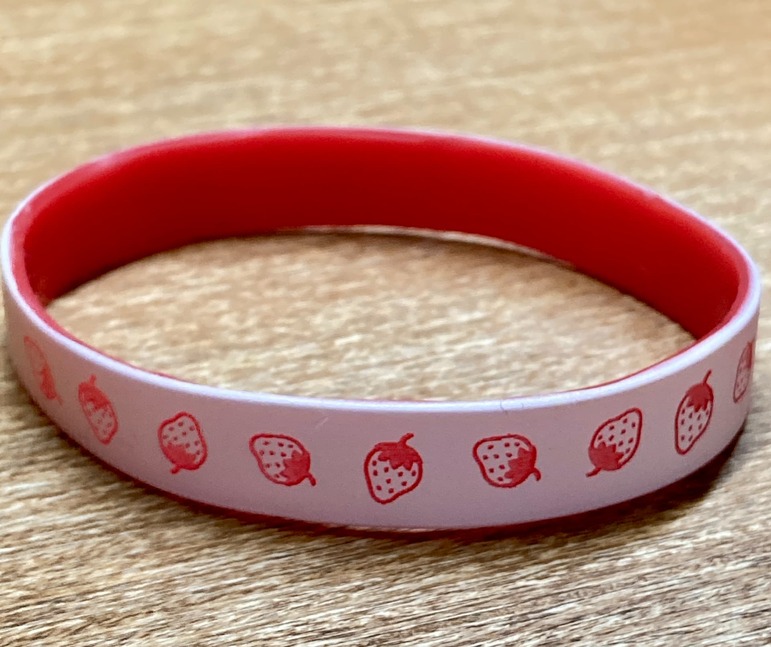
5 Likes
Hello, Thank you so much for sharing. How do I download the file?
1 Like
Either right click or long click on the line drawing and save as an .svg 
3 Likes
Thank you. Do you know the settings for engraving silicone bracelts for the aura?
1 Like
I do not, but it looks like someone has added silicone here:
3 Likes
Thank you will do. fingers crossed they work. I am unable to locate the link and so far the settings I have tried on tie dyed silicone bracelts have not worked.
2 Likes
The link is the part in blue that says “Aura/Spark settings sheet”.
It’s a Google Sheet.
4 Likes
Thank you so much. I was not able to open the link but the settings I found that worked great with the Aura are 50/10/ 2x and 405 LPI
3 Likes