I have been asked to create some signs for our community. They have send me a photo of what they have used in the past, and I have pasted it below. I need to figure out the best way to make something similar with the Glowforge. I wondered if there is a material I can use that would be a different color when it is engraved? I know I could use a wood piece, or clear acrylic and the engraving would show, but I wonder if there is another option. Otherwise I would need to cut the acrylic sign in Glowforge and use my Cricut machine to make a sticker of the name. Am I missing another option?

1 Like
The search tool is your friend. Try “two color plastic” 
7 Likes
Consider Rowmark Ultragrave
10 Likes
As @dklgood suggested, Rowmark would give the cleanest professional look.
In a pinch, I’ve attempted the Ablate-Mask-Spray process for signage for those times I didn’t want a char-engraving on wood look…
Using a masked material, engrave wording onto it. This leaves everything else still masked. Using light coats of spray paint, spray into the lettering until the coats build up and mostly covers the engraving char. Once final coat is dry, remove the rest of the masking. While you might not be paying Rowmark pricing, the additional time involved versus middling end result only appeals to the zero-budget maker.
There’s a process of applying this to clear acrylic sheets I’ve pulled off, but even more steps are involved.
6 Likes
It’s just not worth the effort to fiddle with other methods, the two-color (also called “double color”) acrylic is ubiquitous.. Even Amazon has it. It will produce the most durable, commercial-looking results.
Sure, for personalized gifts and such, I’ll go to a lot of effort. I made some unique bookmarks using a combination of exotic hardwood veneer, water-based acrylic to help seal the wood grain, masking, engraving, burnishing, then an iridescent enamel nail-polish applied over a white base layer (into the engraved areas..)
For this purpose, too much, I’d think!
11 Likes
This makes complete sense now that you put it that way. For some reason I was having a hard time figuring out what to search for. I was making it too complicated, and because there isn’t anything in the glowforge proof materials like this I wasn’t sure. Thank you.
6 Likes
It looks like the smallest size on the Rowmark website for the Ultragrave is 12”24”, which is too wide for my Glowforge. I don’t have anything that can cut it smaller in my classroom. I know I can put longer pieces into the Glowforge by opening the door on the front, but that didn’t work well for me the last time. It might be worth me looking into having someone cut smaller pieces for me, or getting over my aversion to using the machine with the pass through open. What settings do you use when you are cutting or engraving this?
4 Likes
You easily cut this product without a Glowforge. Simply score and snap. You can also get smaller sizes: Black on Bright White Laserable Acrylic Sheet – Inventables, Inc.
12 Likes
what @dklgood said. this is true of any acrylic, especially when it’s relatively thin, like 1/8” or 1/4”. if you get even thinner (like the 1/32” or 1/16”), you can often cut right thru them with a utility knife with a few passes. or an exacto, but probably easier with a “stiffer” utility blade.
9 Likes
There are lots of sellers of two colour acrylic.
Might I suggest:
8 Likes
They have 2 color cast acrylics. I’ve done this before for work labels for HVAC systems, etc. Works great and they have recommended settings.
5 Likes
Some people may not feel comfortable “snapping” the acrylic. I have also used the passthrough slot on the Pro to cut larger pieces down to size. Just drop a line across the entire sheet and cut it at the 20” mark. You will end up with 2 pieces that fit inside your Glowforge when you need them.
3 Likes
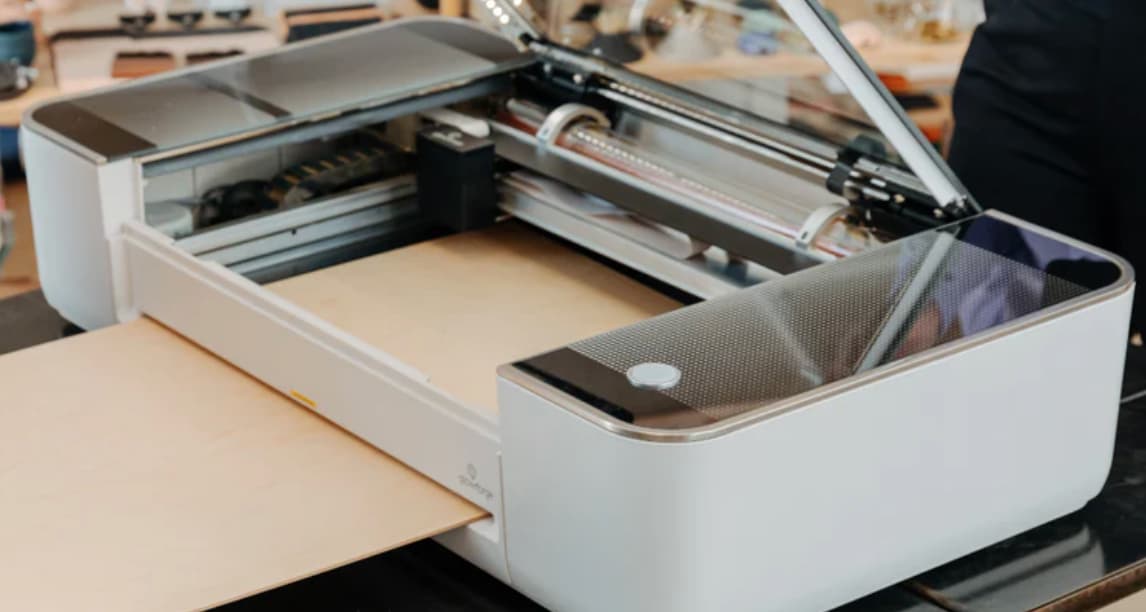
The front lower door is not the “pass through” - pass through is provided by built-in slots with silicone wipers, that come with metal covers if not intended to be used. It is on the Pro models.
It is possible to use the machine with that front door open, but is ill-advised in-general.
4 Likes
ColorCarve two-tone acrylic comes in 12” x 19” sheets that fit in the GF without cutting. They have a wide variety of colors and finishes available, including glitter. I’ve bought it from Houston Acrylic (houstonacrylic.com) Not my favorite two-tone brand, as it seems to require a little more cleanup, but it’s the right size for the machine if that’s your main criterion.
4 Likes
I have cut similar projects from plexiglass, leave the masking paper on and use spray paint. Once the paint dries, remove the masking paper and voila!
3 Likes
You can get it cut from various vendors. I’ve purchased it from JPPlus.com in smaller sizes. Also does your GF have the pass-through option? If so, feed it in so the 12 inch is the width and use the GF to cut the blanks you want.
If all that is too much just engrave and paint fill. You should have it masked before cutting engraving anyway, you can spare paint them in 30 seconds, peel the masking and be done.
3 Likes
“Duets.” You can even get them on Amazon. Search for something like “laser duets” and you’ll see a bunch of different colors available. Maybe cheaper/faster. Or you can go to maybe JPP and get them.
4 Likes
This topic was automatically closed 32 days after the last reply. New replies are no longer allowed.