My prints are cutting wider than what they should, ive tried all trouble shooting things i know. Please help
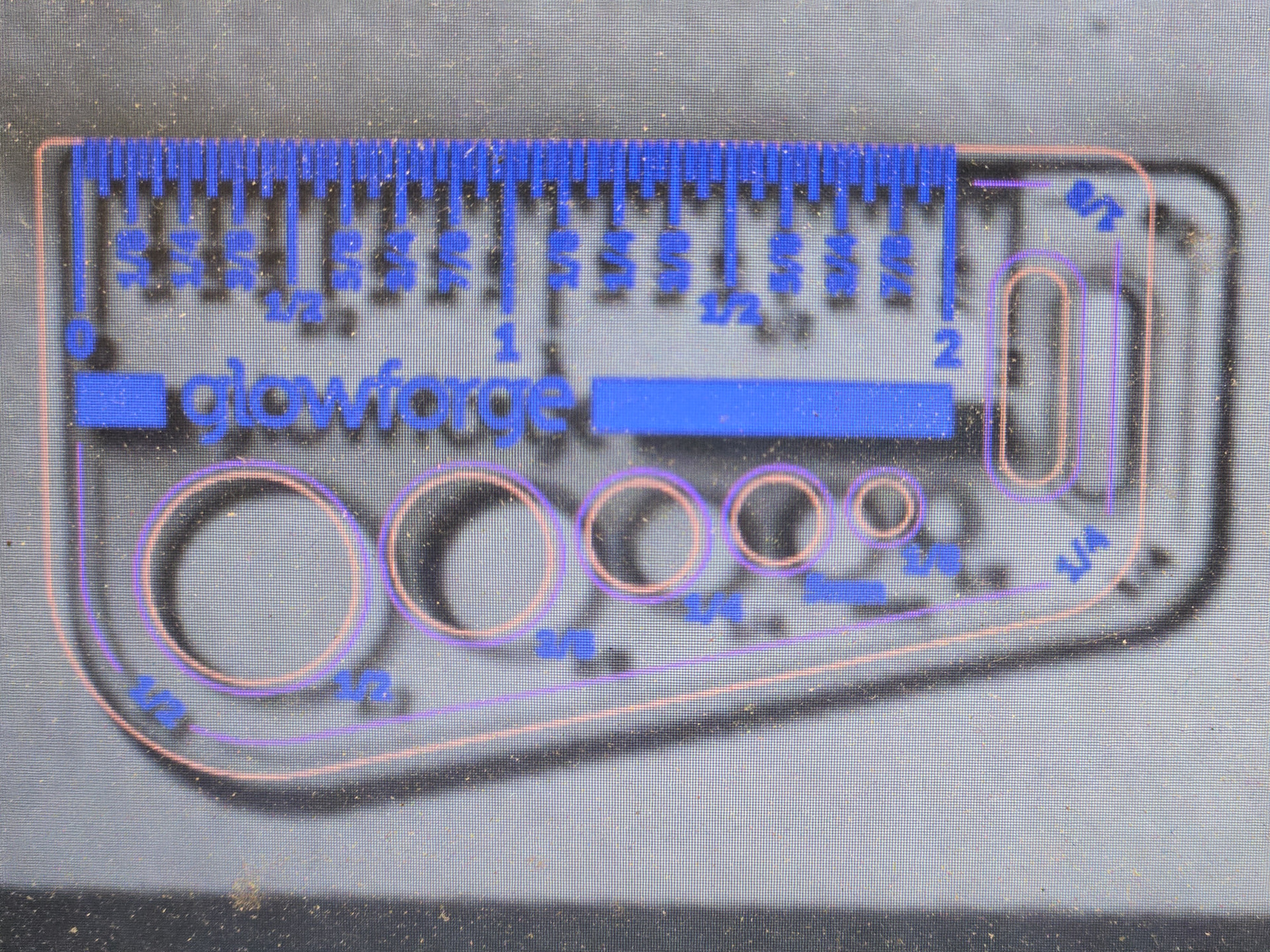
3 Likes
Dumb Questions:
Are you checking the thickness of your material before cutting?
Did you clean your Glowforge and get the lens back in properly?
You’ll probably want to reach out to support. This page has all the information and ways you can do that (including a phone number):
How to Contact Support
4 Likes
I think that these images are inconclusive.
The first is easily explained by camera correction issues especially if you’re cutting near the edge of your workspace. Use a reference ruler to see if your gift of good measure is properly sized.
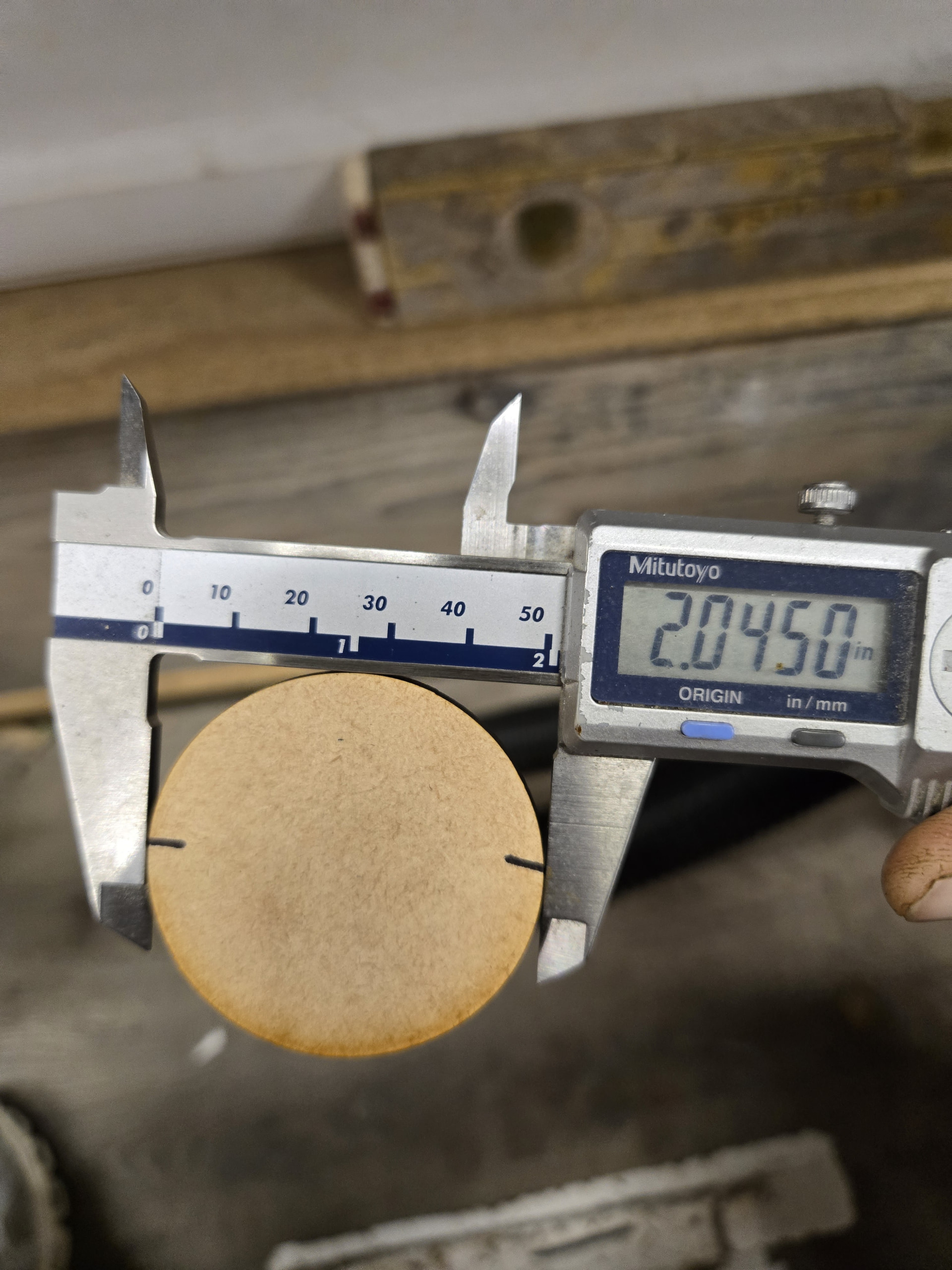
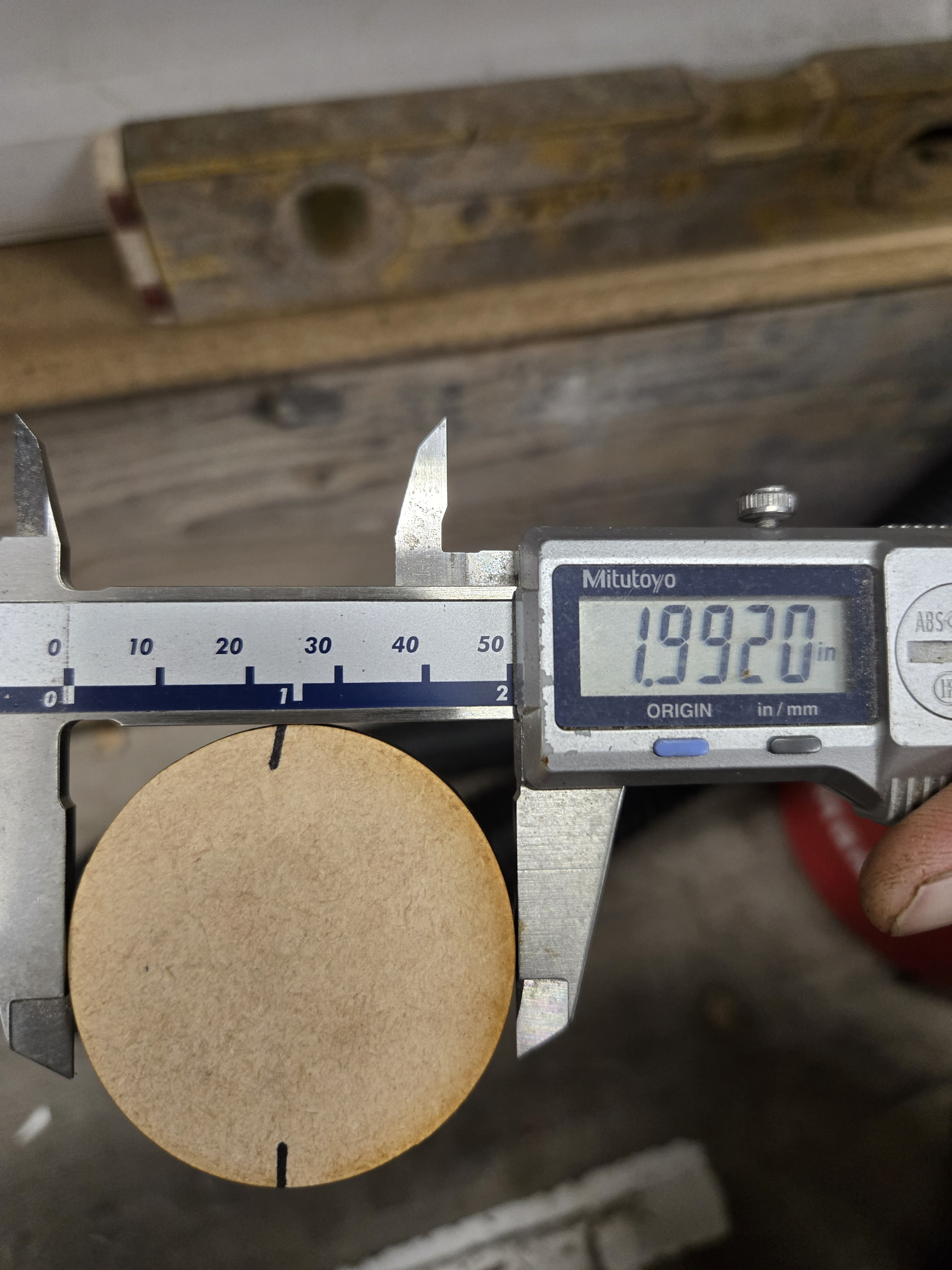
The second and third images show an apparent discrepancy between x and y height. There are a couple of issues here.
- Your discrepancy is 0.005”. That’s within margin of error for most people’s caliper technique. If you’re off angle by even a little it’ll result in 0.005” across 2”, that’s a quarter of a percent.
- That difference can also be explained by where you’re gripping the piece. The cut profile of your piece isn’t 90 degrees; grip it near the top surface and it’ll be significantly smaller than if you grip it near the bottom.
- Your art isn’t included. Double check your svg to be sure it’s exactly circular.
None of this is to say that you’re not seeing differences, only that these images by themselves are not proof positive.
Things I’d pursue:
First return the cut piece to its hole and spin it. If it binds significantly when you rotate it then you’re seeing true differences. Take note of the place where it binds most strongly, that should be 90 degrees out of phase from your thinnest and thickest point. If you’re out of square on the gantry you’d expect it to be a few degrees off of the x direction, as your piece will have slight skew and be sone sort of ovoid.
Re-square your gantry according to the support page instructions for your model and rerun your test. If it’s still consistently off speaking to support might be warranted.
That said: there are Glowforge tolerances at play here and chasing the last few thousandths can be highly frustrating. You might want to adjust your designs to be more forgiving in their dimensions. Work with your tools, not against them so to speak.
Also something that I regularly have to remind myself of is that while you have a digital machine the final step of your process here is always analog: using a laser to burn/ablate/sublimate through organic materials. There are so many tiny things happening with the physics of the laser and your material that there will always be some variables.
Lastly I’ll recommend looking at @Purplie’s excellent posts about tolerances and skew for his dome-shaped puzzles. He went very deep down this rabbit hole and if he’s around maybe he’ll chime in.
9 Likes
Everything is cleaned, I’ve done lots of tests rotating images. I’ve tried my spare carriage plates with same results.
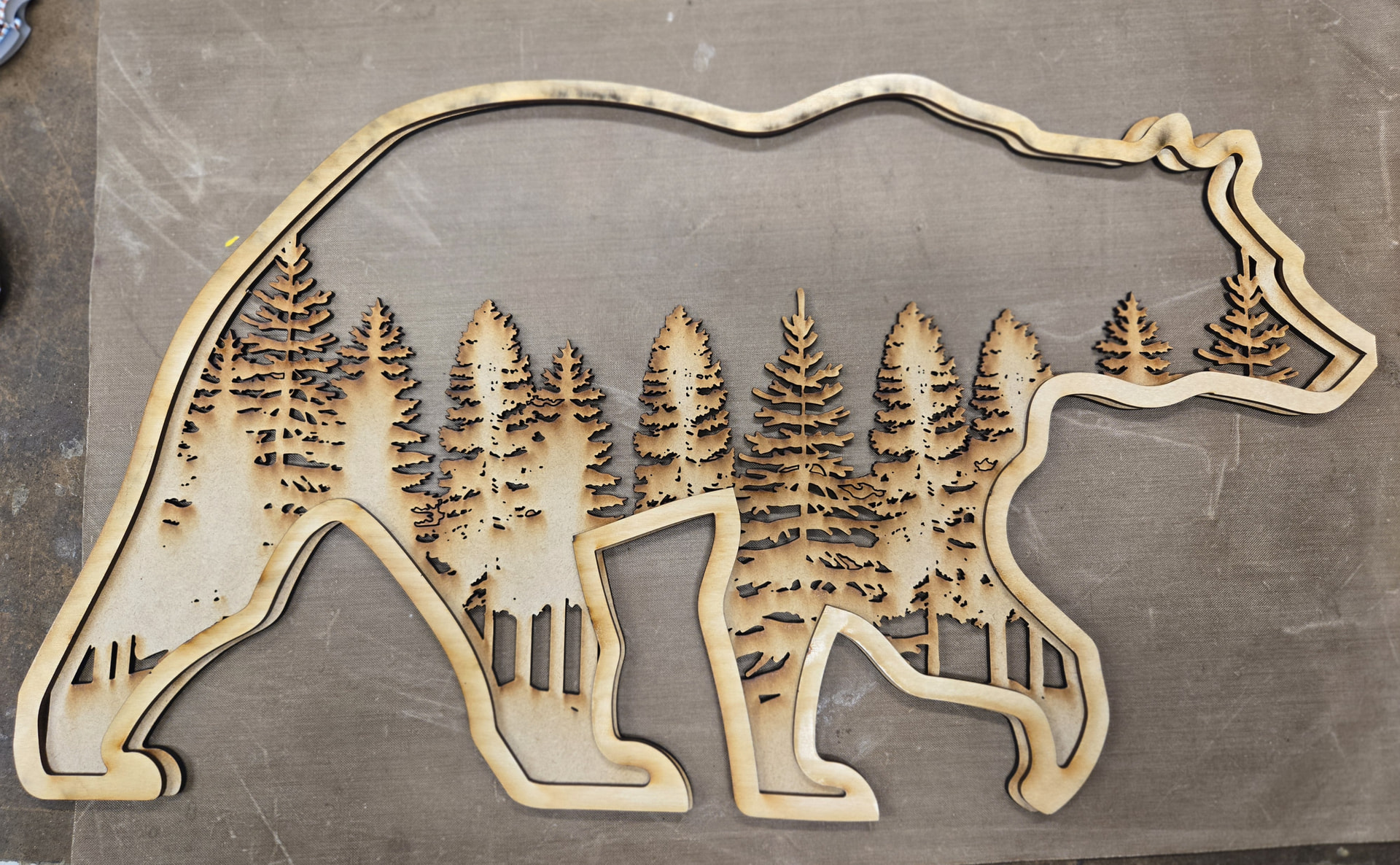
I’ve cut this bear 100 times with no issues, it’s 3 layer bear, all layers are exact same size. The bottom layer i cut a few days ago before the issue and top layer after i thought i fixed it. Also, there’s a little glitch by the nose that never happened before too.
Also, I did rotate the hole and the piece doesn’t fit in,… none of my files have changed, I’ve never had issues with cutting shifting a little, this issue just started the other day.
I will try squaring the arm, I’ve never done that before. . And I do have a ticket in for support
Thanks
5 Likes
Hmm that glitch changes the equation a bit. Carefully inspect all of your wheels, pulleys, rails and belts. You could have a cracked piece or worn belt/pulley. The fact that you’ve tried spare carriages seems to rule out a cracked x-axis wheel so I’d be focusing on the pulleys and belts. (But still look at your wheels with a flashlight. Cracks can be hard to spot)
I’d imagine you have your belts properly tensioned, but it’s something to check. The help pages have a guide for that too but you’re someone with multiple carriages so you’re probably all over that.
Sometimes if tension or strange resistance spots are the issue you’ll notice more problems at higher speeds, this is sometimes called “lost steps”. It looks like you’re cutting 1/8”+ woods so your speeds are probably low enough that I would think you’re not losing steps. Besides lost steps tend to be glitchy, not consistently wrong. Your bear outline? Maybe belt issues/step loss. The circle being too wide every time? Not likely lost steps.
When the power is off manually move the head through its full range left to right and front to back. Any strange resistance anywhere? It might give you a clue to focus on.
This is a bit tricky. I’d you go through all of this with no clear answer I’d talk to Wiregrass instead of GF support. They tend to go into more detail to find root causes, Glowforge’s model is more like “that’s a tough one, let’s get you a refurb” — GF’s goal is to get you up and running quickly without getting too technical, Wiregrass has a more hands-on bespoke method of getting you back in the game. You seem like you know your stuff, Wiregrass is a great option for someone who’s got your technical chops.
9 Likes
I did check all belts and pulleys and didn’t visually see anything wrong, the glitch doesn’t happen all the time just occasionally. The carriage plate runs smooth with the machine off,
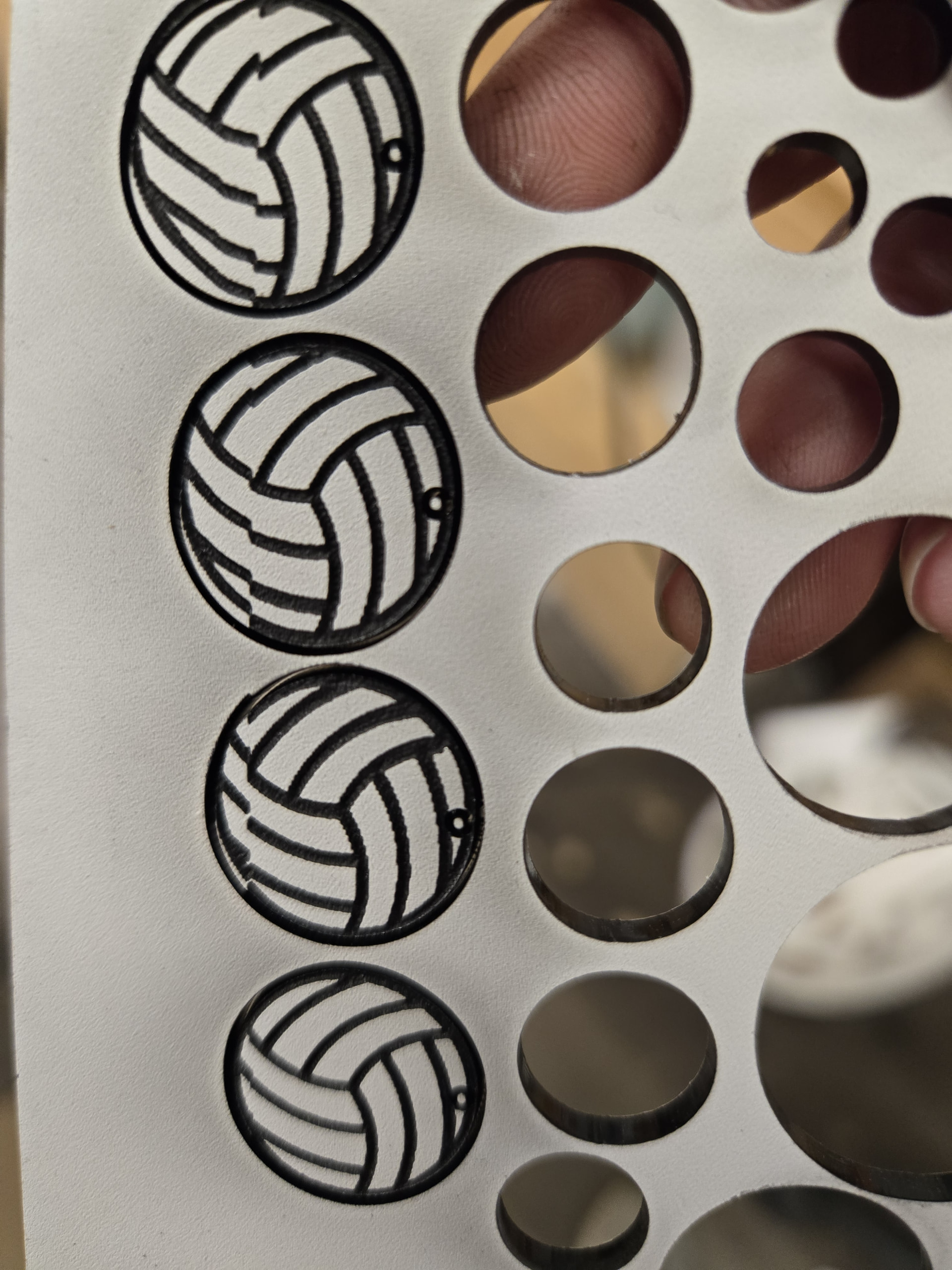
not all volleyballs turned out like this but this was before a little more maintenance I did
5 Likes
Yup that’s a x-slip of some sort.
Sorry if we’re wasting your time here, but you never really explained what you already did so I’m sorry if I’m spending time covering stuff that you have already done. Good luck.
4 Likes
That’s OK, I was having trouble posting , I originally had everything explained but kept getting an error lol so I made it short and sweet and it finally accepted it. Thank you so much, all help is appreciated.
5 Likes
Yeah I’ve had issues with discourse like that before. Sometimes it gets buggy and weird. I usually copy the body of the message, reload the page, start over, and try paste/reposting. Doesn’t always work but it’s gotten me out of trouble a couple times.
5 Likes
thank you, I’ll do that next time
2 Likes