I’m a teacher, and I’m blessed to have just gotten a PRO for my classroom. I want to make this as user-friendly for Jr. high students,so we make great use of the machine. I don’t want kids to download files, other than templates for boxes…. What drawing programs do others use? I’m especially looking to be able to create organic shapes.
8 Likes
Inkscape has the #1 best quality for schools: it’s free.
It’s powerful enough that your students won’t outgrow it, but it will require some instruction like any vector program.
Good thing this is a school, instruction is your whole thing. 
13 Likes
I use Inkscape for vector files. When you say drawing, do you mean actual drawing?
A lot of users have an easy time with Cuttle.xyz, which is specifically for cutting machines and created by a group of users that are often on this forum. I believe they have an education bundle too. It’s really fun to play with and get started right away, plus they have some good beginner tutorials to show how to use the program.
Other than that, for drawing and photo editing I use clip studio paint ex. I think krita is just drawing and is free, but not really laser ready.
A lot of people use GIMP, but I didn’t like it when I tried it. And then you have the adobe suite users and the I believe someone mentioned a program that was recently bought out by canva, so it’s free now? I forgot the name…it’s a recent forum post. Procreate? Don’t remember, unfortunately. And then the other paid one, it’s similar to Adobe…CorelDraw.
There are just too many to name. It’s best to narrow down by price, access, and difficulty. But for students, you should check out Cuttle.
Found it…affinity studio. I think that’s the one bought by canva.
14 Likes
Cuttle is an interesting suggestion but I didn’t bother to bring it up because it requires subscriptions, which is a whole other level of complexity with a room full of students. That said I’ve never heard of the education bundle so I just did a quick Google:
Maybe they’ve solved for that complexity, it looks like they’ve really specialized on this trying to gather new users early. Smart move on their part.
10 Likes
That’s true, I just remember recently seeing an email about an education special. I think it was free, you just can’t use all the ready-made templates or something.
11 Likes
I’m also a long-time Inkscape user and would recommend it. Note that many also like Affinity which was recently acquired by Canva and is currently free. Long-term, I’d feel happier with building Inkscape skills as it’s completely open source and it’s state is not hostage to the whims of a corporation.
15 Likes
I like Inkscape but also use Cuttle. I love Cuttle and like here, there’s lots of templates where you can make it personal but it does require a subscription.
8 Likes
Thanks everyone for the great support! I really appreciate your input!
6 Likes
Thanks for taking the time to link this. I just signed up for an education account. I’ll let you know how it goes!
6 Likes
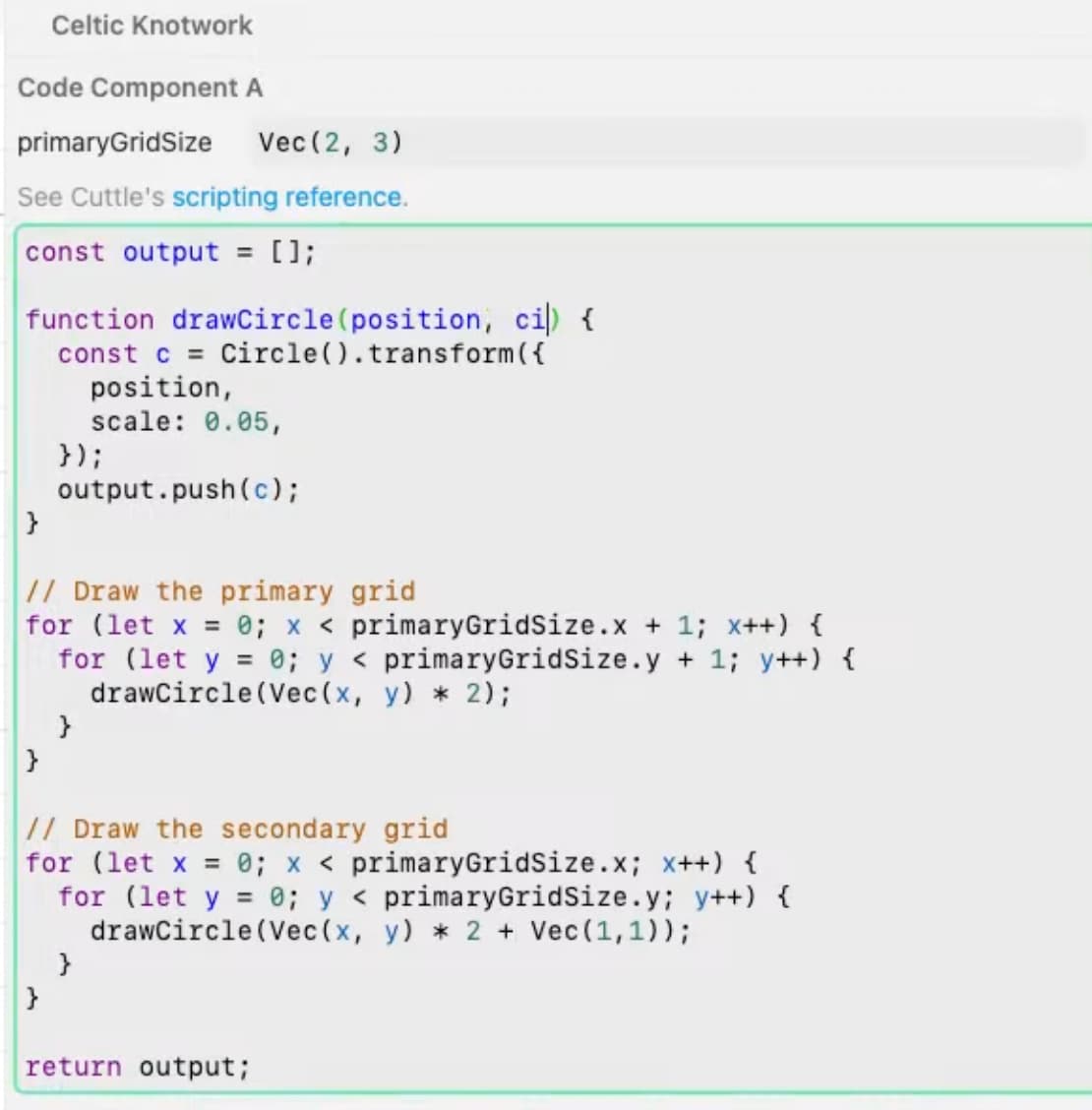
I read that some teachers are using as part of their STEM curriculum.
There are few math and programming examples.
11 Likes
@theroar84 made a lot of videos using TinkerCAD for his students. It is free.
You can find his YouTube on any of the links above
8 Likes
Thanks, I am familiar with TinkerCad. I’ll check out these videos. I struggle with it personally because,instead of building an item by adding parts, you sort of add parts then take things away to get the shapes. Not my favorite, but I understand kids LOVE it. I like the TinkerCad Circuits where you can map out and try electrical circuits before building on an Arduino board. Thanks for your input!I I’ll take a look.
6 Likes
If your school already has a subscription to Adobe Illustrator, I could send you a curriculum I designed to teach middle school students how to design projects for the Glowforge.
But if you don’t, I wouldn’t put the money towards getting it, and would encourage them learning Inkscape. The curriculum could be used for Inkscape too, but there would need to be some translating done for Illustrator to Inkscape, which I’m not up for  Happy to share it with you, regardless!
8 Likes
Think about it like molding a piece of clay. I used to teach people how to use (certain) CAD programs using that analogy and it really helped them.
7 Likes
Unfortunately I don’t have Adobe. I would be interested in seeing how you teach it though, if you’d be willing to share. I’m always looking for a better way. Thanks so much for your time to answer my question.
7 Likes
I’d recommend Affinity. I used Affinity Designer for years and the new unified app works just as well. And it’s mostly free. (At the moment only the AI stuff requires paid subscription. It looks like plan is to keep the basic functionality free and only charge for new features.)
8 Likes
I would agree if it was for a graphic design class. Affinity and Adobe have a lot of overhead for drawing for lasers. For print design I would total use Affinity, for professional print design I would choose Adobe (industry standards and interoperability). But drawing for lasers uses a simpler toolbox.
7 Likes
As others have mentioned Cuttle has a free education plan that is just a simple application away 
You can read more about it here Cuttle for K-12 Education
I’m a bit biased as I work for Cuttle  but I did use it with students during my early days with the company because the school I was working at only had chrome books which made Inkscape a difficult proposition (I do love Inkscape for many other reasons).
I also liked that Cuttle helped me package some class activities into a simple page, like this one where I had students draw some Truchet tiles and watch a video, and the Cuttle Project had a starting point built into the editor. Kind of wanted to make more like this at some point.
11 Likes
All of the suggestions above are great. The Cuttle for K-12 seems great if you are a teacher. I worked in an advertising agency, back 20 years ago, we used illustrator. When I got my glowforge I did not have access to illustrator anymore. So I have been using inkscape. I suits my needs but it is a very quirky program. If you have access to illustrator or Canvas I would combine that with the Cuttle. Much better education for the outside world. If not inkscape works well and lots of youtube videos to help with problems. Good luck
6 Likes
What do you find to be quirky? Inkscape was my entry into vector work so of course I think of it as normal. Curious to know what you find to be unusual about it.
8 Likes