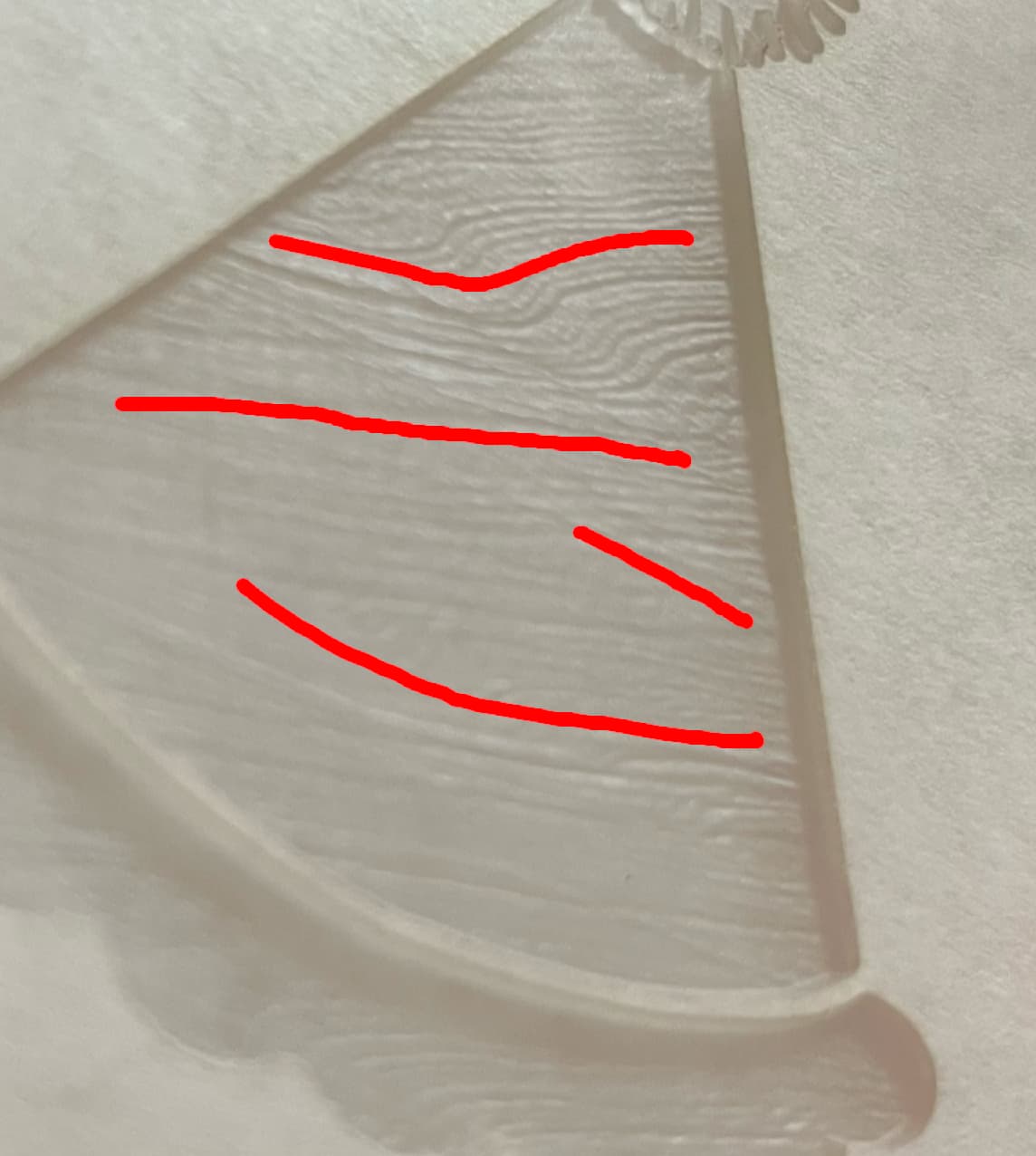
We changed our carriage belt, cleaned and checked all wheels, but when we engrave on acrylic, as we have been for years, we are getting wavy lines, looks like a fingerprint, before it would be smooth, it’s not the material, so is the belt too tight? Too loose?
That’s how acrylic has always engraved for me. The pattern changes depending on settings but I could never eliminate it. I even have a thread to discuss it from years back.
So it could be that your belt was set “just wrong enough” to overcome that.
The bumpiness is caused by the laser “drawing” lines burning the acrylic. You can minimize it by increasing the LPI (@rbtdanforth does crazy high counts) but it will slow the engraving. Potentially a very large amount. You’ll still have the lines but they can get so close together as to be unnoticeable. Or do a second pass on the engraving with the laser defocused (tell it the material is thicker than it really is). That spreads the beam over a wider area than the focused beam and will burn (melt) the lines from your first engraving pass.
Relative to most folk, I do go high in the LPI, but I can compensate a lot by going much faster and getting the same depth. I am willing to wait the extra time to get the extra result.
Kindly engrave this same image onto draftboard and share a photo. This seems like a material issue to me. The printhead travels back and forth in straight lines and it would be difficult to produce these waves unintentionally.
We’ve tried some old acrylic that we weren’t having problems with and it’s still the same, so it can’t be the material, we have been doing the same designs for a few years now without this problem , it’s strange
There are three elements at work. The machine, the material and the file. Does this wavy pattern occur in every single engrave you perform? If you engrave a simple circle, the wavy pattern would be expected if the problem is with either the machine or the material. What do your wood engraves look like? In order to fix this problem you must be willing to isolate the source by testing.