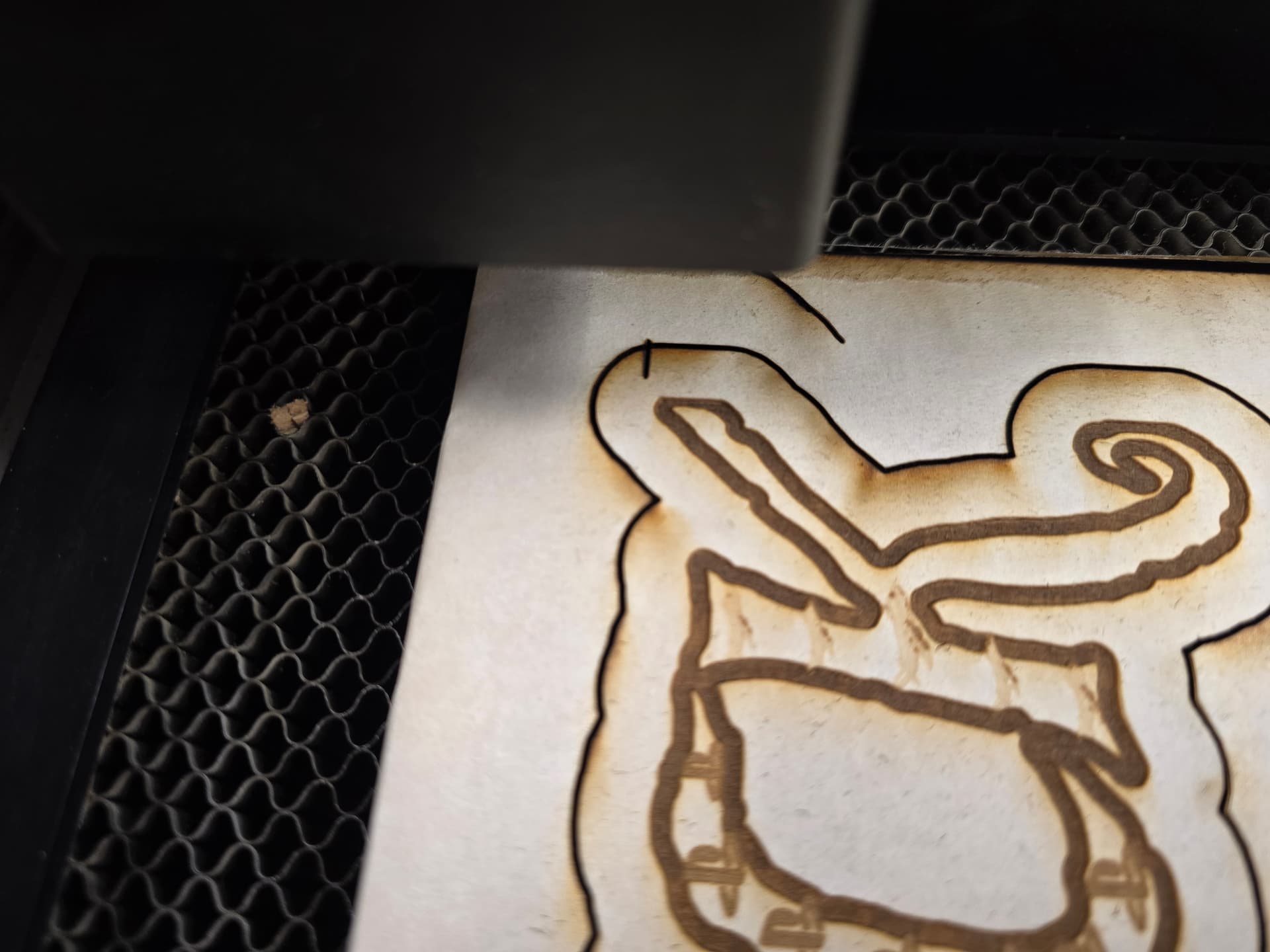
I have been trying to line up my cuts with my Glowforge pro and it is not working. I have it just the way I need it on the Glowforge dashboard. I set it to print but when it starts to cut it is way off and cutting into my design. I have tried to calibrate the camera but that still did not work. Any suggestions would be highly appreciated. Thanks



2 Likes
The camera shows the user the usable area of the bed, not the total honeycomb bed. This has always been the case. The usable area of the bed is approximately 10.9” x 19.5”. This area is further diminished if the design to be cut includes engrave areas.
If you use the set focus tool prior to placing your artwork, the camera is warranted to be accurate to within 1/4”. You can use the set focus tool multiple times and in multiple places on your design before you click print. I cannot tell from your photo exactly what is going wrong. It is also important to know than if the printhead gets moved with the machine on, cuts will be made in the “wrong” place.
Can you explain what alignment issue your photos show? Also, the line to cut between Kendrick and Bailey is going to cut off parts of both designs.
7 Likes
Always use the set focus before positioning your design over the material that you are working with. If you are already doing that then I would email support. Good luck.
6 Likes
This topic was automatically closed after 30 days. New replies are no longer allowed.