bwente
October 18, 2026, 12:19am
1
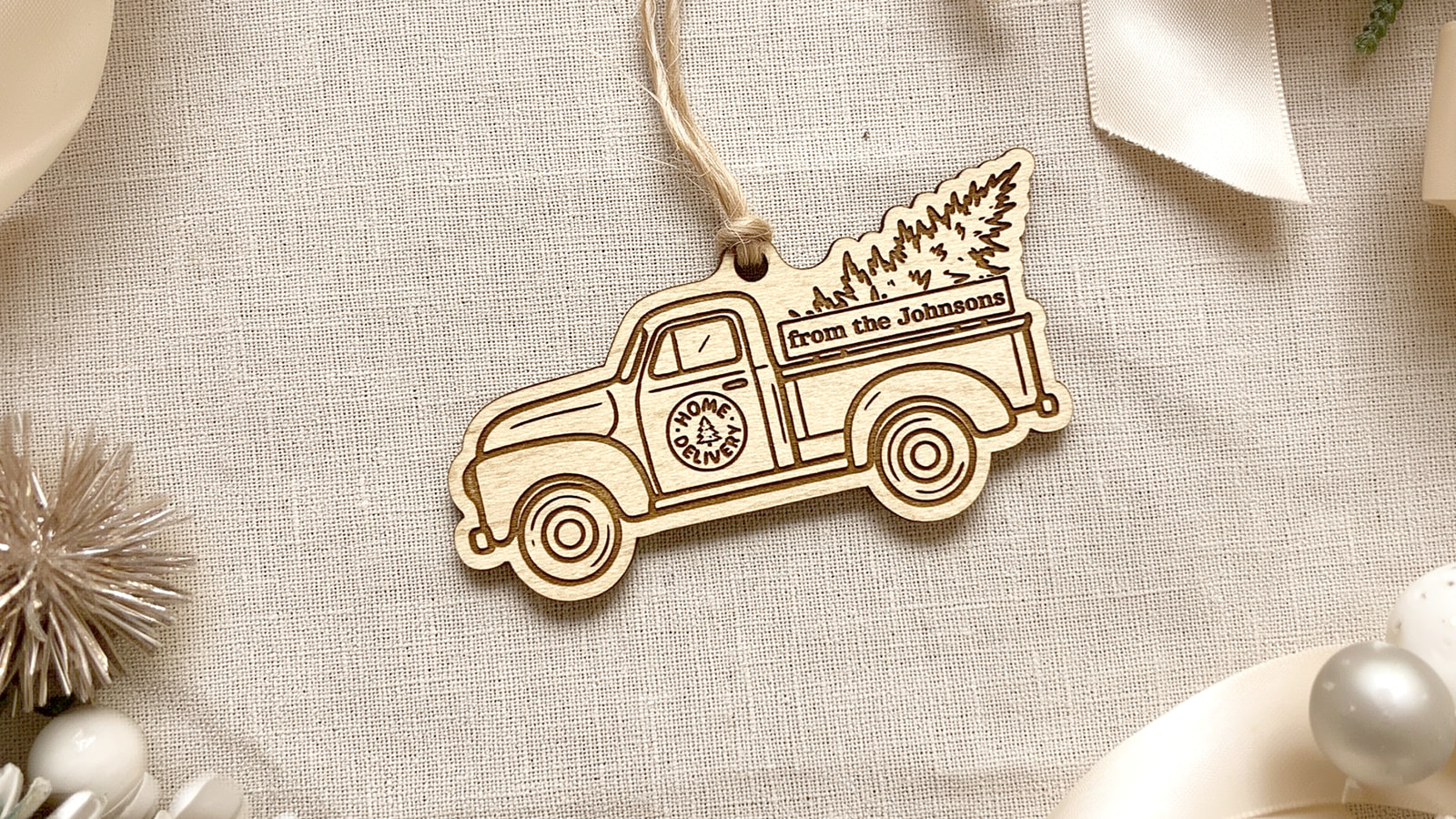
I made this vintage Christmas Delivery Truck ornament with a customizable sign on the side. You can add a family name, holiday greeting, or your own message.
But the interesting part is the hanging hole .
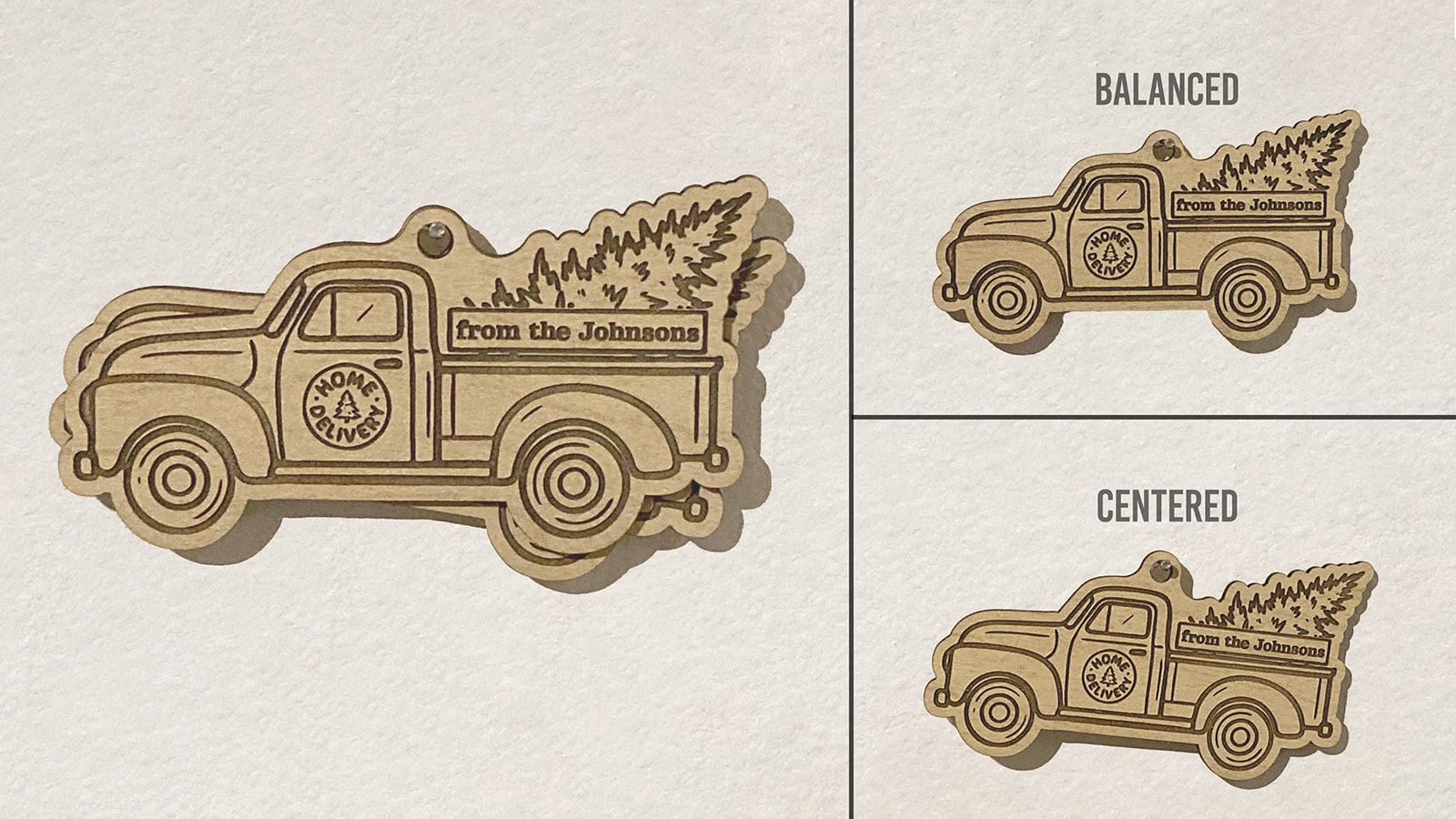
Because the Christmas tree extends out of the truck, simply centering the hole causes the ornament to hang crooked. So I created a modifier in Cuttle that calculates the center of mass and automatically places the hanging hole where the ornament will hang level.
The comparison photo shows the difference between a centered hole and a balanced one.
It’s a small detail, but I love finding ways to let the software handle those little design challenges.
And now I have a Christmas truck ornament to show for it!
Made with Cuttle and cut on Glowforge.
29 Likes
Great solution to a common gotcha!
15 Likes
cynd11
October 18, 2026, 3:05pm
4
Oh wow! I can see where that modifier could come in really handy.
15 Likes
Nice! Cuttle can do everything…
10 Likes
Love a good example of center of mass for my calculus students. Nothing critical, but they can see how it would be annoying without it.
14 Likes
tjones
October 20, 2026, 4:14am
8
That’s a whole physics lesson in one cut, right there.
15 Likes
I never took physics, so good thing people in here know what to do to fix things!
7 Likes
reynoso
October 21, 2026, 9:18pm
10
I love your design @bwente , but the attention to little details like balance makes your work outstanding. Congratulations!
10 Likes
bwente
October 21, 2026, 9:53pm
11
It has actually been brought up before. I just happen to make it automatic.
I want to make a “spinner” that can be flipped around to choose someone around a table. It will be an irregular shape. I know how to do it thru trial and error, but wondering if anyone has come across a way to to it mathematically - ideally just upload a pic and it shows you where it is.
I have looked online, not tried too hard, and this isn’t a major challenge, so I thought I’d just throw it up here…
I play team trivia with my ex, her brother, and a few others every week and we often joke tha…
In Inkscape…Extensions > Visualize Path > Measure Path
11 Likes
rvogt
October 25, 2026, 1:42pm
12
This is great! I hate when they hang wrong on the tree. And, I love Cuttle! They just keep making things better.
7 Likes