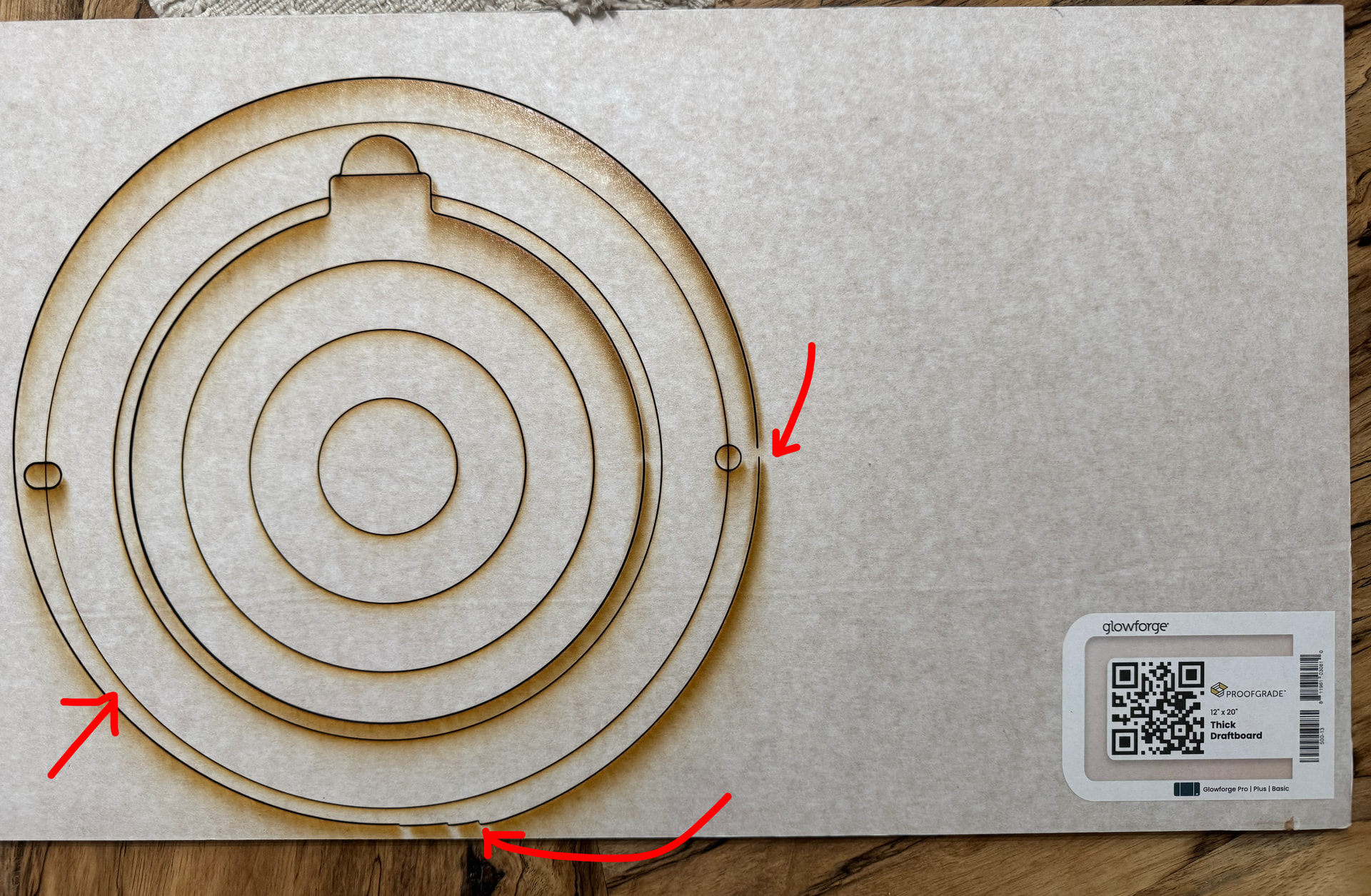
I printed a few pottery bats from a template in the shop. It was fine, but now I cannot get the thing to cut correctly. Unfortunately, I haven’t used my Glowforge in a while, so my tech abilities are lacking!
I don’t think this is a file problem. I believe this is a machine issue that may be related to belt tension, debris on the rail or in the belt, or a cracked wheel. Have you recently removed the carriage plate to clean the air assist fan?
Also, I did notice that my cover isn’t sitting exactly as it should. The right side is up ever so slightly. BUT it was like this when I did the first cuts, and I didn’t have any issues. I also did a 12”x4” acrylic sign after the initial problem just to test a different file. That is printing well.