We were part of the crowdfunding of Glowforge and have had a pro since the beginning.
We have had many problems that (thanks in great part to the community) have gotten sorted, but I have run into a problem that I can’t figure out. I don’t know if anyone else is experiencing this since I can’t find any word of it by searching.
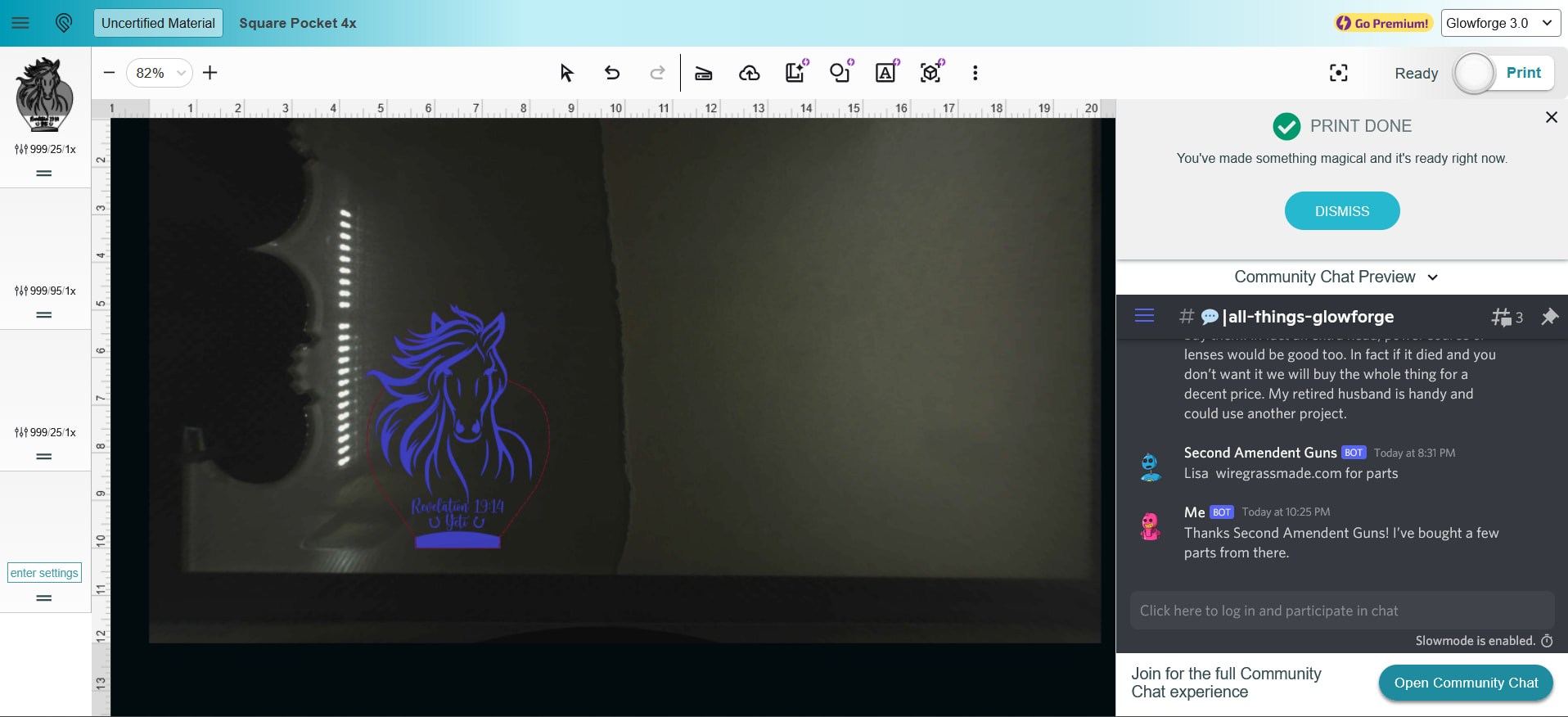
When I load a project into the GFUI, it ‘splits’ the project up as I want it to, but it’s not showing the project in the different boxes on the left-hand side of the GFUI. Instead it puts a graphic of the whole project in the first box. I can still tell each box what to do, but it’s very difficult to see what each box is and I don’t want to mess up customer’s items. Please refer to the picture below.
I’m using Firefox browser and have restarted it. I have restarted my Glowforge, and I have waited for updates and such… nothing is fixing this issue. Any clue to why this is happening?
that’s very odd, indeed. have you tried clearing cache/cookies? sometimes that can help clear issues like this. it’s very possible it’s just browser related. or even just using a different browser.
There have been several reports of this type of behavior and some similar items. I contacted Glowforge regarding this and and was told to reset the design and change the material (then go back to the correct material.)
For anyone encountering this, would you mind creating a Support ticket so we can track this and bring it to our software team? Issues like this are much easier for us to investigate when we can collect a few specific details for the added reviews and help.
When you submit the ticket, can you include the following?
The URL of the design while it’s open in the Glowforge App
The specific design file(s) where this is happening (or upload the file if possible)
Roughly when the design last opened or printed normally without this behavior, if you remember
A screenshot of what you’re seeing in the left-side step boxes (like the one you mentioned)
Your browser and version (you mentioned Firefox, which is helpful)
Whether the same design behaves the same way in another browser such as Chrome or Safari
Whether it happens with all designs or only certain ones (custom designs or catalog designs)
If you’re able to share the design URL and screenshots in the ticket, that gives our team the best chance of reproducing the behavior and identifying potential causes. You can reference any forum posts related to this to help as well. Thank you!