I have a need for something similar. I handled the get-the-jig-in-the-right-place-each-time problem by cutting a piece for thin plywood to fit between the plastic extrusions on each side of the flip-open door in the front. That was a little over 23 inches, I believe. The width needs to be relatively accurate, but you can decide on the height. Don’t make it too tall or you won’t be able to maneuver it into the GF. I created a sample square template to cut out of this jig in Inkscape with a specific lower-left corner point. This jig sits on top of the crumb tray edge. Now anything I want to cut at a specific location, I can push it onto the lower left corner of the jig.
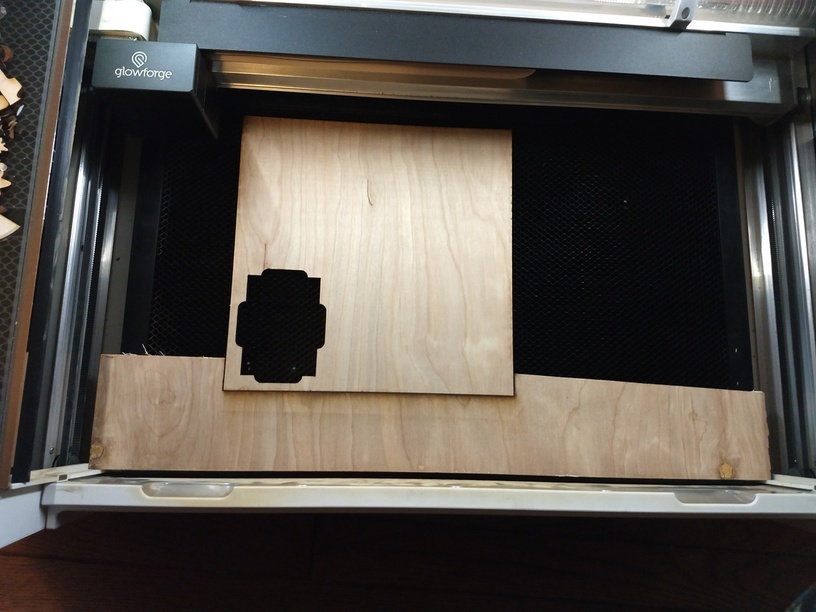
The extra template is for a shape I’ll be using a lot, so I made a template that slips into the jig. This allows my template to sit flat on the crumb tray and not ride on the edge, like the jig.
Here’s a closer look at how it sits against the front of the GF.
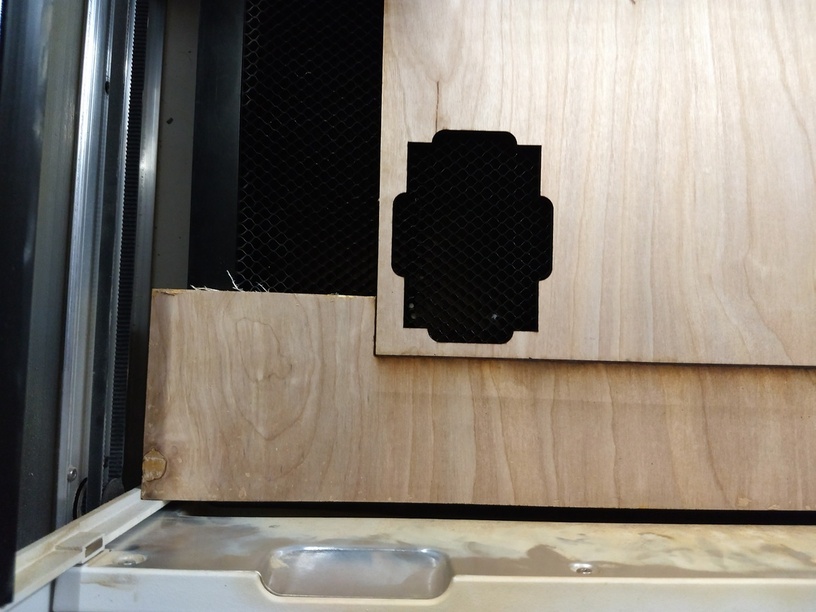
As you can see the jig was VERY rough cut, but the slot for the template was cut by the GF, so it’s precise. It’s not the prettiest solution, but it’s working for me.