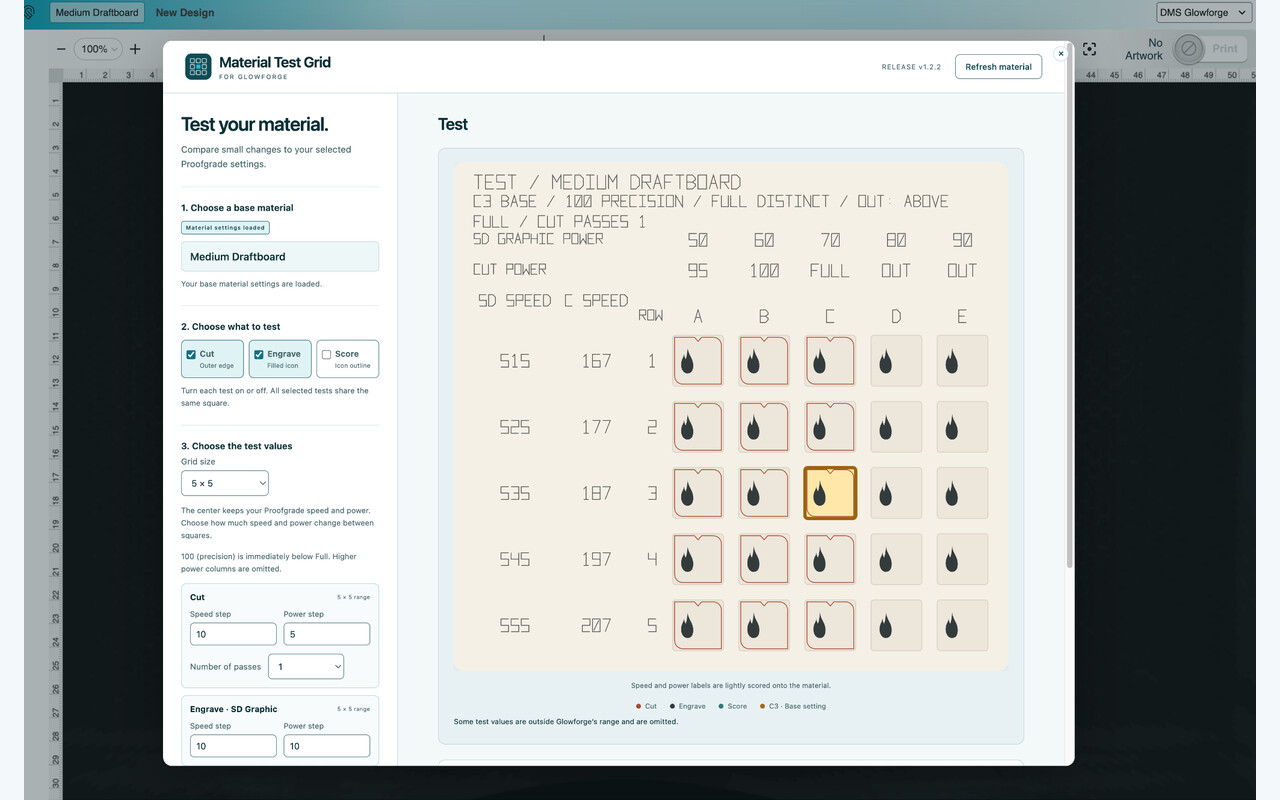
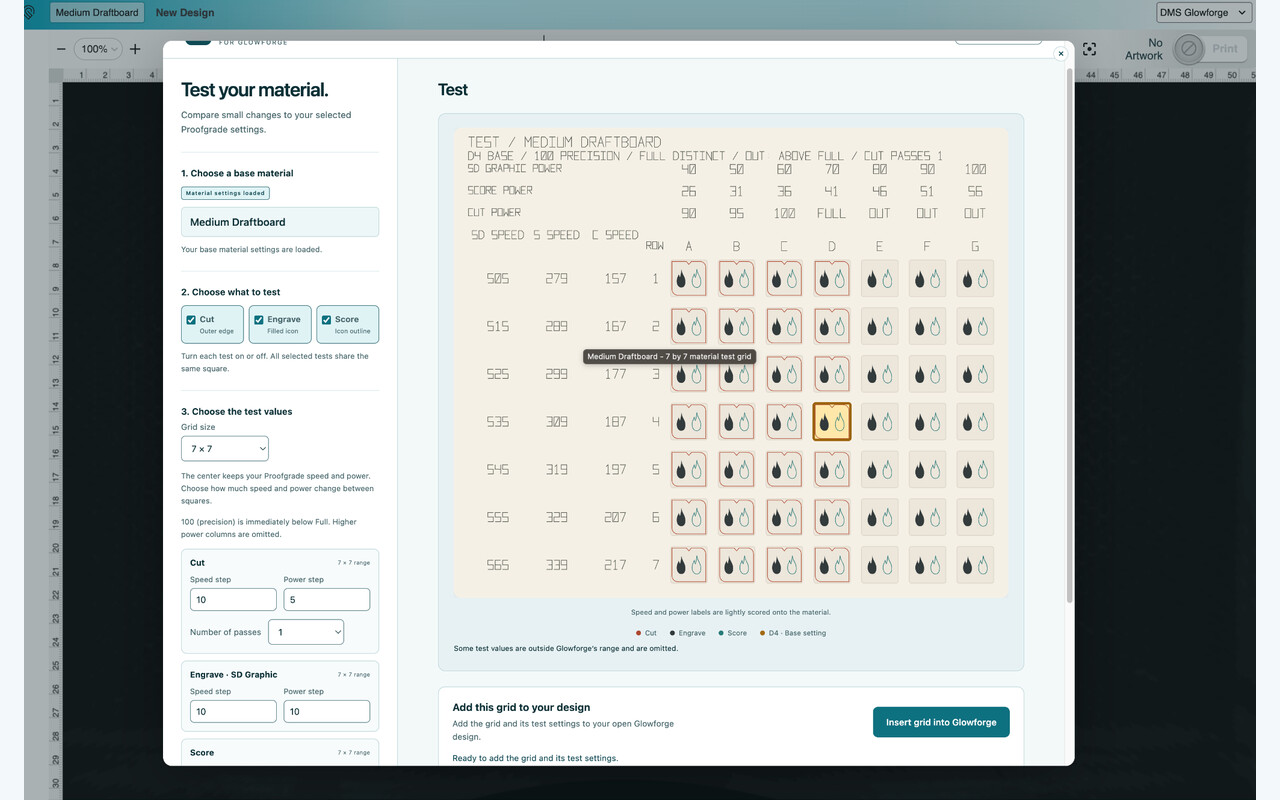
Pick a Proofgrade material as the starting point and the extension will add a power and speed test grid around it.
Welcome to the community! Nice way to introduce yourself!
12 Likes
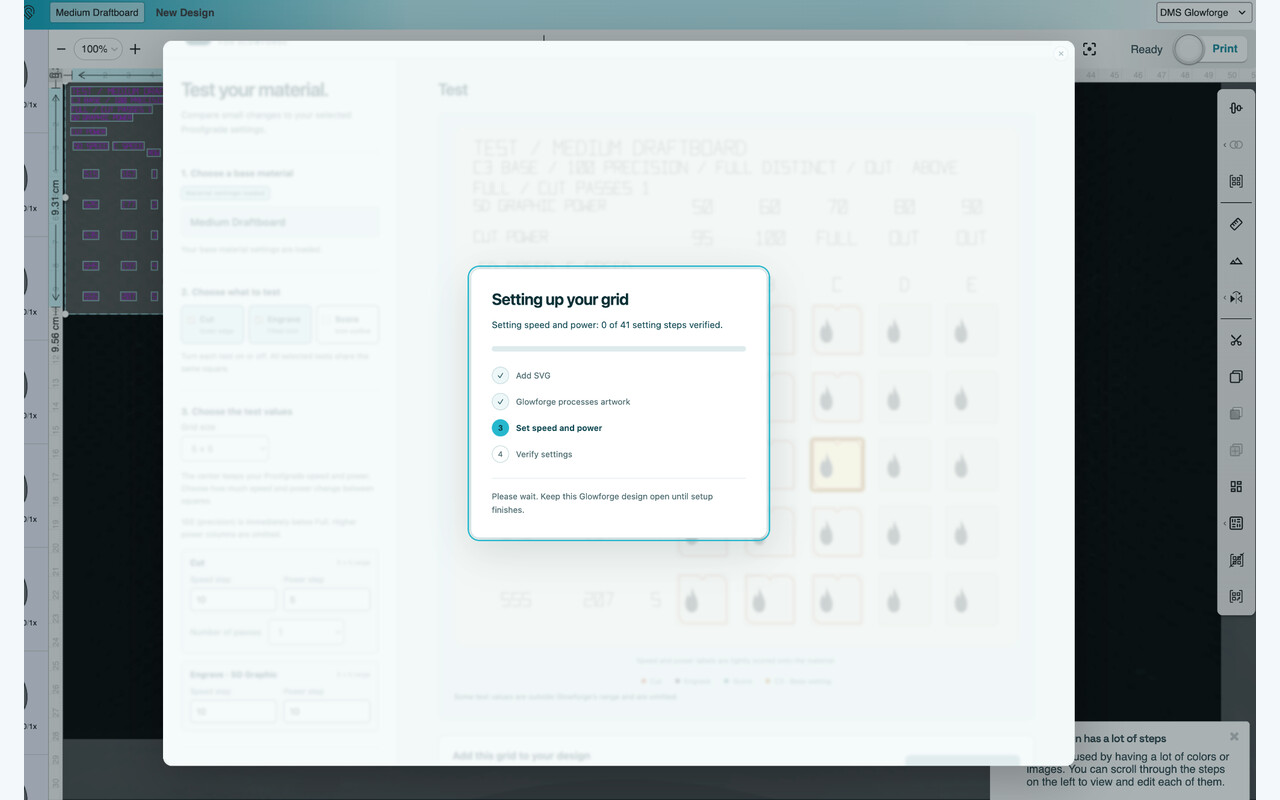
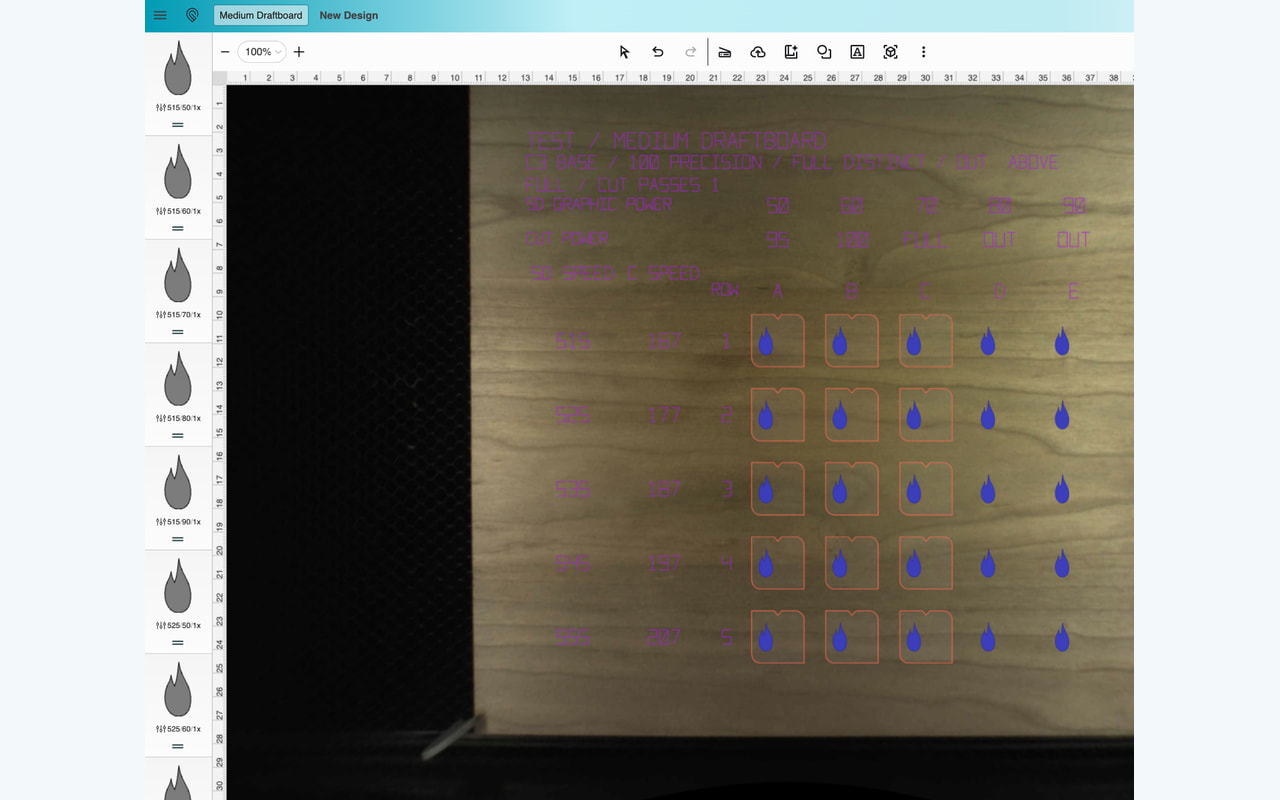
So if I have this right, you generate this, then manually enter 15 cut settings, 1 score setting, and 25 engrave settings? That’s 41 steps?
If I’m right, it’s definitely thorough. Cool idea.
9 Likes
It automatically sets the settings, no manual steps, but yeah it sets them using the actual UI (you can see settings UI quickly changing behind the extension UI as it does it).
All you do is pick a proofgrade material as the base/starting point and specify the grid size (5x5 default) and how much to add/subtract power/speed for each profile (default is +/- 10 speed, +/- 5 power)
15 Likes
oh, and I realize this sentence is weirdly phrased, you use some automated way to manually set them in the UI? Essentially macros that go through and interact with the UI on the users behalf?
If so how long does it take to do it?
10 Likes
yes, it’s pretty fast (now, wasn’t initially :)). a 7x7 grid with cut and engrave (~100 profiles) would take less than a minute, and more than half of that is Glowforge processing the SVG. actual profile settings creation is a few seconds
12 Likes
Slick. Overall, how robust do you think it is? Things like this (take the beep extension from @chris1 for example) are pretty easily broken if Glowforge updates their interface. In fact, the beep extension has been broken for a while for that very reason.
If you’re looking for a project… One feature people have wanted for ages is to be able to multi select steps and apply settings to them all at once. Glowforge doesn’t seem to be interested in doing it.
16 Likes
Impressive first post!
10 Likes
It’s a lot easier to create and update this stuff now because reasons. 
Also, the beep extension worked untouched for years. For some reason, it still works for me. I rarely use my Glowforge but I was surprised the other day to hear the music play.
Also also, literally yesterday I was going though my long-neglected todo list with my new ADHD buddy agent and declaring task bankruptcy on most of it. I only kept two items, one of which is to finally merge that darn PR.
12 Likes
pretty easily broken if Glowforge updates their interface
100% agree, it will break at some point (assuming Glowforge still active with the app? I’ll be just happy if they keep the server lights on TBH) but fortunately we are at a point with AI that we can detect and fix fast (and ship new features quickly, this took me < 2 days with AI coding assistance). I already have an agent scheduled to do e2e browser tests 3 times a week, if it breaks, fix will be published quickly (Google is taking its sweet time to approve thu) so hopefully it won’t be out of commission for more than a few days.
7 Likes
Oh cool, it worked. That was easy!
Thanks for that! I’ve been wondering how much power to cut through this annoying wood I have because my normal settings aren’t working. This should help a lot.
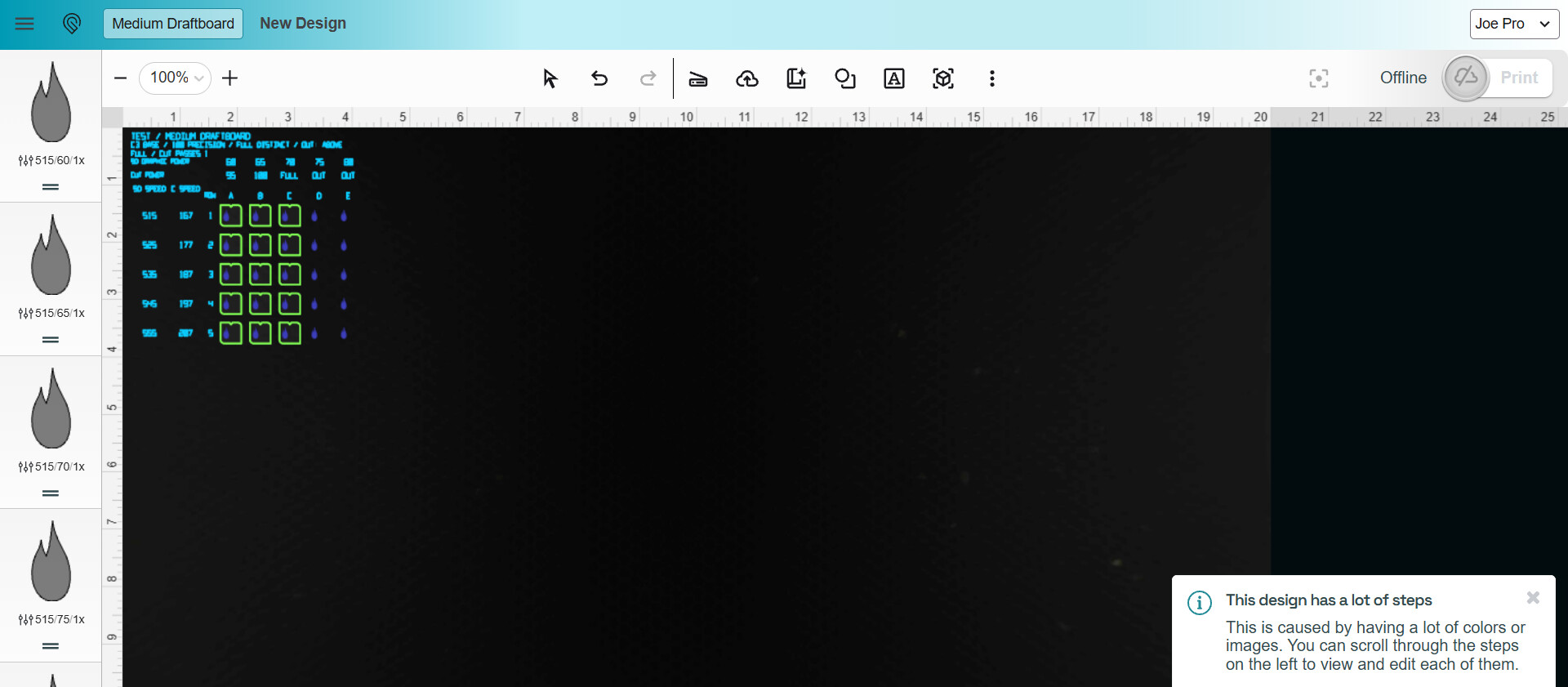
10 Likes
If anyone with Glowforge Basic or Plus is willing to test this extension, I would appreciate it. Latest version should work for Basic and Plus, but I don’t have a way of verifying for sure.
5 Likes
Loaded up fine for my Basic The auto-fill for settings is ab fab.
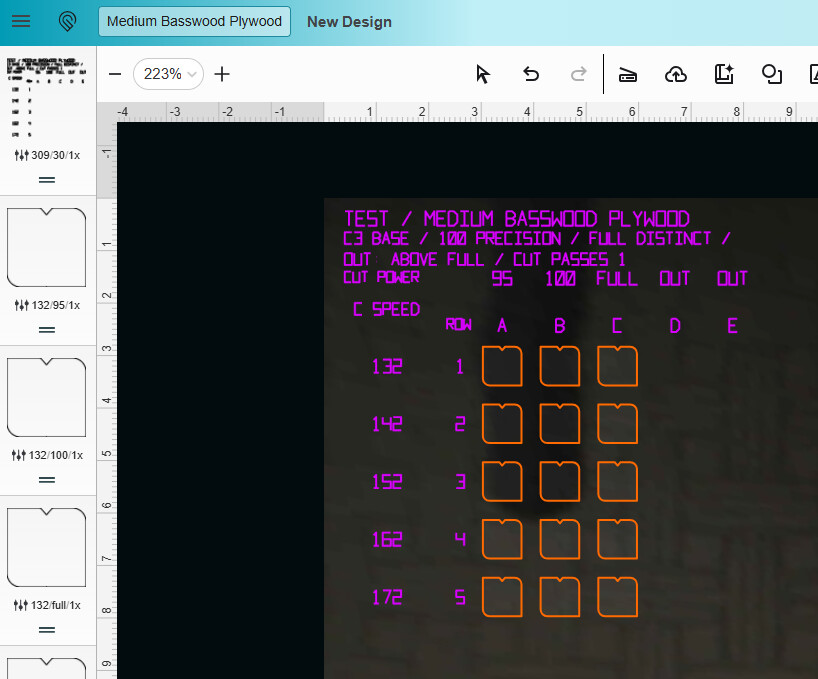
The only thing I changed was the lettering to be the PG setting, but it’s exactly the same - if they come from an outside source it’ll always look like it’s custom
11 Likes
The extension looks pretty cool. I’ll try it out too on my Plus.
Also, I see you have a new movie today 

So I figured that I could run the extension when the machine is off so I could generate a file. I can’t, it doesn’t see the machine even though it is picked in the App. I’ll try it again when I turn the machine on next time. Thanks!
9 Likes
haha, Me an’ me Julie iz gonna go watch da new Ali G movie later tonight.
I should work with the machine off, as long as you pick a base proofgrade material in the UI first then open the extension. Did you run into any errors?
6 Likes
If you’re looking for suggestions it would be nice to be able to set a constant power and a speed range and generate an array of an arbitrary (ish) size.
So instead of starting with a material you’d say “power full, speed 135 to 255, 10 power step size” and it’d make 135, 145, 155 etc.
Also scoring a label in each cutout would be useful. It would allow you to inspect the edge quality and know which cutout you’re looking at. You can see it in action in my cut test template:
Grids like this are a great idea but the reality is that — for most materials and designs — cutting as hot and quickly as possible usually yields the best result. It’d be nice to make that setup process a bit more streamlined.
9 Likes
Side note:
In no way am I trying to diminish what you’ve made here. It’s clever and innovative, and you’re really generous to share it with us. Thanks!
All of my suggestions in this thread are coming from my being excited about what you’ve done and trying to imagine ways to make it useful in different ways.
10 Likes
So cool, thanks for sharing! This should help a lot as I’m lazy about testing!
7 Likes
I haven’t tried it because I don’t use Chrome, I use Safari. I wasn’t sure if it would work. Also, I still have to repair the lid on my Basic, which I just haven’t gotten around to. It definitely looks like a great help though, so thank you for sharing it!
7 Likes
Maybe the dream of uploading an .svg with material and per-color settings that get automatically applied is actually within reach!
Reminds me of the torrent of VR mods coming out for 2D games these days, amazing work in record time. What a time!
10 Likes