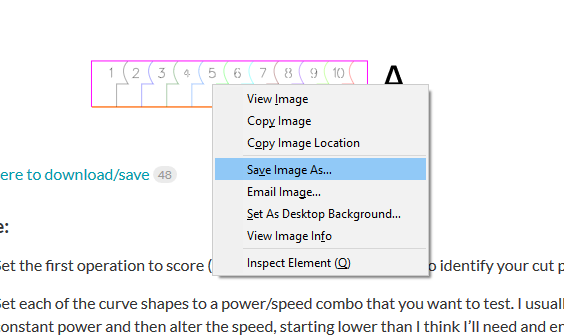
New material cut test method

Don’t know what settings to use on a material? The only way to be sure is to test. Good news! You can effectively test on a thin strip on the edge of your material, it’s fast and easy.

I use this shape to do so (SVG attached):

Material_test

Click here to download/save

Or click here for the ZIP: Material_test.zip (3.3 KB)

To use:

  • Clean your optics first. You want a good baseline, dirty optics will affect your test results. Official cleaning instructions can be found here: https://support.glowforge.com/hc/en-us/sections/11792691970075-Cleaning

  • Set the first operation to score (the numbers). You’ll use these to identify your cut pieces later.

  • Set each of the curve shapes to a power/speed combo that you want to test. I usually set a constant power and then alter the speed, starting lower than I think I’ll need and ending higher in steps of ten. For example: speed 150, 160, 170…240. (this typically works well at full power on a pro for most 1/8" (~3mm) hardwoods and plywoods)

  • Alternatively you can set a constant speed and vary the power. There are some cut shapes that might work better at a known lower speed, this would let you back into the correct power. This is useful especially in very tight tolerance inlay projects with complex shapes. 95+% of the time I use the first method.

  • (Optional) I usually cut the yellow outline at the lowest speed in my example (150 in this case). This will cut the entire test out of the material and leave a cleaner edge.

  • Align it on the edge of your material, and cut away.

Once it runs, inspect your cuts and decide which one looks best, the scored numbers will let you trace the settings back in the GFUI. Now write the settings down. I often get excited and forget to do this; I always regret it.

It’s scaled to be 0.5" tall and just over 3" wide, but you can alter it to fit your needs.

**Pro tip:**

Name your material test job in the GFUI with the settings, so it would be something like "Material test 150 to 240". That way you can make other tests on different ranges/power settings, and know which is which by looking.

**Pro tip part 2:**

Did you know that the GFUI can be deep linked? That means that if you load your job in the browser, you can bookmark that specific job. So, setup your test, then bookmark it for later use. You can just jump straight to your new material test job via the bookmark, no more rummaging through the GFUI. (This works for any job you will want to come back to, don't be shy with bookmarks!)
 
A crosslink to another take on it:
131 Likes
Looking for test patterns
Cannot cut through
Glowforge QRcodes
Has anyone been cutting 0.37-0.40 material?
Good afternoon! Canal plastics Iridescent Acrylic! Anyone familiar?
Manual setting for Birch
Does anyone have trouble cutting thick proofgrade acrylic?
Cutting Silicone Sheets
1/16” acrylic settings
How to set up manual cut for 1/4 birch wood in the glowforge
Stencil Material settings
My Glowforge will not engrave on a black paper bag
New GF Owner Looking for Hardwood Engraving Settings
Black Cherry wedding invites and leather guest book
Can't get Unisub to cut for anything!
Maple plywood 3mm and bamboo plywood 3mm
1/8 Birch Plywood (not proof grade)
JDS laserable 2 tone plastics setting
Cut Calibration Template
Burning more leather than cutting
Introducing the miniature Glowforge
Cutting Inventables Brushed Aluminum?
Grafix chipboard
Cutting and Engraving Kraft Tex
Recycled business cards
GF not cutting through 1/4 birch plywood - Recut messed up too
Typography ~ Helfer
Won't cut through
1/16" Canarywood or Redheart Cut Setting guidance
Sublimation mdf board
Setting up repeatable jigs with painter's tape
Kraft-Tex Engraving Settings
Newbies here... Having trouble in need of help lol
How to figure out cuts on non-proofgrade
Cutting material thicker than .43 inches
Glowforge sucks
Won't cut 1/4" plywood
Settings beyong PG
Cutting Poplar wood
1/4 BB settings help and charring clean up pointers
1/4 inch maple plywood
Earring Studs - #2
1/4 inch excessive charring
Setting for Non-Proofgrade 1/8” Maple Plywood
Cutting thin polycarbonate
Cutting not
Help with Stacking Designs
Have to cut non PG material more than once
Thickness cutting problem
Settings
Laser not cutting all the way through material
My cork engraving and cutting settings
Cutting By Annie Soft and Stable
Cutting Panel Board
Revolution ply and questions about fire
Laser safe masking tape?
Workflow for speed/power test print?
Pre-Release | Stamp "Unless"
Looking for thicker masking / transfer tape
Stencil Cutting
More on cutting silk; settings
Not cutting, what am I doing wrong?
7-8oz leather journal
Birch 1.5mm (1/16")
Jigsaw puzzle help (for charity)
What software is everyone using?
1/4” Cedar planks
What is the thickest piece of walnut you can cut comfortably?
Cheat sheet for laser settings
Looking for advice on fixing cut settings
Material Test Template for Scoring and Cutting Wood
Burnt backside of parts after cut and GF runtime
Something wrong with a file?
When Glowforge meets Fashion and Edible Art
New and need some advice / tips
Cork engraving
Saving Uncertified Materials
0.26 inch Poplar jewelry
Power settings?
Newbie question
Half cutting
Cleaning burned edges
Sublimation Hardboard Question
1/4birch plywood (from Home Depot)
Does not cut through
Eva foam rubber
Anyone have a good Test Template?
Cutting 1/16 inch Baltic birch
Is there an available cut and engrave test card?
6: I don't know what settings to use to cut my material
Using laser to make an inlay
When cutting thin paper: Some way to keep fan from blowing scraps of paper all around?
How to cut poster board/thick cardstock?
New here… not sure where to find what I need
Camera calibration issue?
Settings for Walnut, Maple and, Padauk
Wood Inlay Skull Pins
Cutting white Cardstock
2 oz leather too thin to cut?
Unisub MDF settings
Non proof grade material
Balsa cutting parameters
Settings for engraving laserable wood ink pens and leather notebooks
Can you cut heavy sticker paper with a Glowforge? Any idea what the settings would be?
How to avoid burn marks on 1/8" Birch (already used a masking tape)?
Looking for a Baltic Birch
Interesting results: mirror acrylic and wood veneer
Spectraply?
Etching
Black Lives Matter Heart Earrings Free File
Basic cuts Purple heart cleaner than Plus
Burning on fine cuts with Colorshop Woods
Gold on Black acrylic cutting
Settings for 1/4" thick draft board
Canal Plastics Acrylic Glitter Sheets Settings
Luan Cutting / EngravingPower?
.10 30ply chipboard cut and score settings
GlowForge Premium - Good or Scammy?
Lucent Stencil Cutting
Settings for Pigskin suede
Oak veneer mdf core plywood settings
1/8 acrylic not cutting through and PG Setting
Cutting Leather with Fur?
Kraft paper
How to remove char from cut felt
GF settings for cutting 1/8 inch Baltic birch
Filigree creature
Tyvek
Don't be afraid of the score
New Glowforge owner and have questions
Laser your fingernail
Issues with cutting clean lines
Settings for HD 1/4in purebod walnut
How to stop burn marks?!
Help cutting quarter inch mdf
Can't get glowforge to stop burning design
New Premium Perks and Improved Proofgrade Settings: 11/6/20 Latest Improvement
Cutting Support on Home Depot Craft board
Over my head
1/2 dry erase 1/2 chalkboard setting
Engraving Plastic (Polyethylene)
Mandala Business Card Holder
Cutting 100% wool felt smells!
Anyone have any settings for mirrored acrylic?
Vegan Leather Settings
Ash Plywood Settings Issue
Settings for 1/32” & 3/32 wood, different types, & for paper
Home Depot “White coated STD Hardwood”
Proofgrade backing for jigsaw puzzles?
Cutting Thicker Material
Newbie Needing Advice
Cactus Leather
GF will not cut through. Even on PG materisl
Sandalwood
Proof Grade Leather Engraving Presets
Another cut test
Engraving popsicle sticks
Purebond cutting
Multiple Cut Passes Not Lining Up
Rowmark Lasermax
Glitter Board Help
Gravograph Plastic
Settings for 1/4 cherry
Not cutting all the through
Bobbin Flatwork Material
Jewelry Grade Acrylic Settings?
White Pearl Acrylic - Smokey Edges
The Mandala Strikes Back
Kerf wider at the top? Surely everybody can't be wrong?
Issues cutting 140lb paper
Determining new Cut Settings
Lazer burning the back side of the wood
Kerfing issue - same material thickness, same default settings, different outcomes
Please help me with setting
1/4" MDF not cutting through
Cutting Thin Fabrics for Applique work (Also Heat-n-Bond)
Question about material thicknesses
Burning when cutting fine detail
1 inch Cedar Engraving
Bookmark
Cutting suede
No birch setting on the Aura
1/8 Columbia Forest maple plywood from Home depot much thicker than proofgrade
Test cut files using Affinity Designer is it possible?
EVA Foam Settings for Cosplay Projects
Cutting through leather
Can I cut this leather?
Cutting Non-Proof grade wood charring/black coming off the cut edges
3mm 1/8 Baltic birch settings
Wood settings
New owner (well, almost)
Wilton Candy Melts?
Medium Plywood
Padauk and GF
Raster ablation on Stahls Cad-Cut Heat transfer vinyl
Crystalite sheet - home depot purchase

Two things I learned doing this…
#1 leave a space behind the cuts that way if 8,9,&10 cut all the way through the pieces don’t fall off.

#2 if you engrave a circle or square above each cut with a standard LPI the one piece of wood becomes a permanent record. but be sure to label it!

Great idea! :partying_face: folks have been wanting a way to put all the designs in a filing tree!
You can build that tree in a bookmark folder and no longer have to search. :heart_eyes:

9 Likes

Great idea. Thanks for sharing.

5 Likes

Some very useful tips here, thanks! And thanks for the file.

4 Likes

best pro tip yet

6 Likes

I already love your test trip :heart:

This. THIS IS MIND BLOWING! How did I not know this??? I could save a bookmark into my design folders (which are already nicely sorted) and it’ll just go there?!?
I think my only question is, does the link still work if you remove the design from your dashboard?

10 Likes

One way to be sure…

I could see it going either way. It all depends on how GF decided to handle it in the database on their end. I wouldn’t count on it lasting forever even if it does work, at some point GF might clean up “deleted” designs to save disk space and improve database performance.

3 Likes

Nope you get the “unexpected error” - so no cleaner on the dashboard, but if I’m only ever looking at the most recent designs who cares how busy it gets!

Thank you!!

3 Likes

This is definitely up to you, but I like them to fall off. I want to see the edge quality and char levels at each cut test.

3 Likes

Thanks! I’ll plan to use it on that 1/16 walnut…

4 Likes

Why thank you, sir!! Great post!!

3 Likes

This is probably a dumb question, but how do I download the file? It opens as a URL, not an Inkscape file. Thank you! I really want to use this file because it’s GENIUS!

4 Likes

For everything in this forum it’s a right click on the image and save as svg - IE and Edge will not work - you will need to use Chrome/Safari/Firefox/or some of the others :slight_smile:

image

5 Likes

This is AWESOME!!!

4 Likes

This is great. I’m running Home Depot 1/4 Maple and having a REALLY hard time getting anything to cut constantly. Even this test, I ran 120-210 as my 1-10 cuts (all at full power), and only 1,2,3 actually cut through all the way. I’m cutting test circles and they either don’t burn through, or they burn the wood to a crisp. Starting to wonder if something’s up with the machine. I JUST got it last Wed.

Any advice would be greatly appreciated!
~Donna

2 Likes

Not all plywood is great for lasering. Was this ply advertised as laser-able?

Filler in plywood can vary greatly, and some filler is very resistant to the laser.

4 Likes

What he said. Unfortunately plywood from local hardware stores tends to cut very poorly. There are air gaps in it, inside. Knots. And sometimes they fill patches with a product like Bondo. (Can’t be cut with a laser.)

If you are stuck using it…shine a flashlight through it and mark the spots with a pencil where the air gaps and glue plugs are, and place your design so it doesn’t hit them. (And pray that the Proofgrade gets restocked soon.) :slightly_smiling_face:

Some folks have had better luck with higher grade Baltic Birch plywood. It can still have issues, but there usually aren’t as many.

5 Likes

It is the Purebond Maple Plywood 10 pack from Home Depot that literally everyone else seems to be using. The machine will cut most things on the left side of the any wood, but nearly every cut on the right never cuts through regardless of the settings used. So, we’re really confused about what we’re doing wrong. Thank you for offering suggestions!

2 Likes

Thanks! We will order some Baltic Birch and see if that works better.

2 Likes

If that happens consistently, (cutting through on one side but NOT the other ) and with different woods, it’s a machine issue and you will want to notify Support.

Test it on a few different materials. Make sure the material is pinned down FLAT. Any warp will affect the cut. And check to make sure the tray is seated evenly down in the dimples without any crumbs in there.

6 Likes