Oooo, very nice! I totally forgot to check the ink expiration dates on the cartridges before I put them in. Not too worried about it though.
12 Likes
Those expiration dates are impressive. All of my eufy ink is expired, including a full unopened set.
9 Likes
I’m impressed! Especially that there was no overspray! Thankfully I don’t have any room for another printer or I would be highly tempted.
11 Likes
Excellent. Mine came yesterday but except for opening the box I haven’t set it up. I’m in the middle of another project and can’t spend a couple of hours setting this up. Looking at maybe next week.
I’m planning on putting it sideways on a 4ft wide stainless steel shelving unit so I can open the front & back as needed without needing it on a big cart or desk.
13 Likes
Soooo I made this black bracket on the Glowforge a couple years back. It languished because the next step in cutting and taking the intended signage to my spray booth was something I kept putting off. Engraving into DraftBoard to get the usual dull brown lettering wasn’t the look I wanted this time. Meticulously hand painting over engraved lettering was work I didn’t feel like doing. Using RowMark engraveable acrylics was an anathema to a project I wanted to keep low-budget.
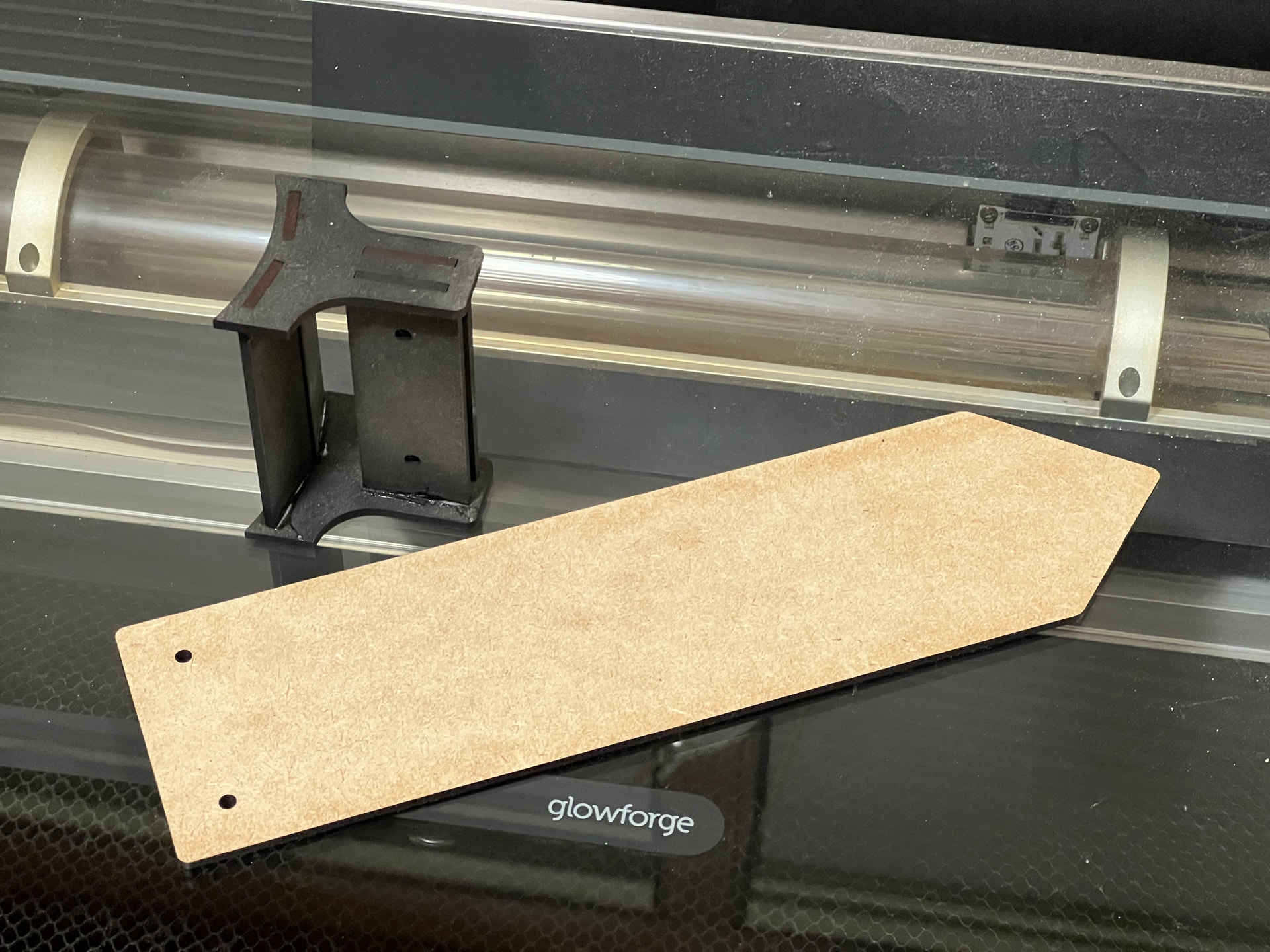
No better way to tackle my low-budget project than throwing a $2600 UV Printer at it! 
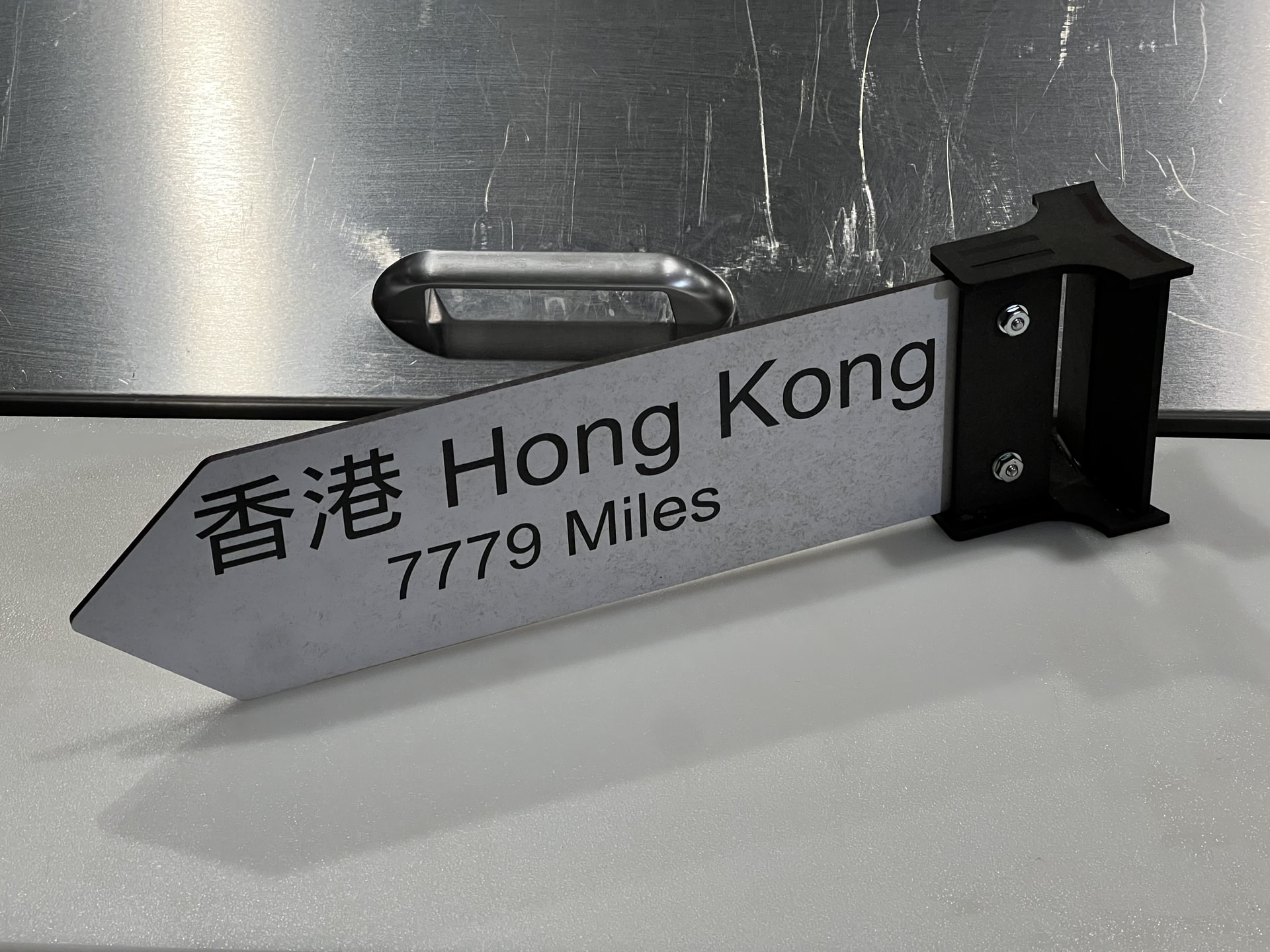
 Once again, the Omni 01 scans the DraftBoard pieces giving me a 100% accurate canvas image. Regardless of the object sitting smack in the center of the platform or pushed to the fringes, it’s scanning method provides pixel-perfect accuracy from edge-to-edge. The xTool Auto Masking feature is another thing I’ll continue to praise til the end of days. It’s a total time-saver. For basic signage, xTool Studio software provides a surprising range of text control tools. No need to fire up 3rd party software. I specify 2 coats of white for the base and just 1 coat of “color” (black). After a handful of minutes for each side, a paint-cured sign is ready to go! Delightfully crisp, highly legible lettering. No sloppy overspray at the laser-charred edges.
A zip-tie straps it around a structural column. I’ll go back and give each it’s bottom strap just for visual symmetry, but the single tie holds fine secure-wise. It nails the look I was hoping for.
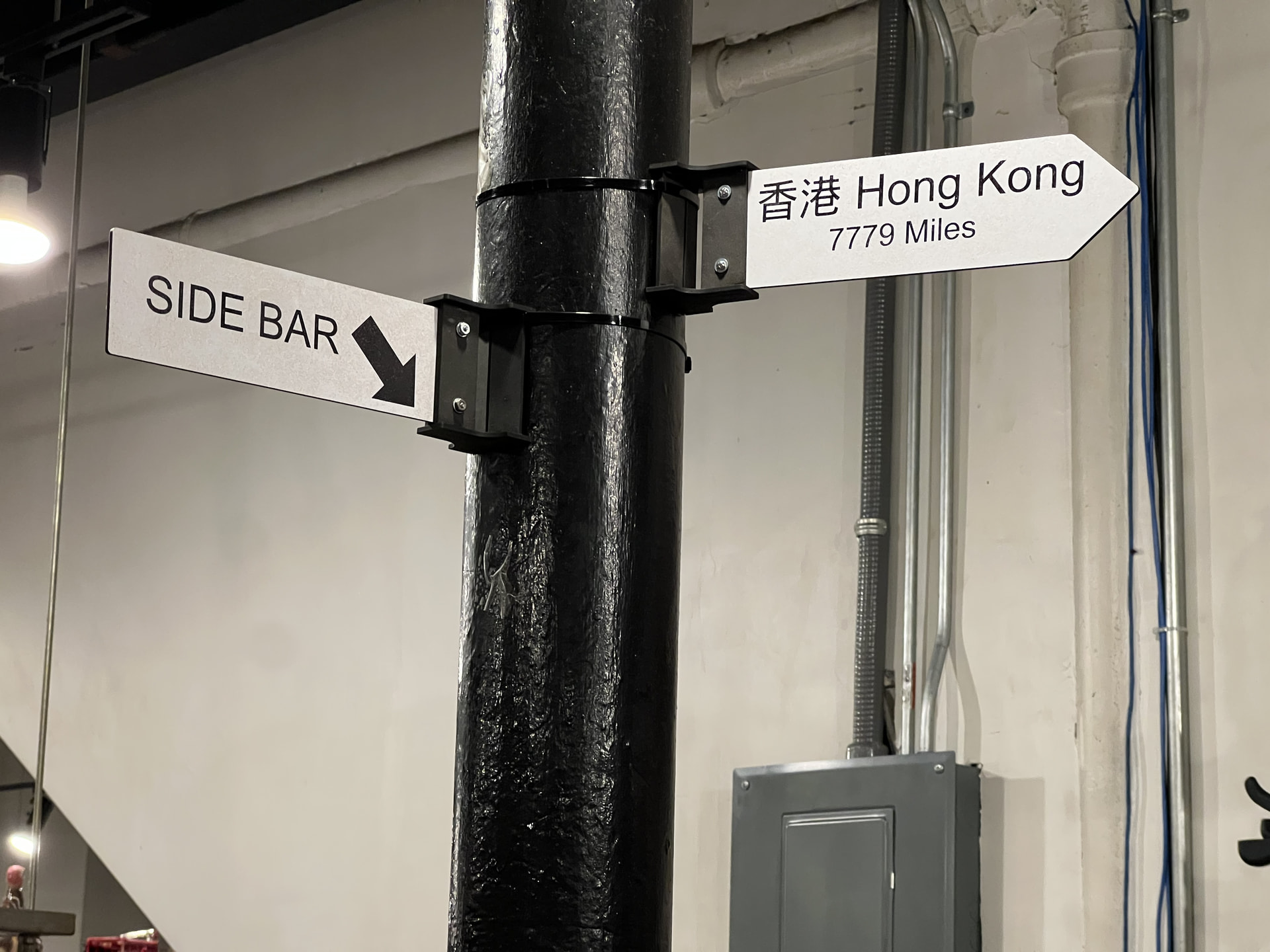
CO2 Laser and a UV Printer. A helluva combo.
17 Likes
Classy!
9 Likes
Urgent signage project #2….
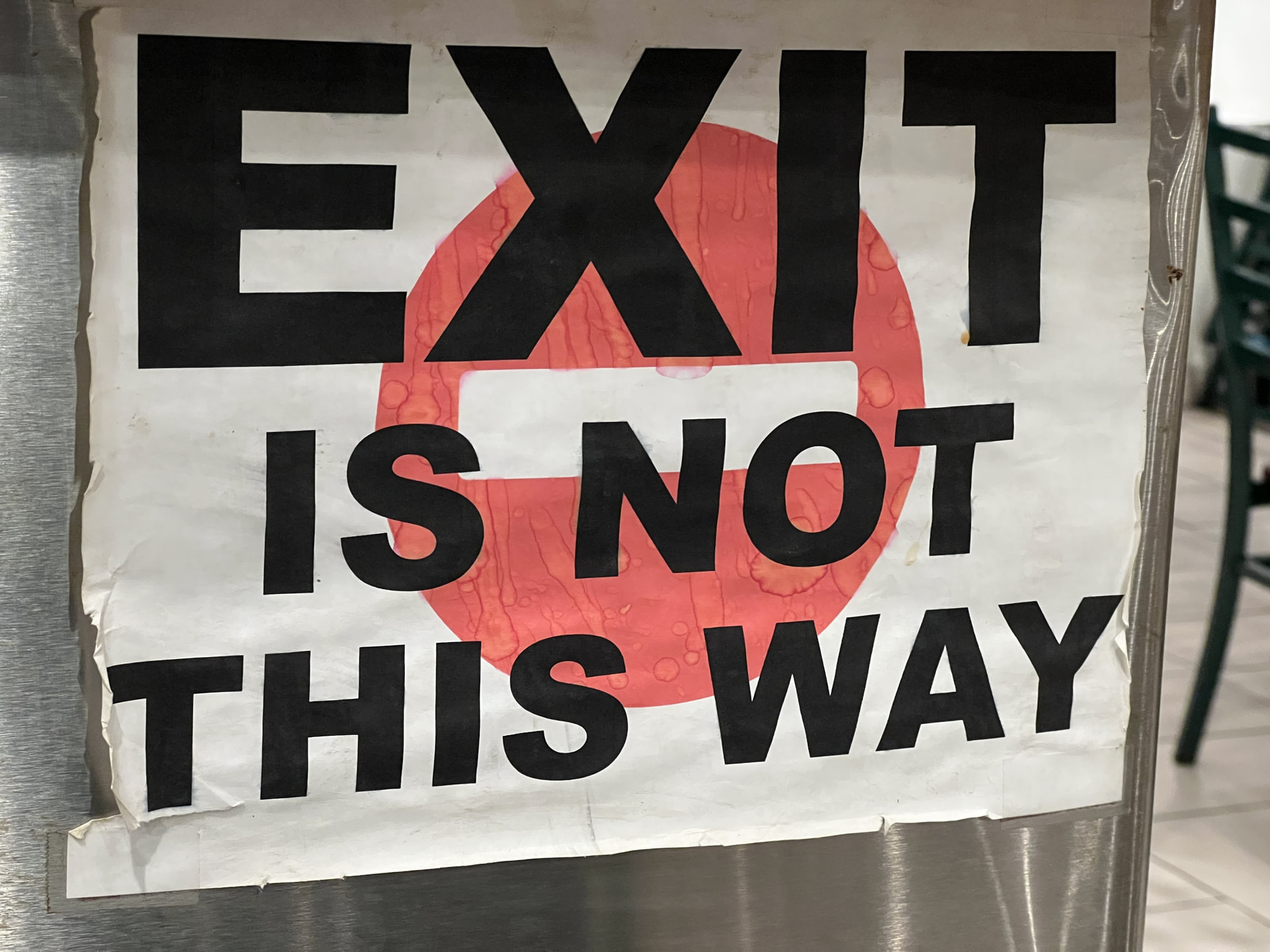
In a 167-capacity cavernous dining hall, it’s easy for guests to beeline toward an area for what they believe is an exit. A sizeable sign has proven to save a great deal of the first-timers from making the additional 30 paces only to about-face like clockwork. Despite how incredibly janky an inkjet printed paper sign is, it HAS become an absolute necessity despite the abuse it gets from a bustling environment. This paper notice has seen it’s better days and I’m no longer in the mood to print another replacement…
The old Glowforge-only approach: Reverse-engrave lettering onto a sheet of masked acrylic. This opens up letter-sized recesses free from the delicate masking.
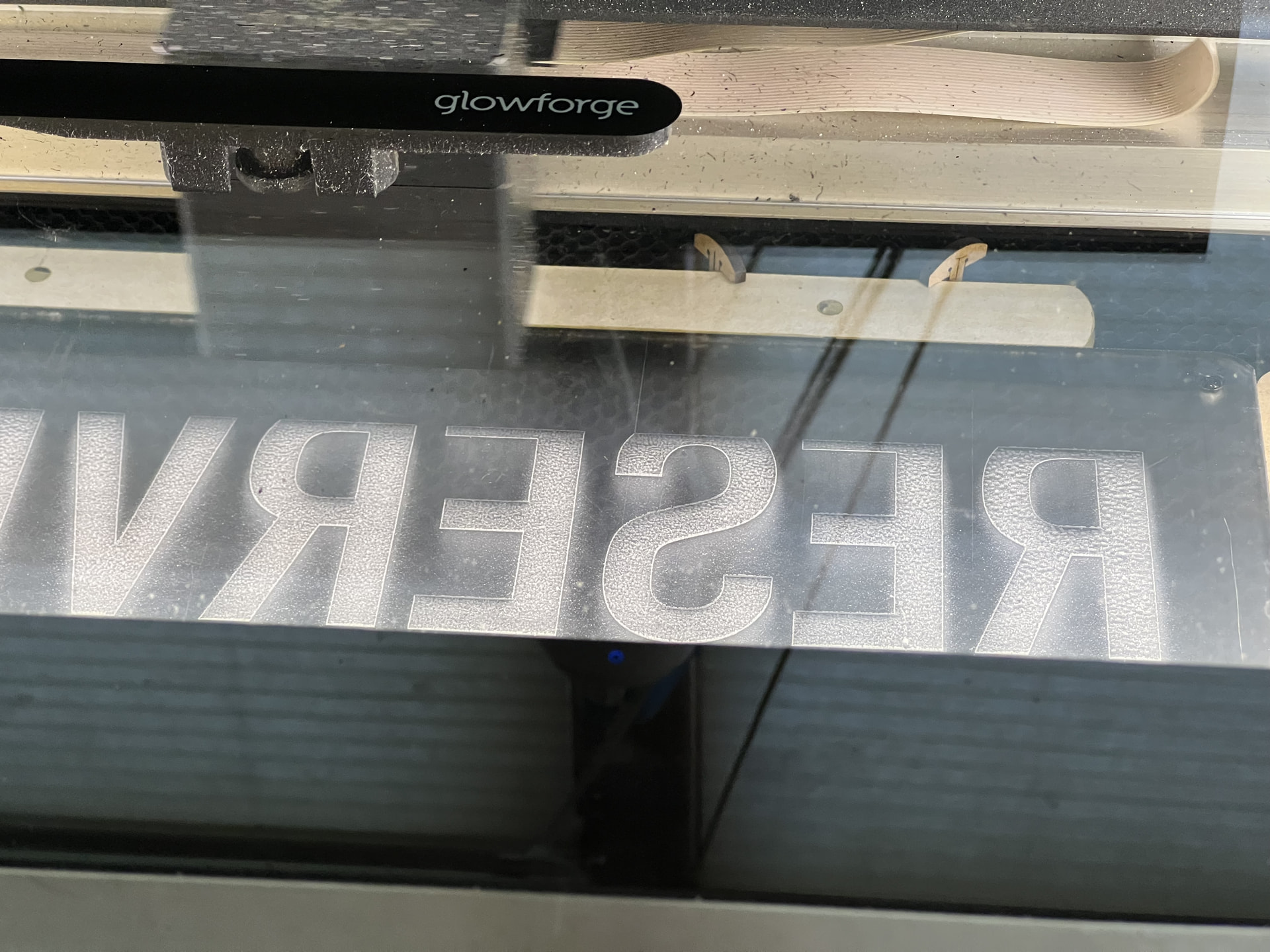
These bared acrylic spots provide the first opportunity to spray the first color, in this case white. After 4-6 repeated layers, the rest of the masking is removed and the sign’s “background” color is sprayed. Again, 5 or more layers is an acceptable amount to achieve the desired level of opacity. There’s at least a 30-minute wait time between each layer, and of course, it’s a messy process calling for the need of my spray booth station.
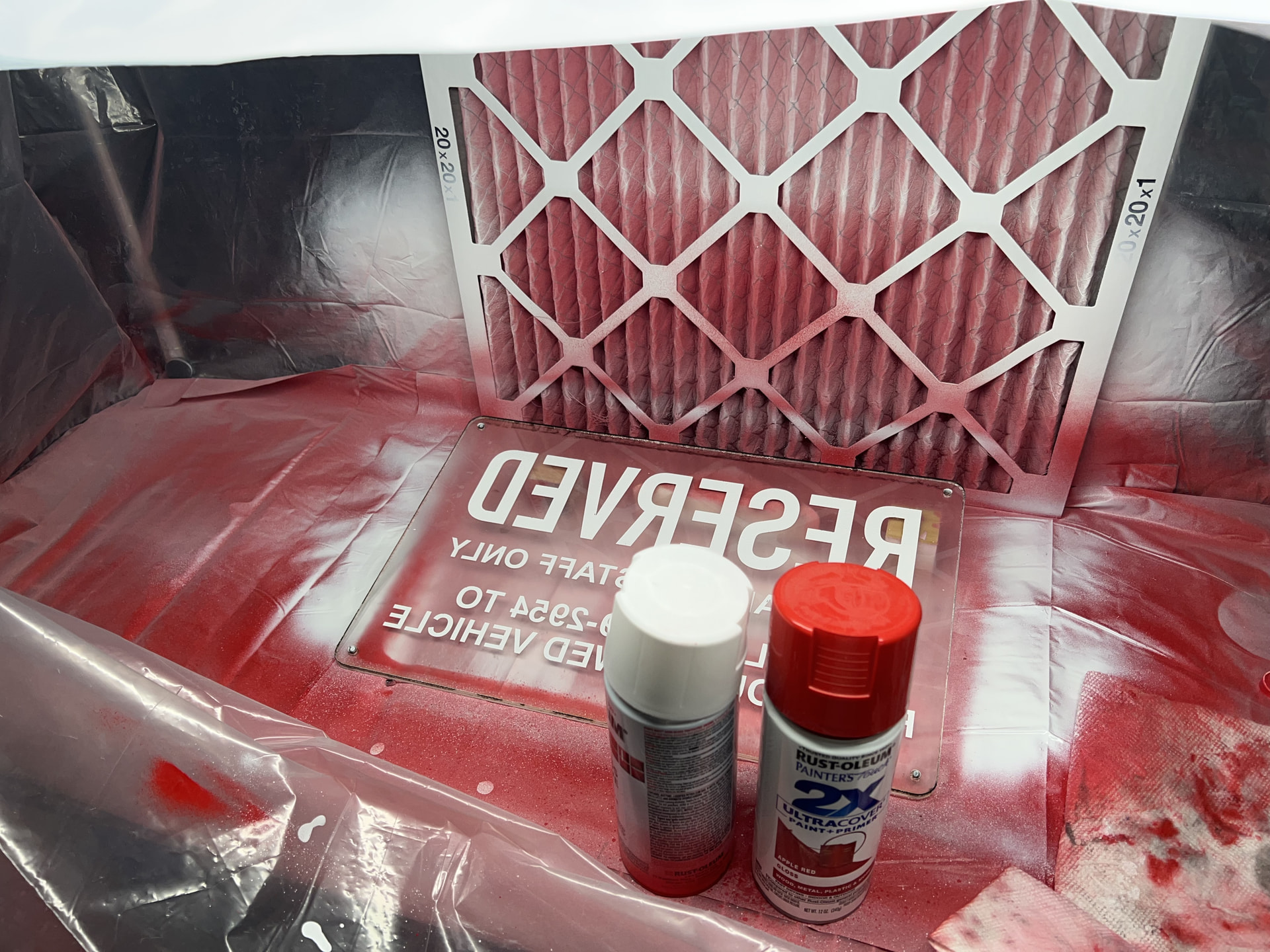
Without additional masking tricks and lots of work, this process is only applicable toward signage that only has two colors.
An Omni 01 Dual UV has entered the chat…
The gantry-based Glowforge Pro is still integral for cutting acrylic but even with the “Pro” model, experience has shown me I couldn’t ever trust it’s single-camera multiple cut alignment “feature”, so I’m keeping this sign at 10.5” square — within the bed limits of my machine for a one-shot cut.
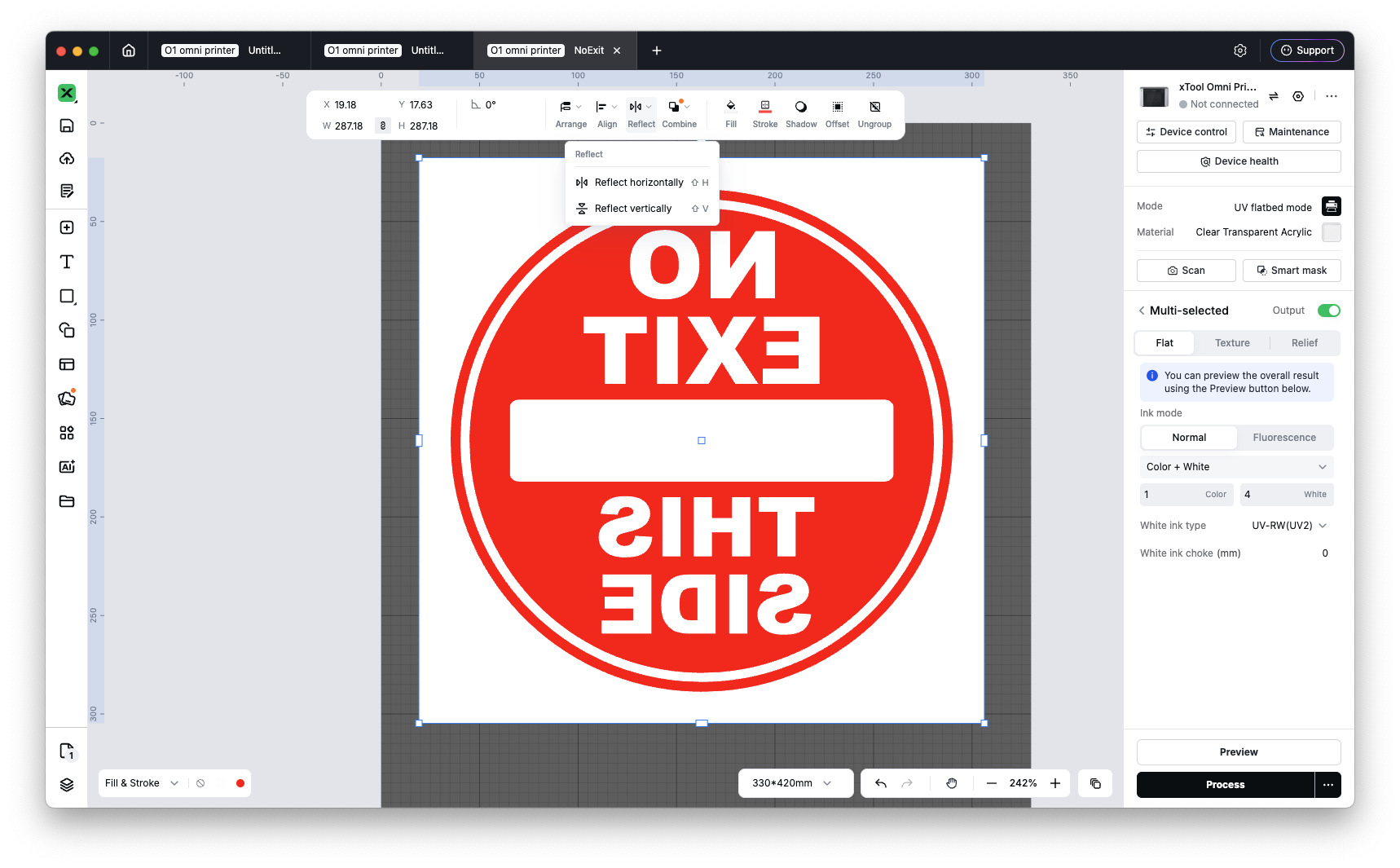
The cut panel is placed on the Omni 01’s standard (large) platform and it’s put to the process of scanning for object height and printable area. Beyond bitmapped image formats, xTool Studio accepts SVG artwork. I still find it fascinating that the xTool Studio software is such a versatile chameleon; changing it’s abtilites for the disparate machines I have on-hand (F2 Ultra UV & Omni 01). In Omni 01 focus mode, I specify I want to print on Acrylic. It defaults to selecting Rigid White instead of Flexible White. Up top, I’m given the opportunity to flip my artwork horizontally. At the right column, where it’ll usually lay down an opaque backing of white and then color, I can reverse that order to “Color + White”
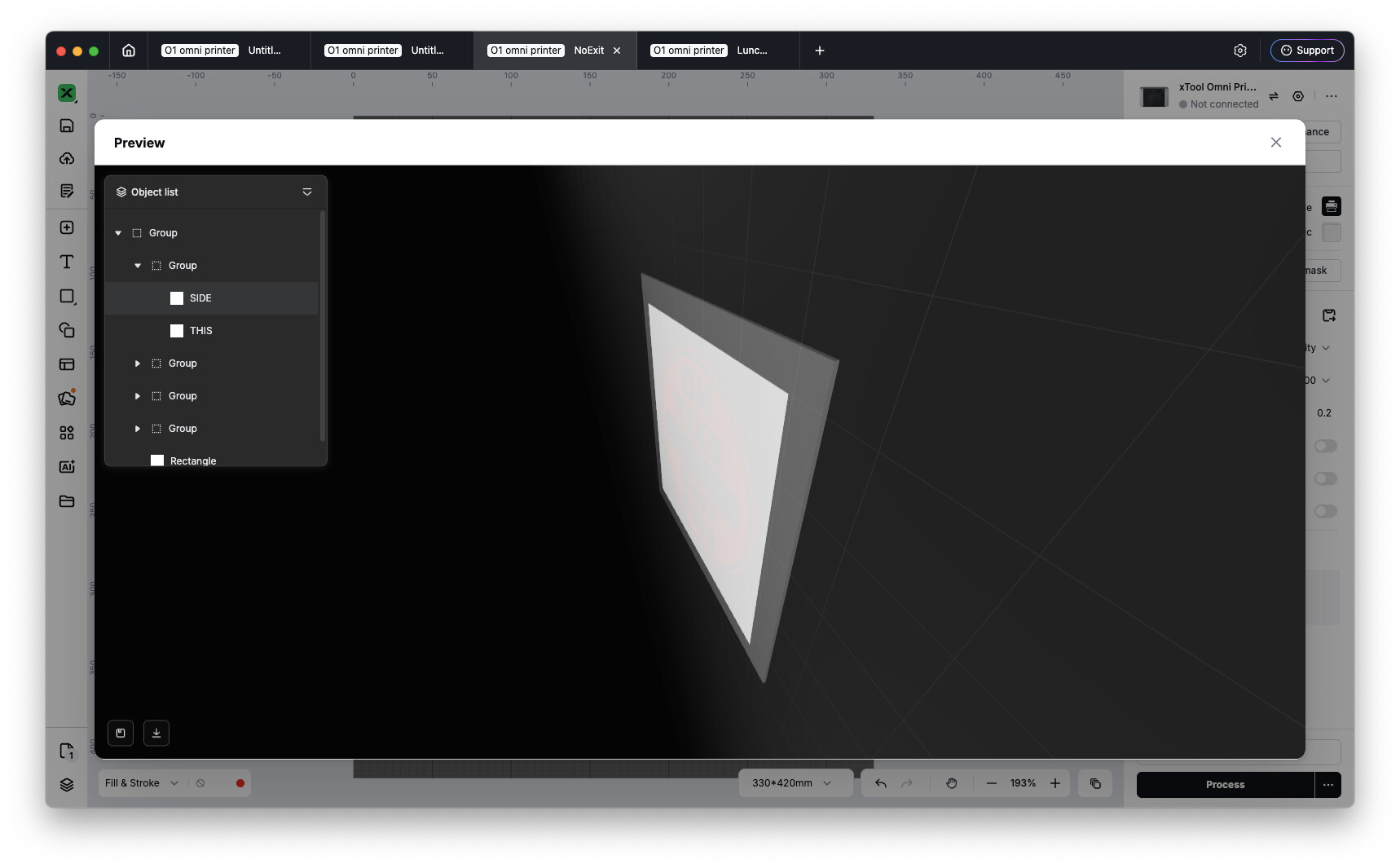
If I hit Preview, it correctly shows me the last layer sprayed will be white. This preview window lets me rotate this virtual object further where it’ll display my artwork peeking through the transparent virtual acrylic on the backside.
1 layer of color, 4 layers of white. Total resin usage is around 7mL. For this size of a panel, it’ll take 88¢ of resin and 28 minutes to complete. Compare this to two cans of spray paint at $4 each in the previous process. I haven’t acclimated to the immediate fully-cured nature of UV as I still have a Pavlovian-expectation of enamel-spray tackiness. What a game-changer.
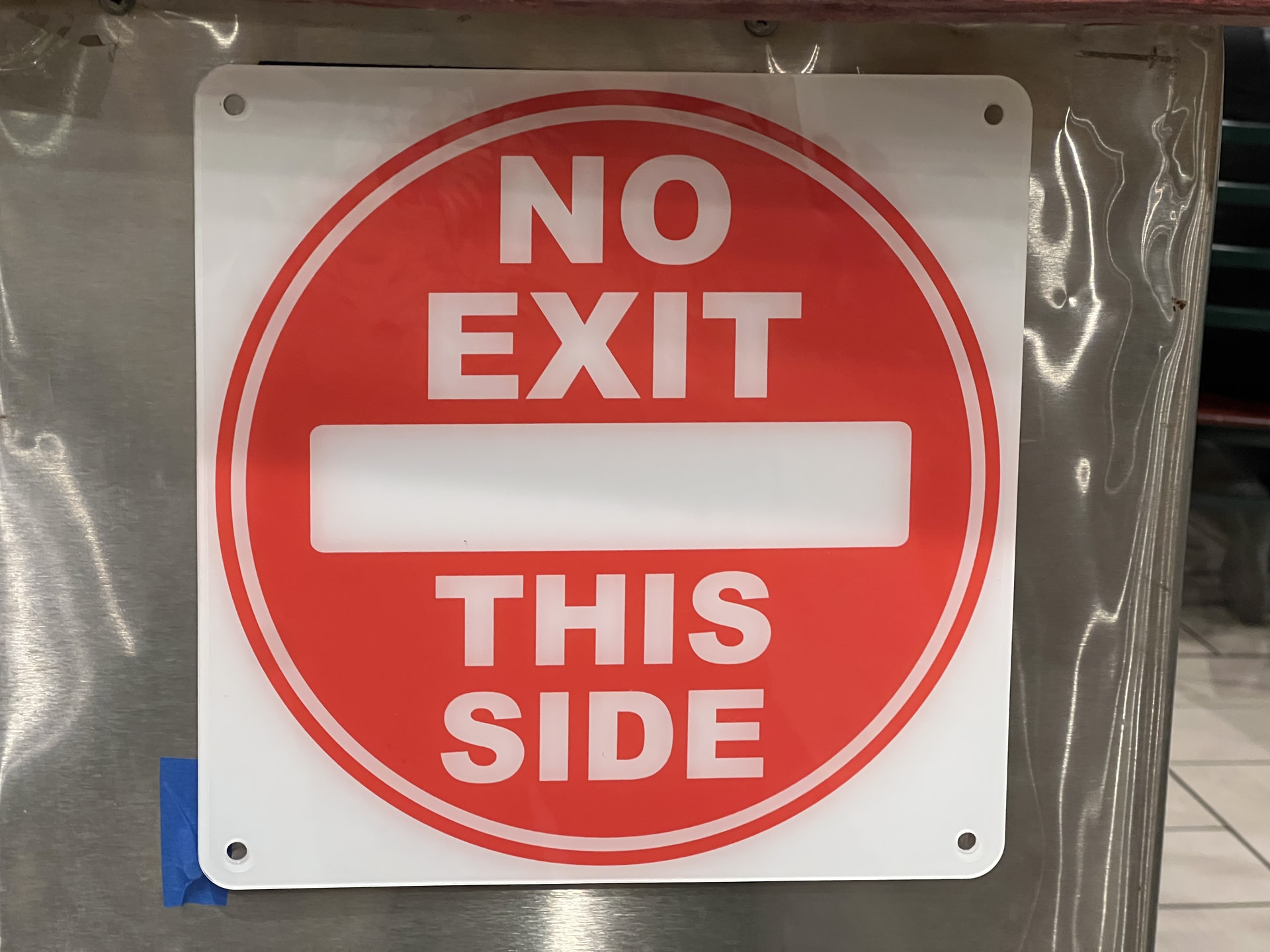
Reverse-printed acrylic sign with it’s perpetual protective side. Do your absolute worst, lobster sauce! 
18 Likes
Great write-up, and I chuckled at:
Pavlovian-expectation of enamel-spray tackiness.
I think I have a bit of that.
14 Likes
I’ve always done the first process of reverse engraving and spray painting two colors, but it definitely doesn’t look as crisp as your UV sign! Those turned out great!
11 Likes
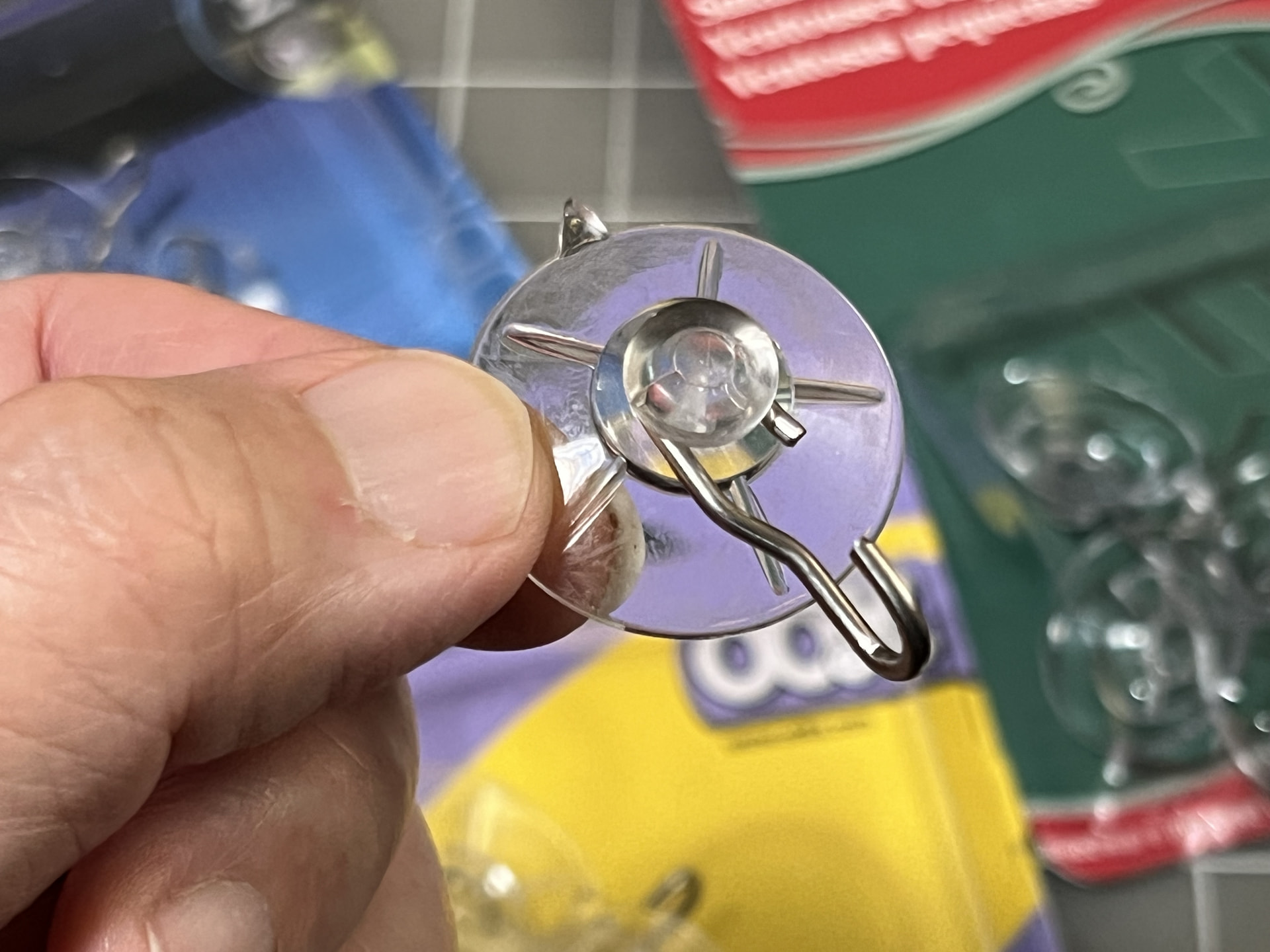
Picked up a stash of suction cups from the picture-hanging aisle of the hardware store. Won’t be needing that metal hook.
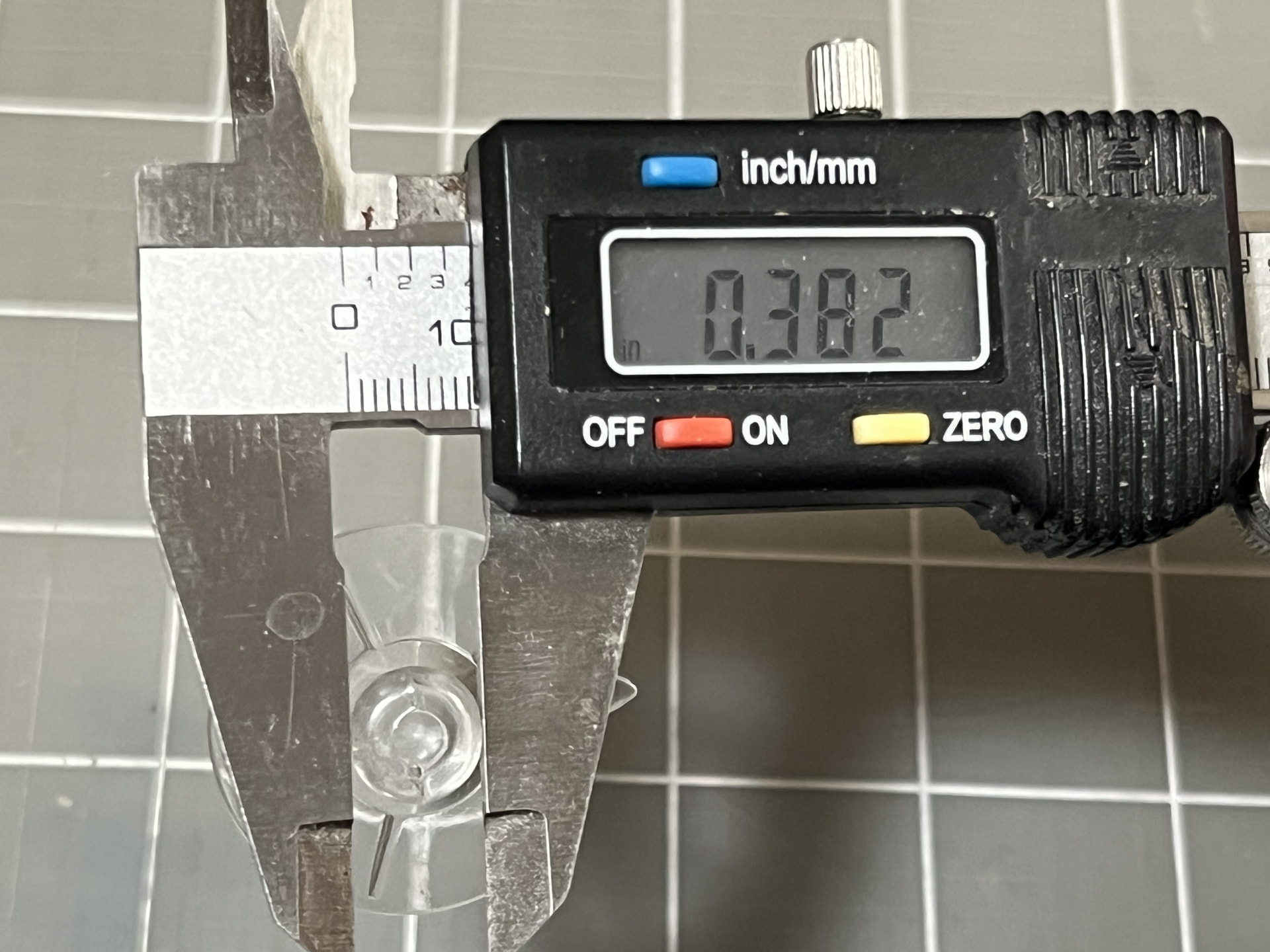
Calipers report the nub measuring 0.38”.
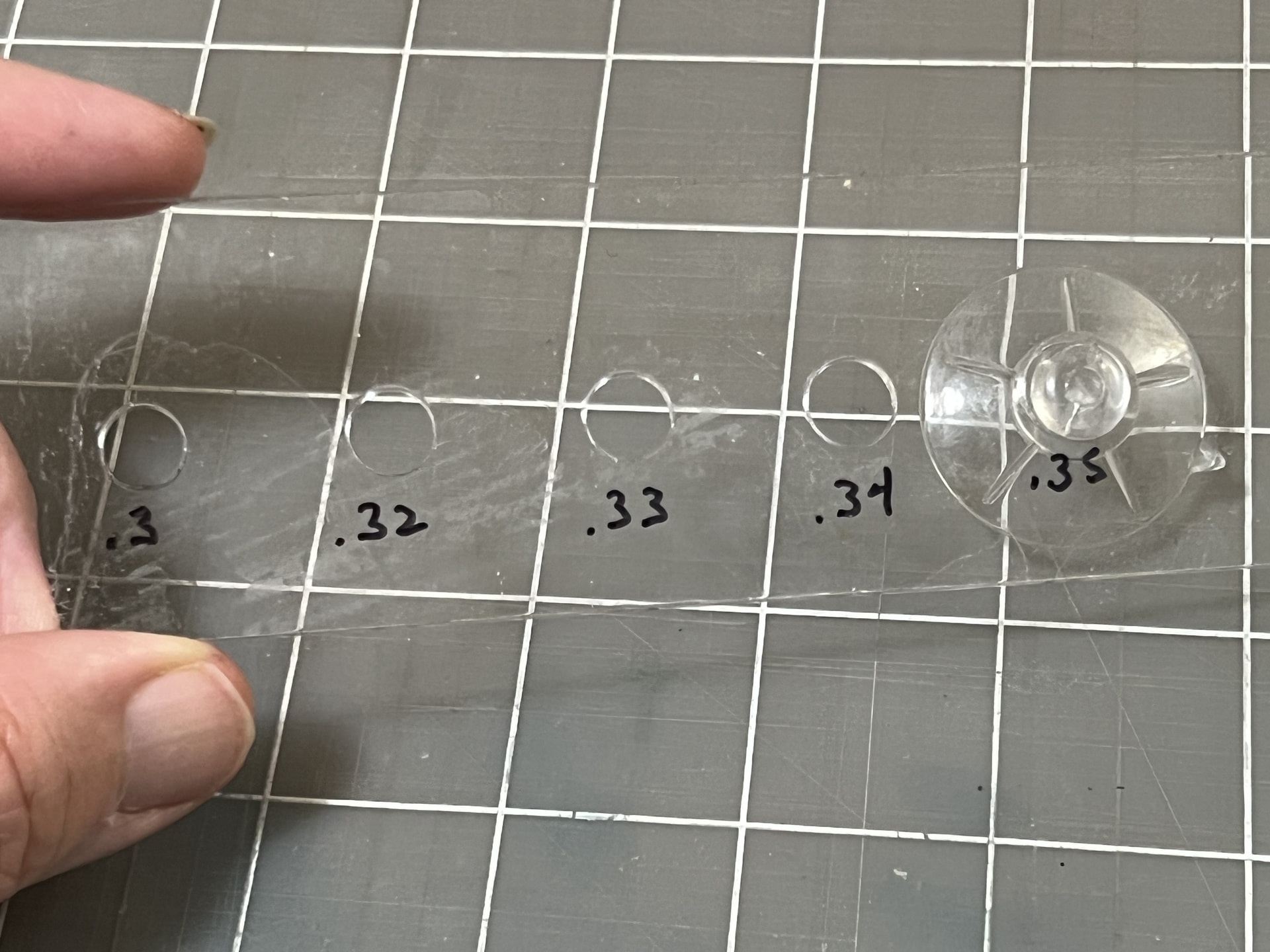
The Glowforge cuts some test holes into scrap acrylic. Clear vinyl doesn’t compress in the same way that rubber would, so the range of holes are approx 10% smaller than the measured width. The 0.35” hole still took some effort to push through. Once in, it’s mid-groove captures the acrylic in a way that makes it almost impossible to break free.
This critical bit of info can now be used to cut a durable sign meant for daily but temporary use. The Omni 01 is again put to use doing a reverse print on the backside of 0.088” acrylic.
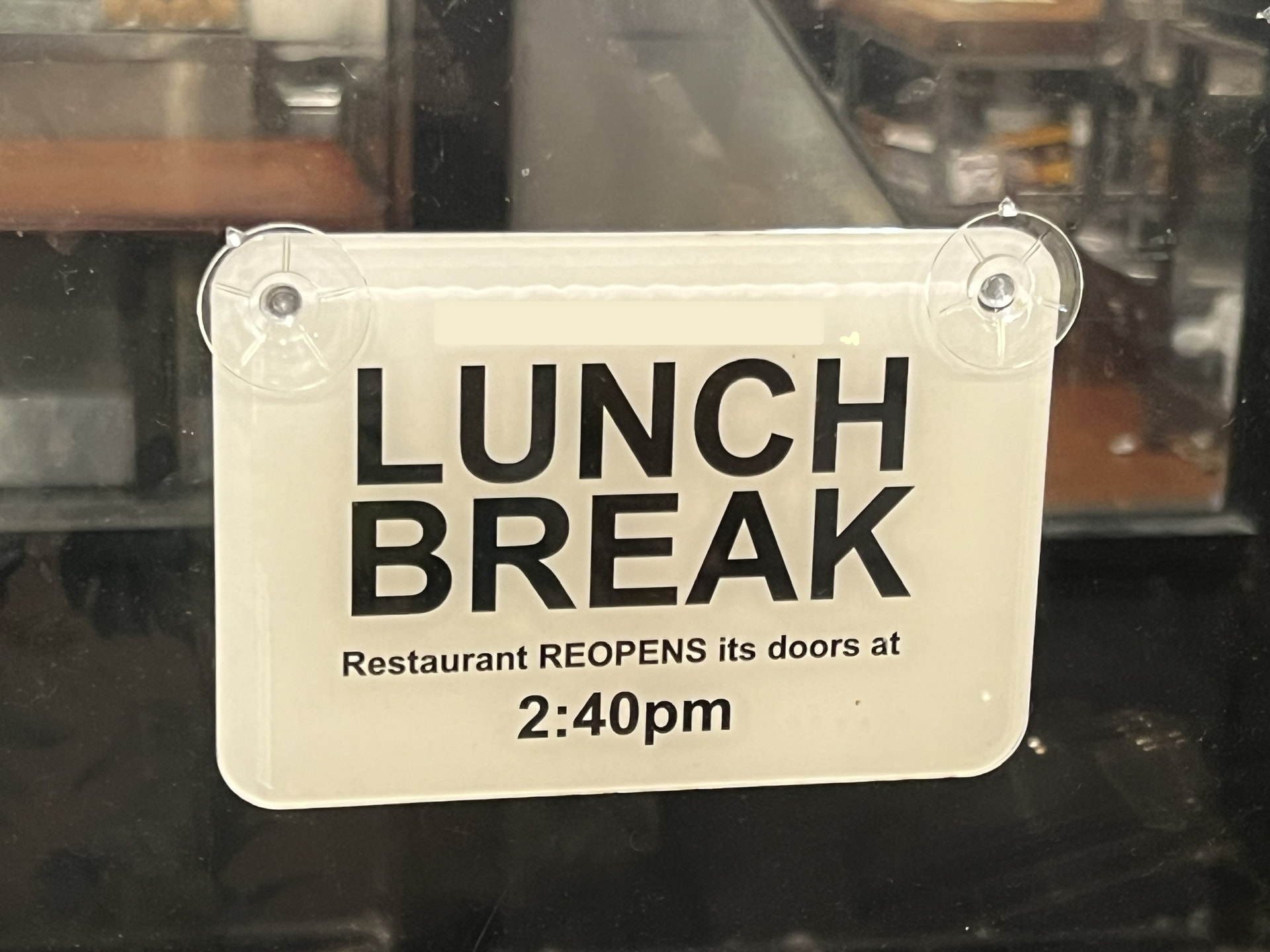
Outside of UV printing, I can see applying this to a piece of opaque acrylic and using dry-erase marker for temporary signage.
18 Likes
That’s a very cool and useful sign!
11 Likes
This is great! Hard to imagine eliminating spray paint. Nice use!!
10 Likes
Happy cake day @markevans36301 !!!
9 Likes
At some point when I start getting into stickers, I’m thinking of adorning my Omni 01 with:
Got me this new hammer… now EVERYTHING’s a nail.
Way back when I was putting together the Glowforge Materials “app”, I devised a simple AirTag Fob pouch and pew’d it on Johnson Plastics’ faux leather line:
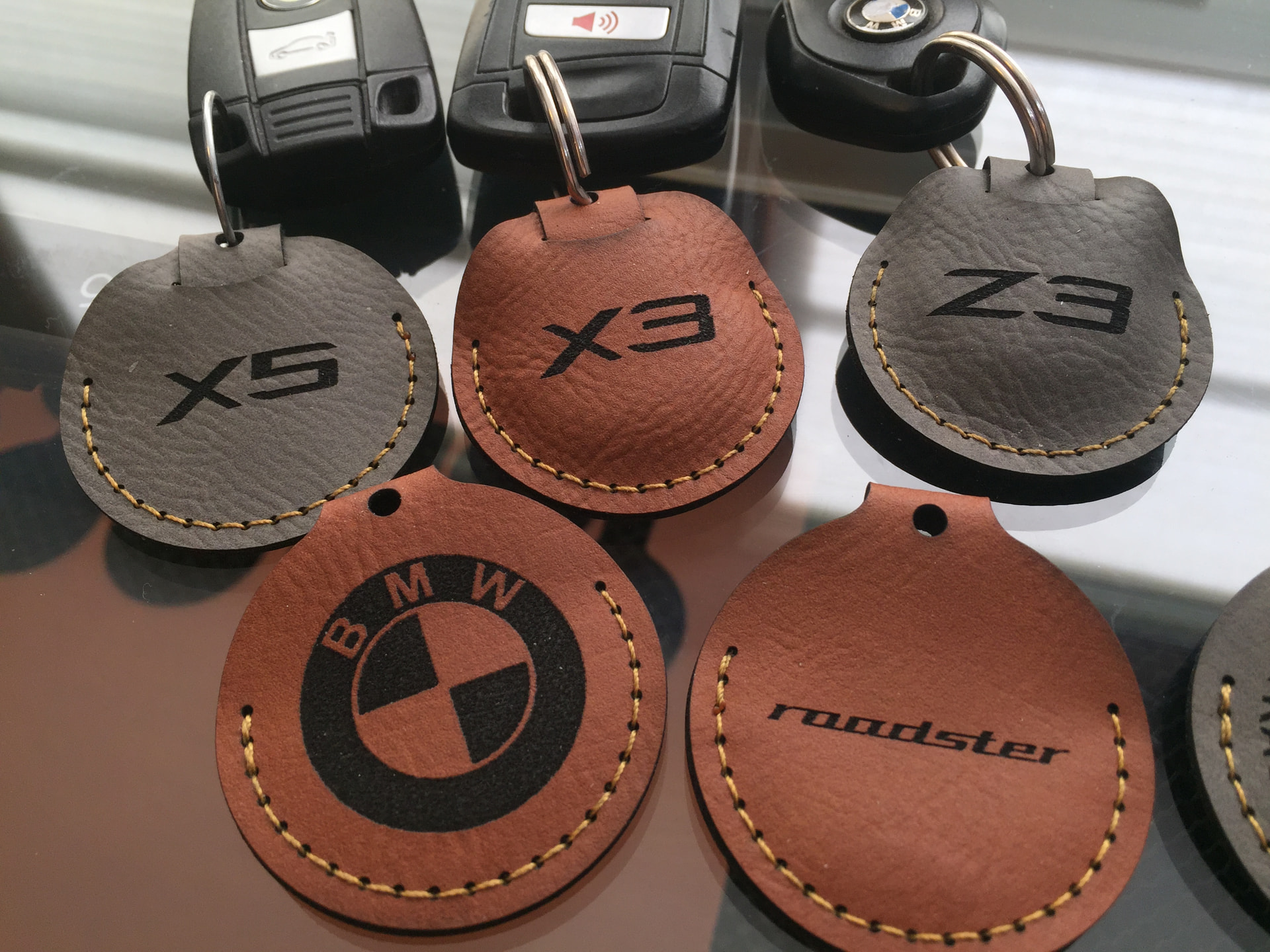
Engraving away the polyurethane “leather” shell exposes the fiber substrate underneath. I’d been pleased with the initial results. The AirTags have saved me from at least one frantic search per year since. That being said, I know that there’s a price to pay for not being genuine leather and certainly wasn’t expecting it to last forever, relatively speaking.
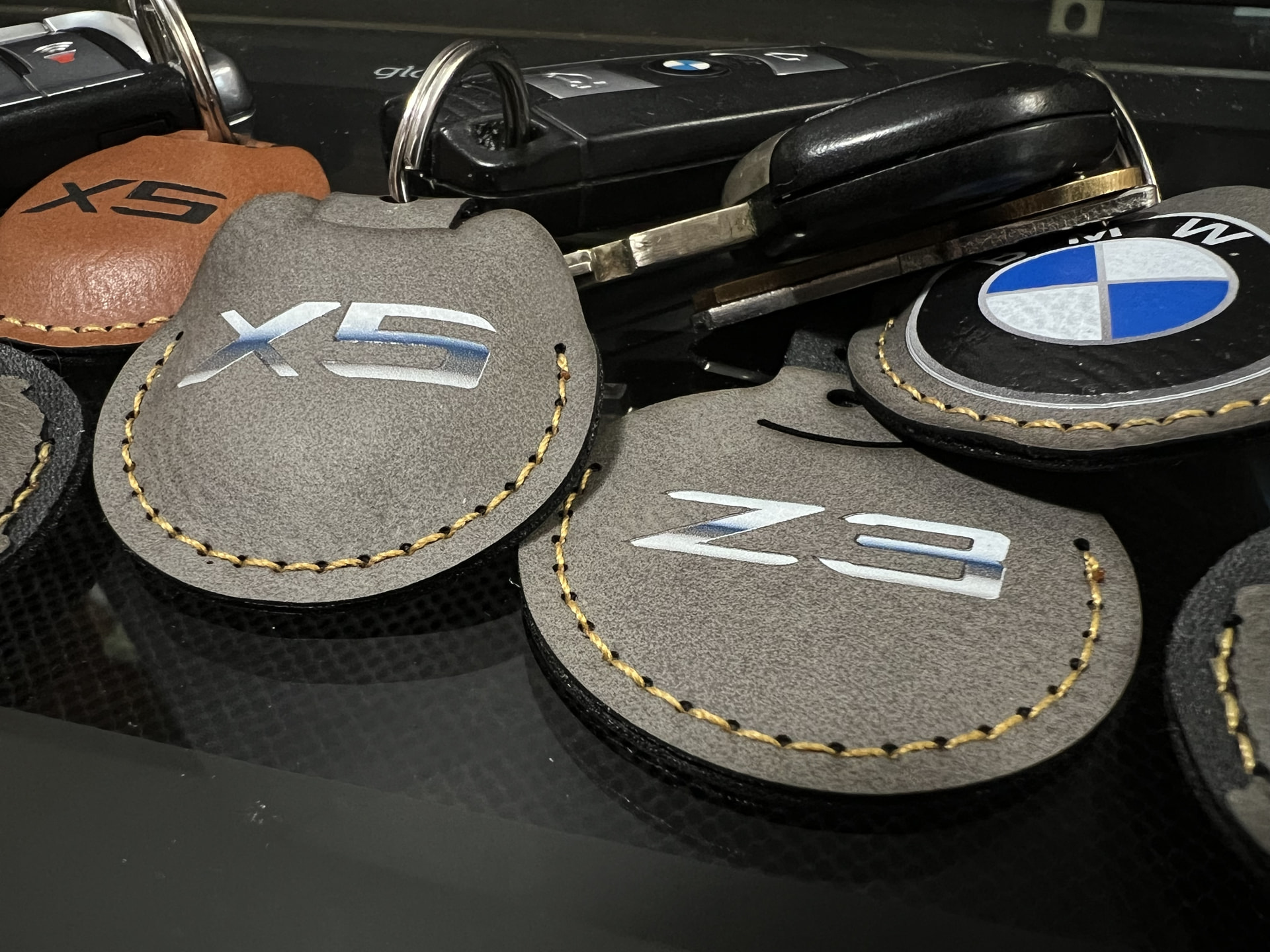
The surprise here is that of the stash I bought possibly some 5-6 years ago, the “Iron Grey” version wears noticeably within about 2 years while the “Chestnut” color is the one that sees sustained daily use shoving in and out of a shirt pocket. No signs of disintegration during it’s 3 years of use.
Since then, it looks like they’ve introduced a “Deluxe” version for 90¢ more. My version had a 0.046” thickness while the new stuff is reported as 0.060”. Just thought this should be brought up for those considering the faux leather path.
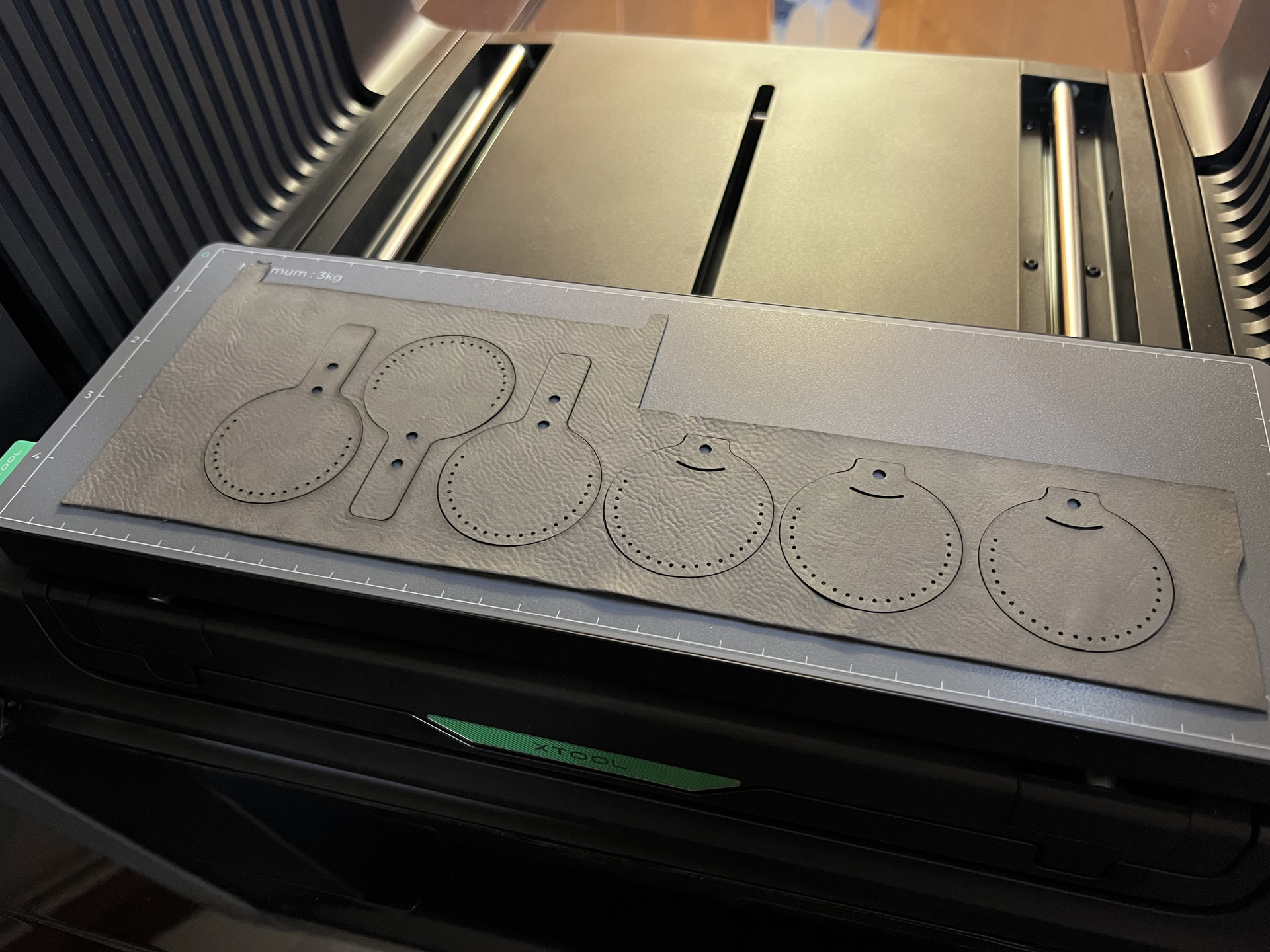
All that aside, let’s see how the Omni 01 plays with my old stock. Glowforge Pro does the cutting and the whole thing is transferred to the mini platform. This way I can treat the base sheet as a jig to ensure the target pieces are lined up in an isometric/perpendicular fashion.
Some playtime in Affinity Designer whips up the desired logos and gets exported in PNG format to maintain a transparent background.
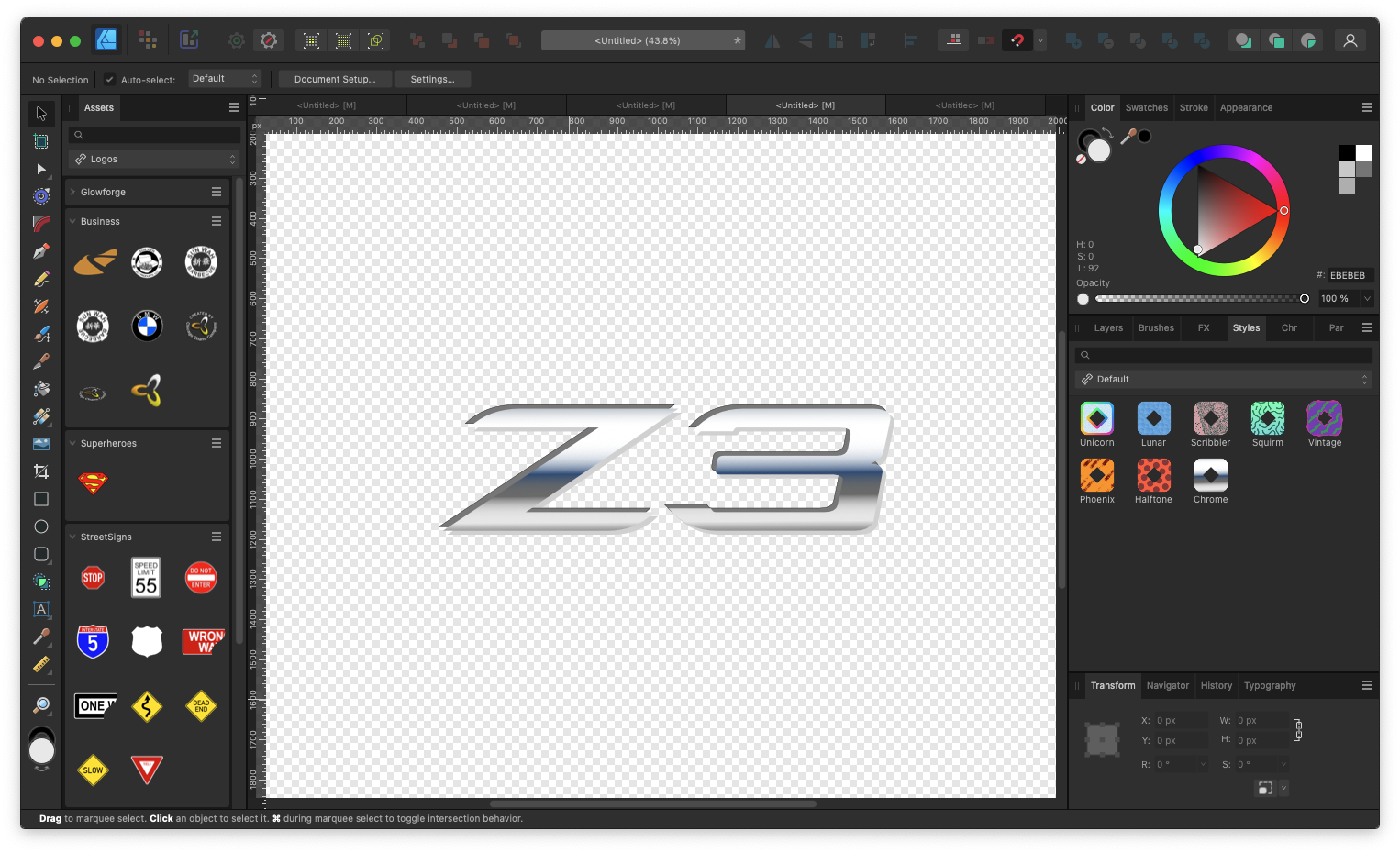
xTool Studio has no complaints about the transparency and all that’s left is to center and scale as I please. This time I specify the backing base color as two layers of Flexible White and one finishing “Color” layer. Figuring this will just cost pennies, I don’t even bother noting the cost report screen.
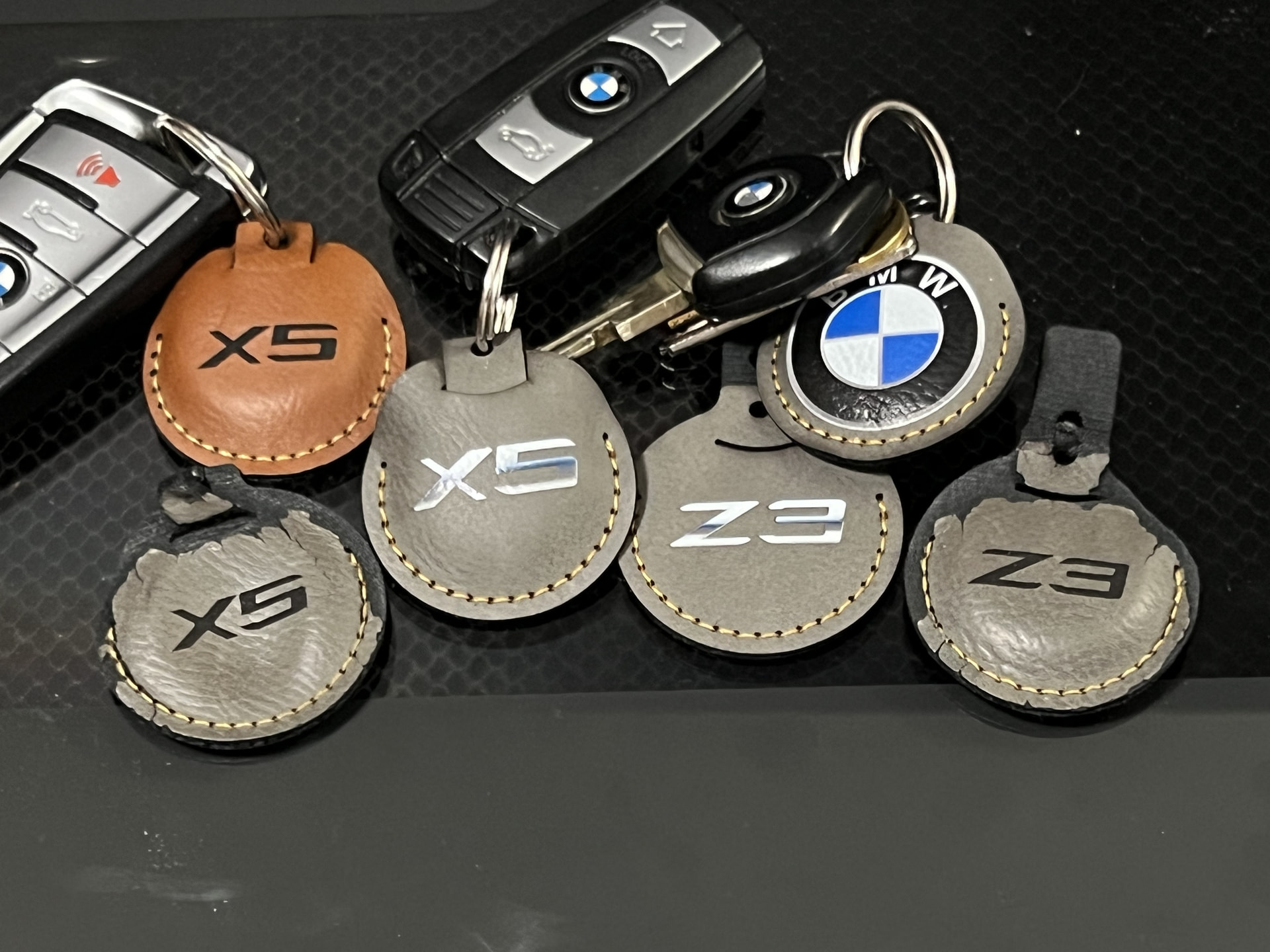
You’ll find plenty of other YouTubers out there doing torture tests on Flex-White backed stuff and that leads me to extrapolate that I’ve got nothing to worry about. If anything, the UV print might serve as a protectant to keep the polyurethane material directly beneath it from accelerated disintegration. I’ve included the current-day condition of the old engraved Iron Grey and Chestnut fobs. Not sure if this closer iPhone macro attempt will satisfy you pixel-peepers out there…
18 Likes
I’ve had expired inks too…and Eufy says it only has a one year shelf life from when it’s packaged!
10 Likes
this no overspray is impressive. The Eufymake is not that precise on getting your substrate dialed in. I usually only do i.e. one coin at a time so i can do a snapshot and zoom in. Good thing mine is for pleasure or it would really bite.
16 Likes
Being able to do the color on those really makes them stand out. Thank you for the details on making them and the durability of the faux leather.
14 Likes
Several years back in the throes of imagineering a little container designed to hold a party gift for attendees, this produce crate was one of the results.
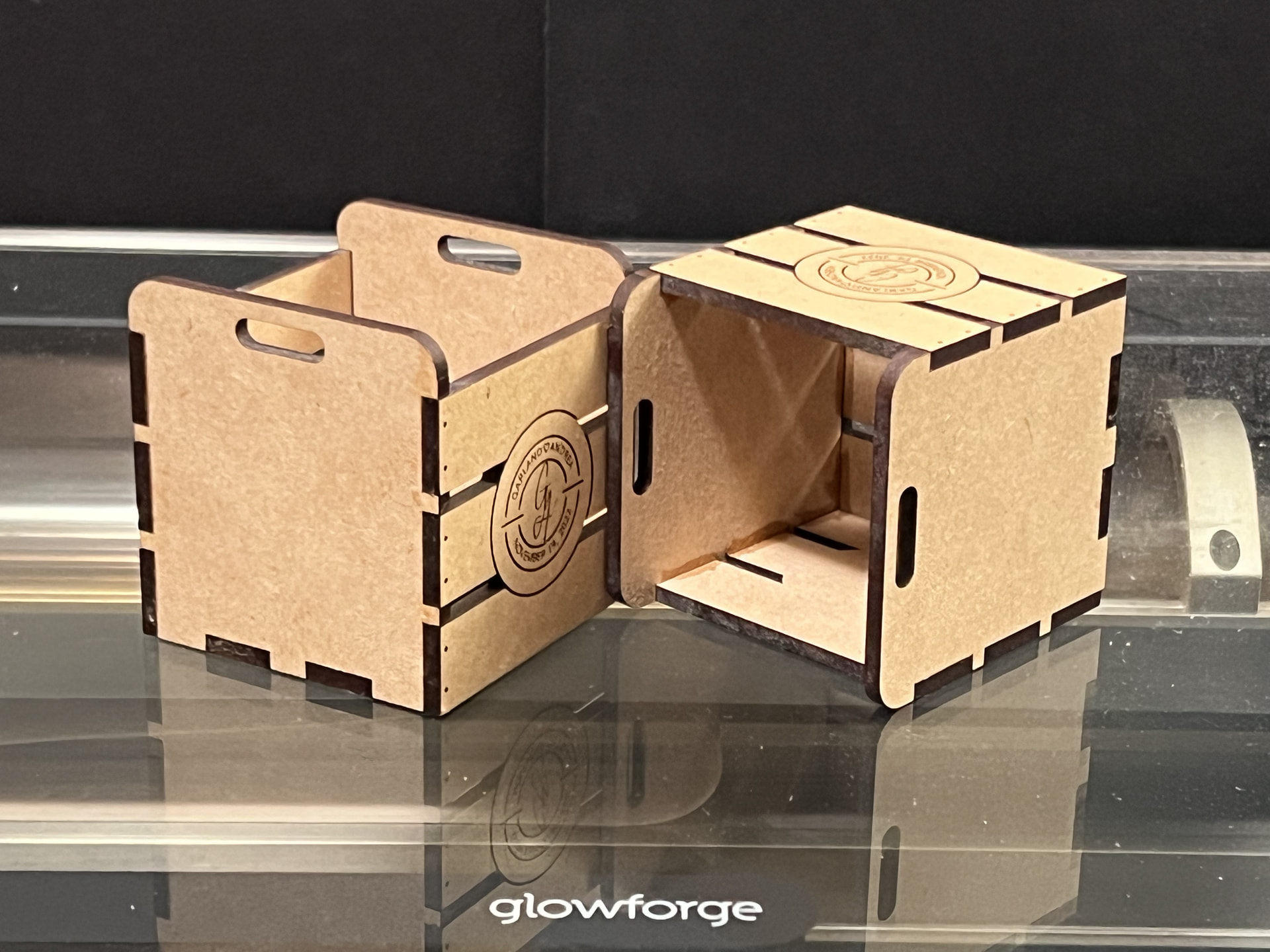
The two-inch cubed volume made it cute ‘n all, but I’ve been wanting a more versatile sized crate. Plus, the whole monotone laser cut, laser engrave look made me feel well, boxed in. I had a hunch a tiny improvement is all it might take, so it’s back to Affinity Designer we go! 2026 and I’m still using 2D vector illustration to make my 3D boxes. Once that’s done and exported as a SVG, it gets sent to the Glowforge Pro,
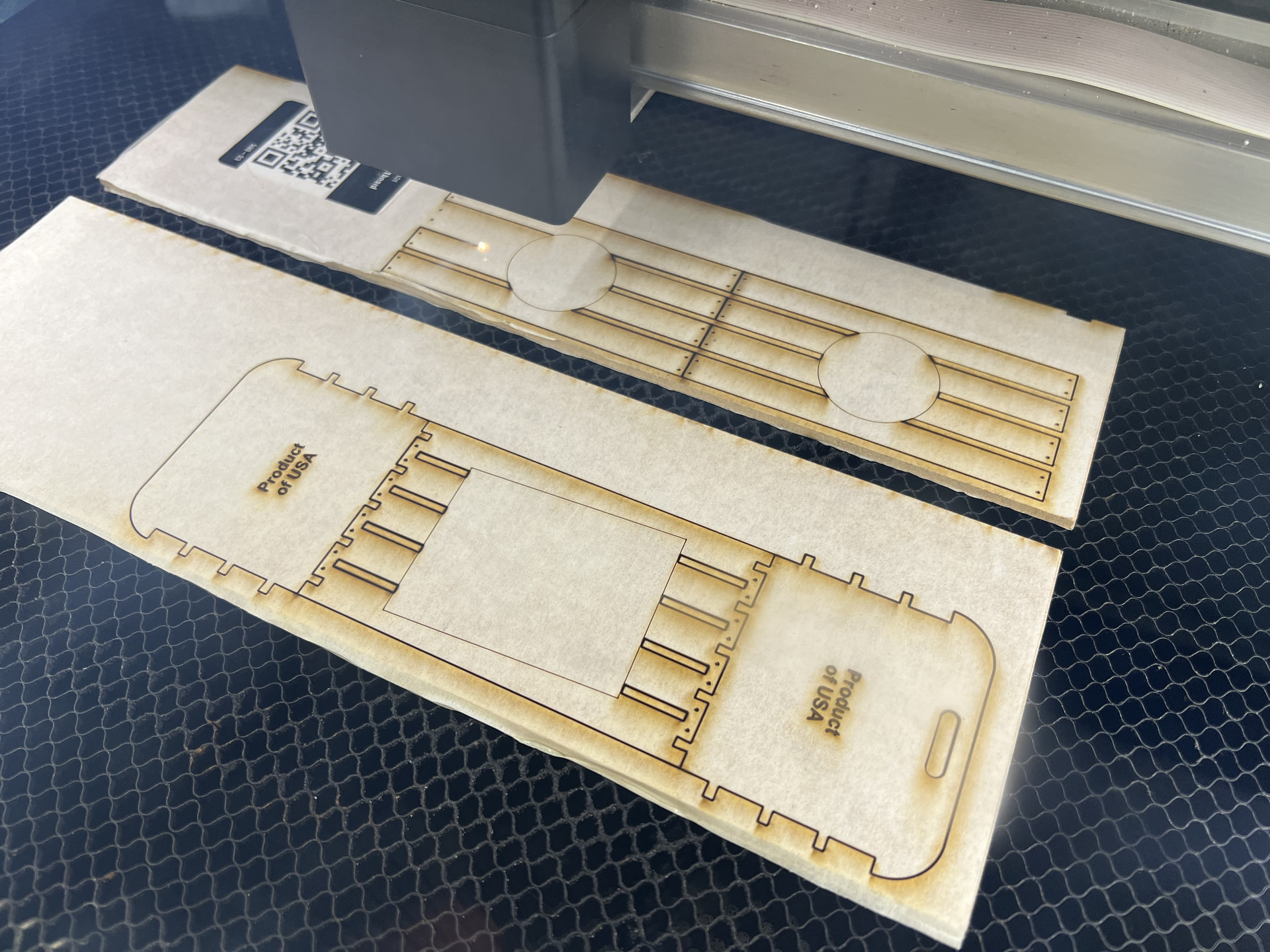
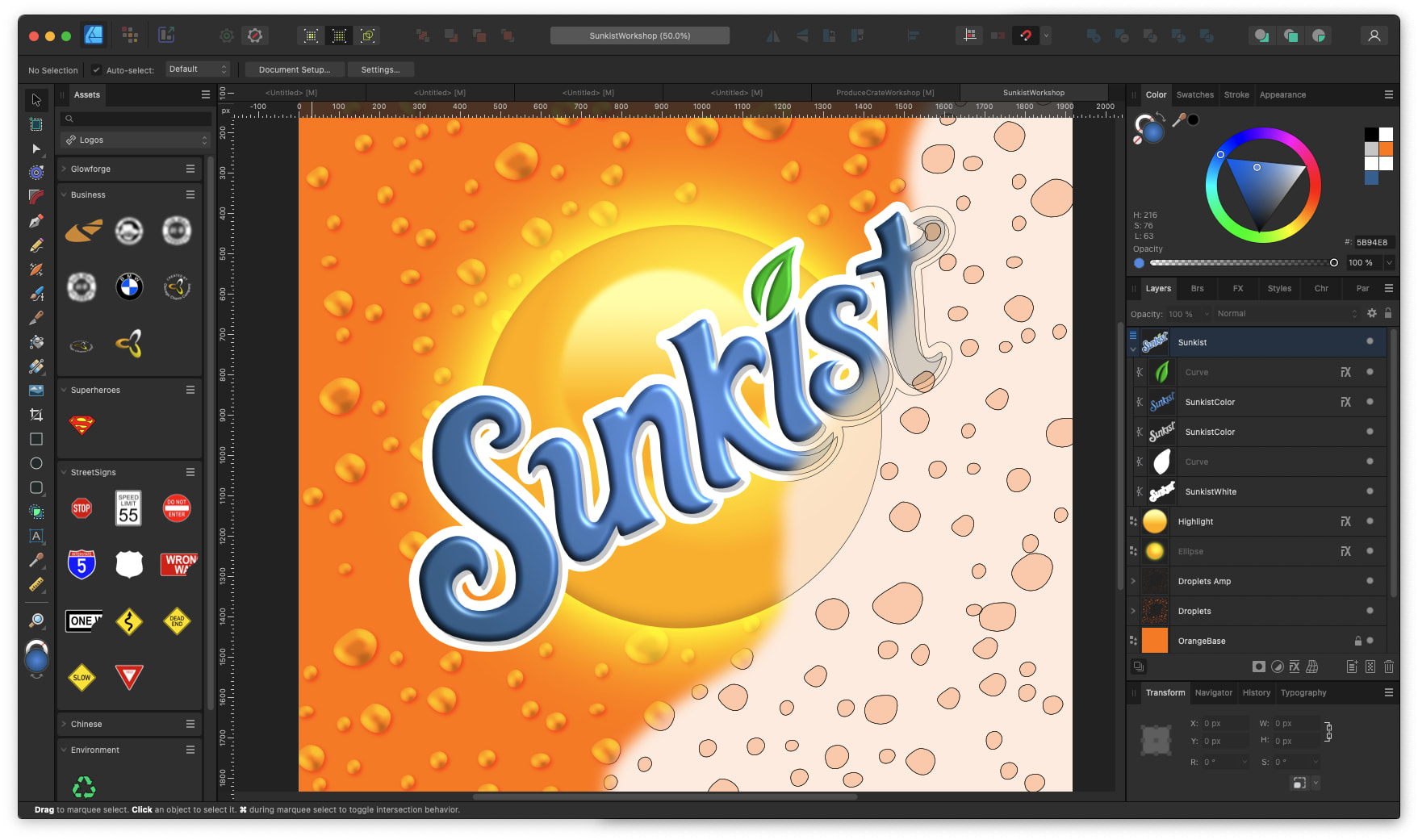
I conjure another Affinity canvas and ended up replicating a produce brand all in vectors… Each condensation droplet has a 3D Fx filter applied as well as a subtle shadow filter. The program kept rolling without breaking a sweat (M4 Mac mini)
The cut DraftBoard gets loaded to the Omni 01’s mini-plate and the scan it gives me makes it easy to confidently lay down the artwork exactly where I want it. The bottom edge of xTool Studio has a magnification fly-out menu that allows picking 20000% magnification to basically make sub-sub-sub-pixel increment movements. Zooming into the 1000% level is plenty for my needs. Rotation angle goes down to two decimal places.
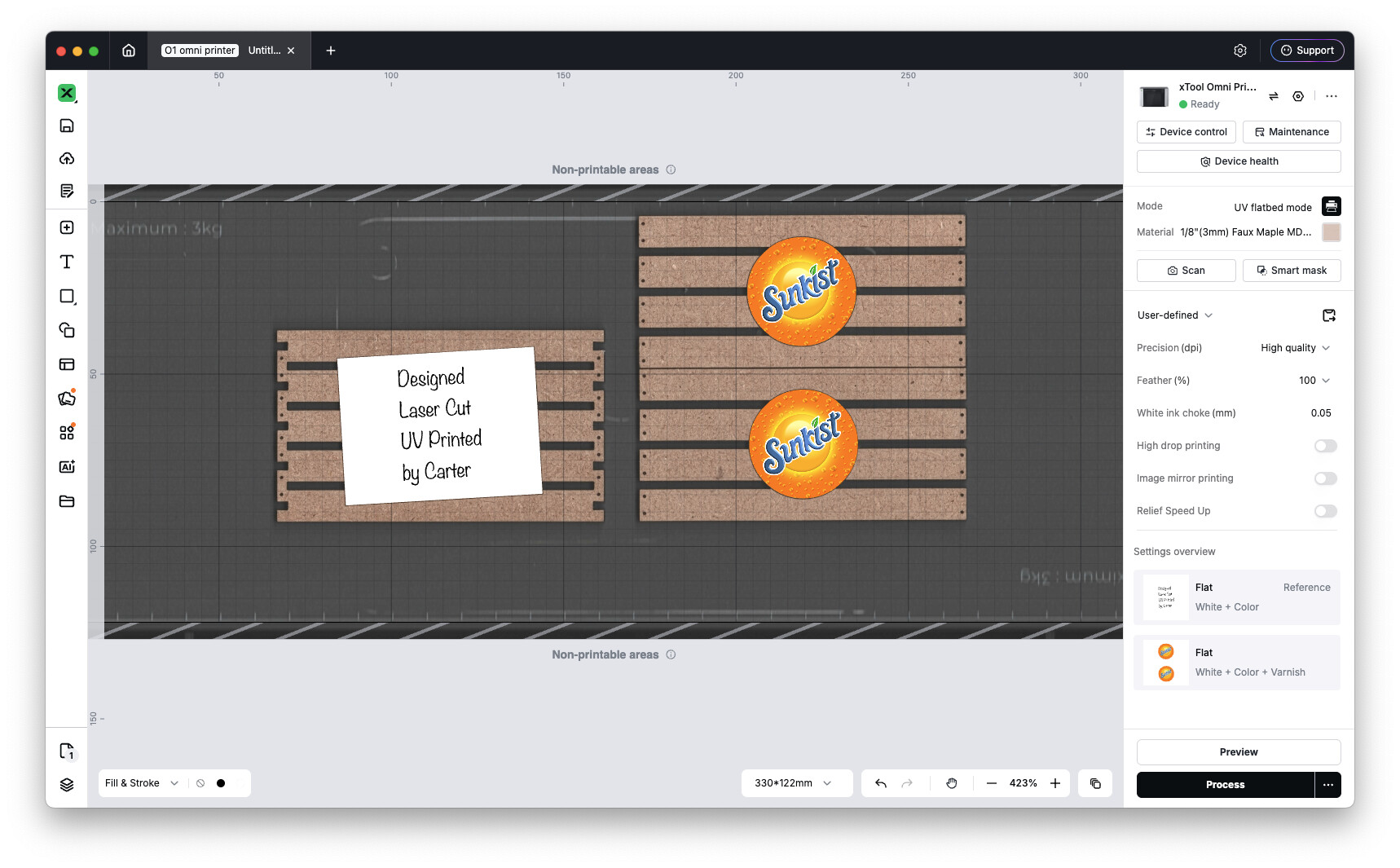
Two layers of backing white, 1 layer of color and the software reports a 13 minute print at a cost of 2.5¢. What emerges is Just. So. Nice. That hit of vibrant color is the missing something my laser cut pieces needed.
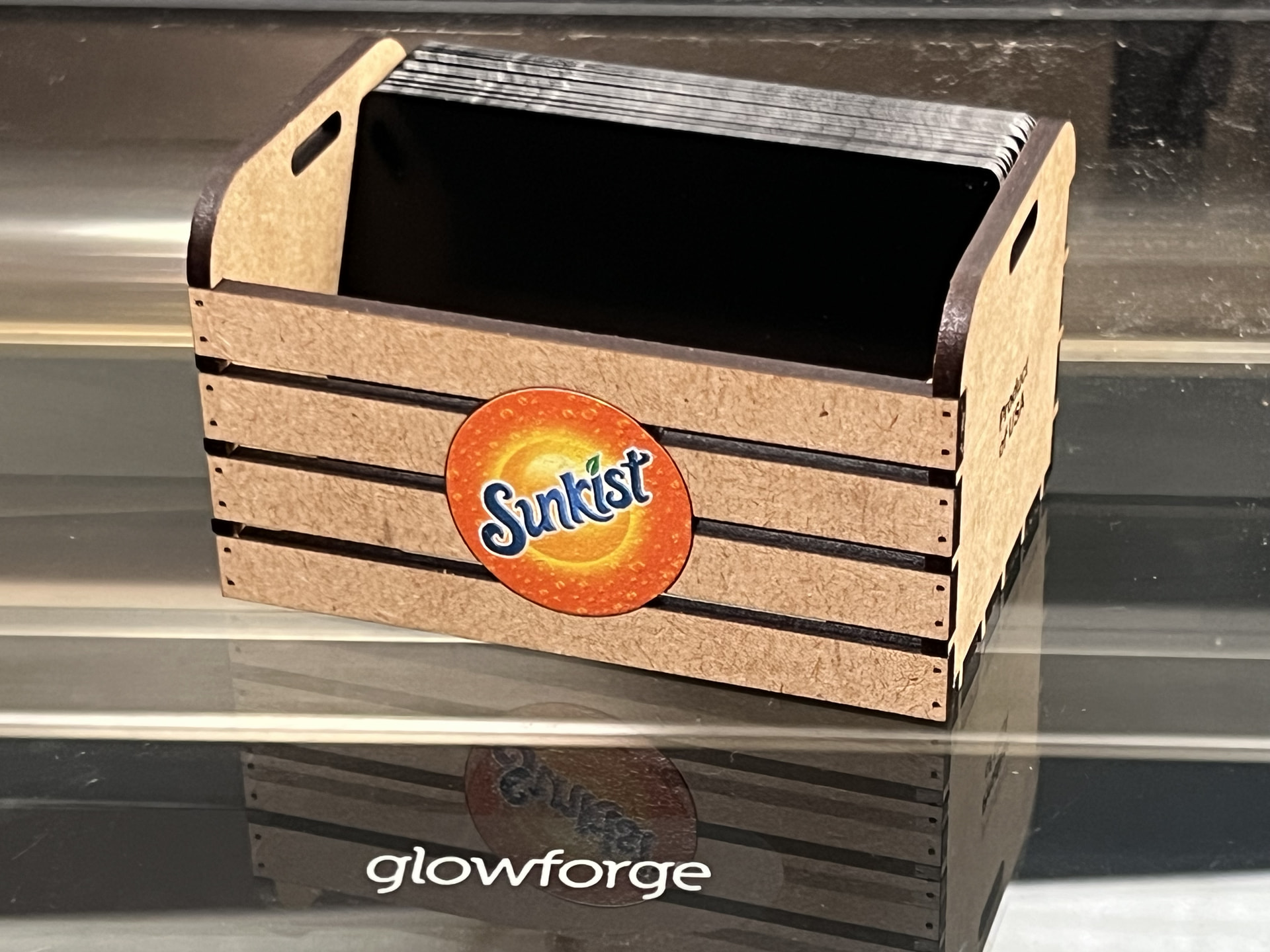
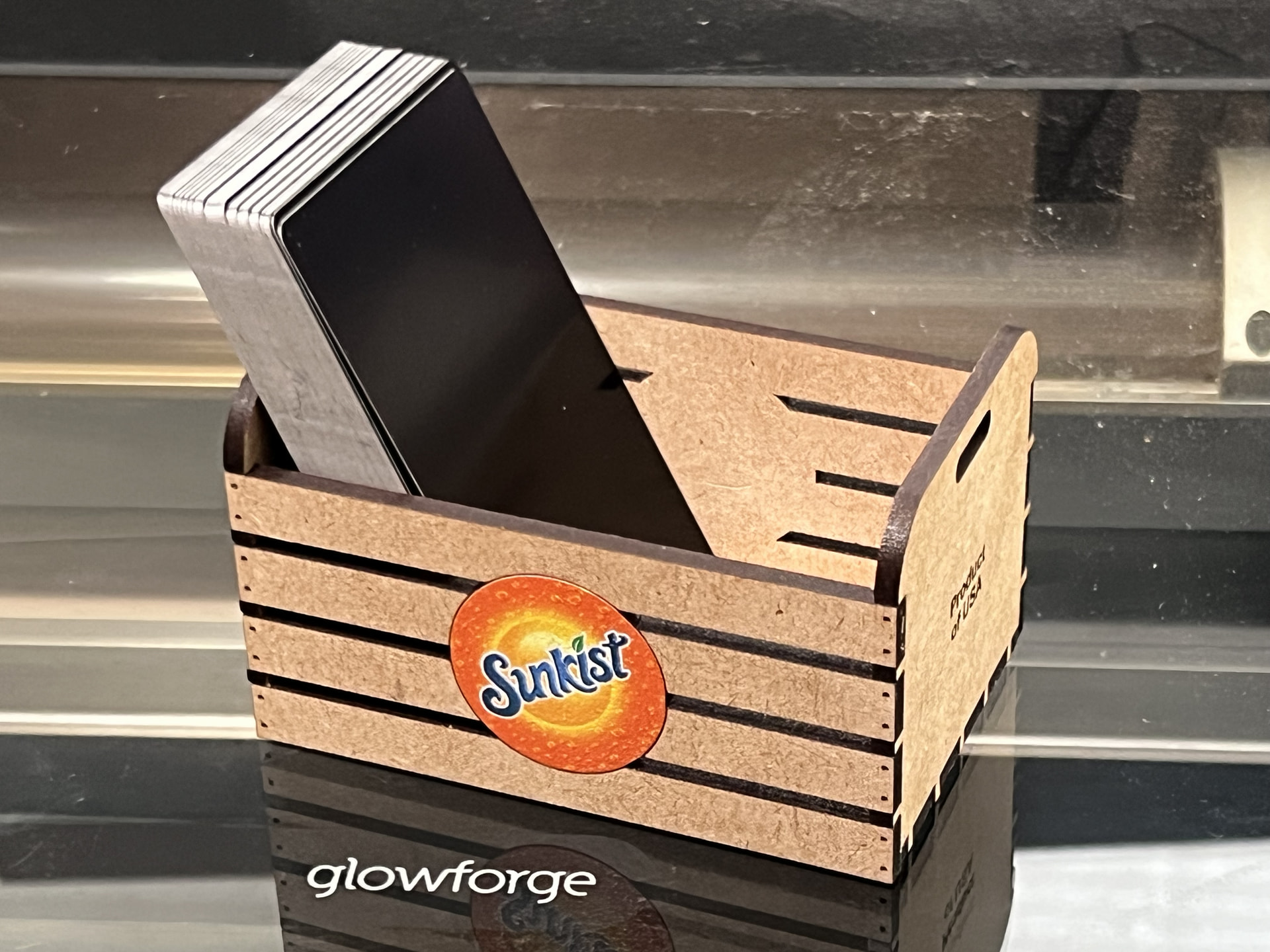

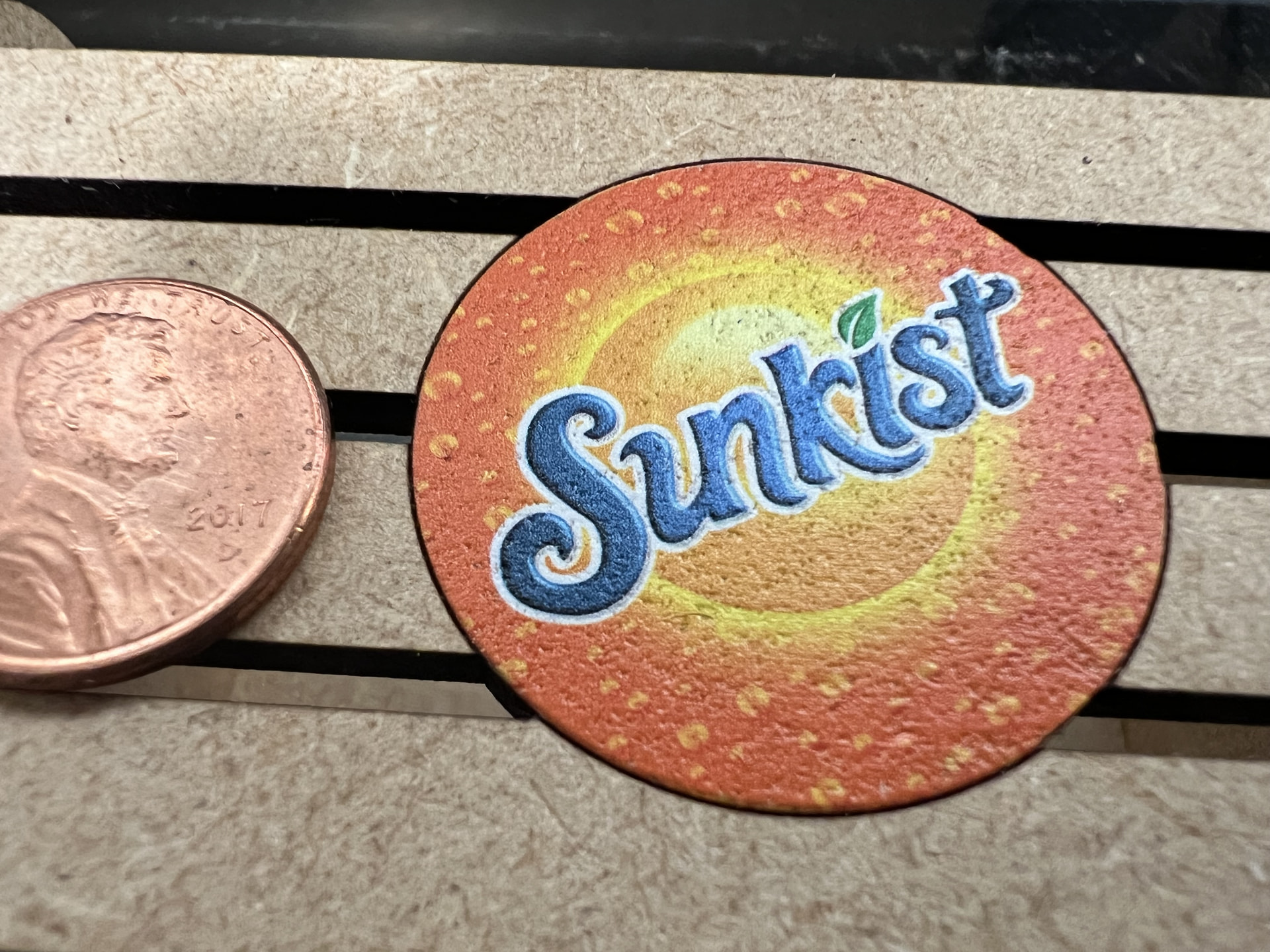
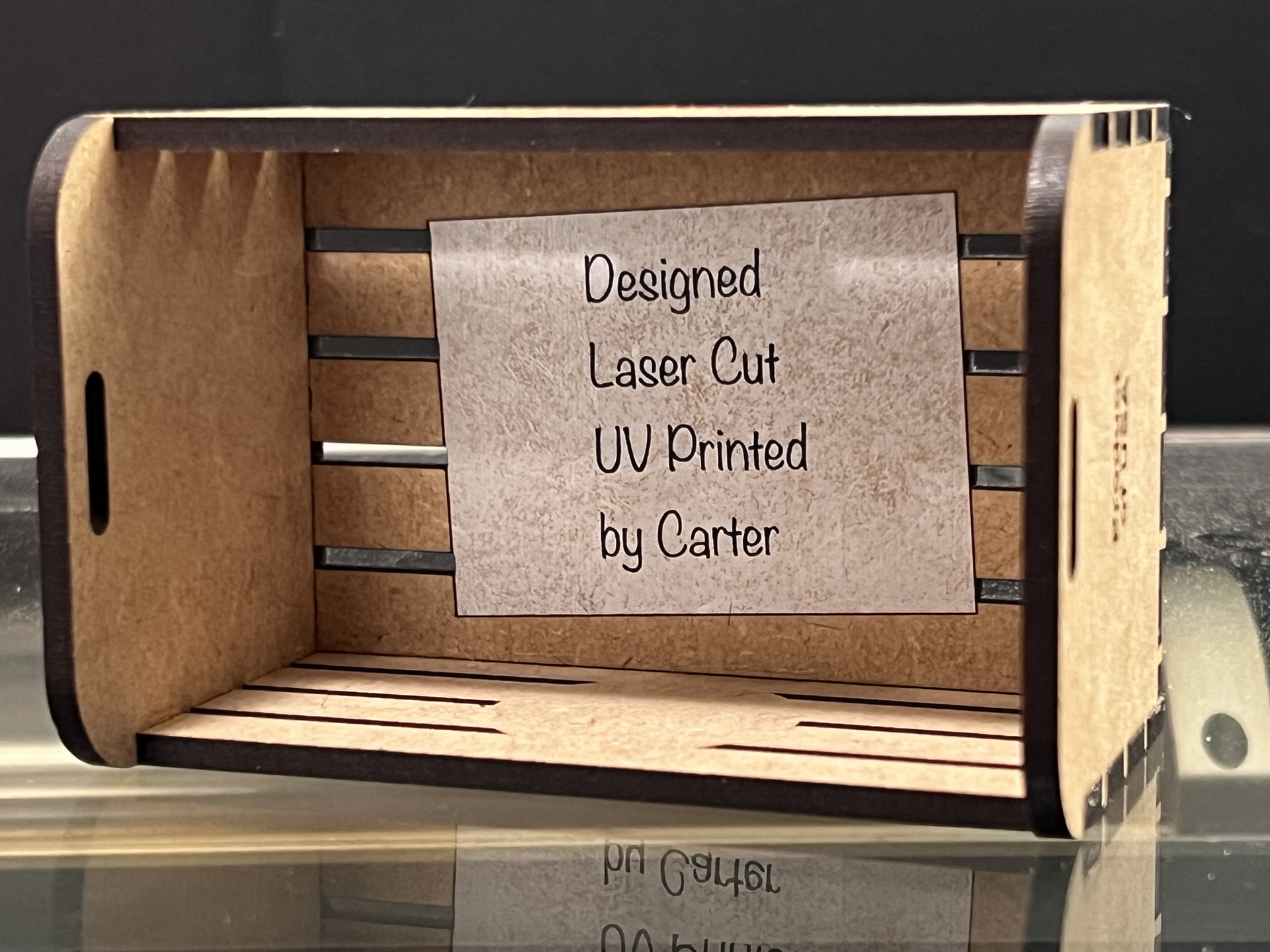
In retrospect, I could’ve / should’ve UV printed wood grain onto the wood planks!
18 Likes
That’s a great design. Nice job!
12 Likes
A fun add! More and more you can see the need of a UV printer.
12 Likes