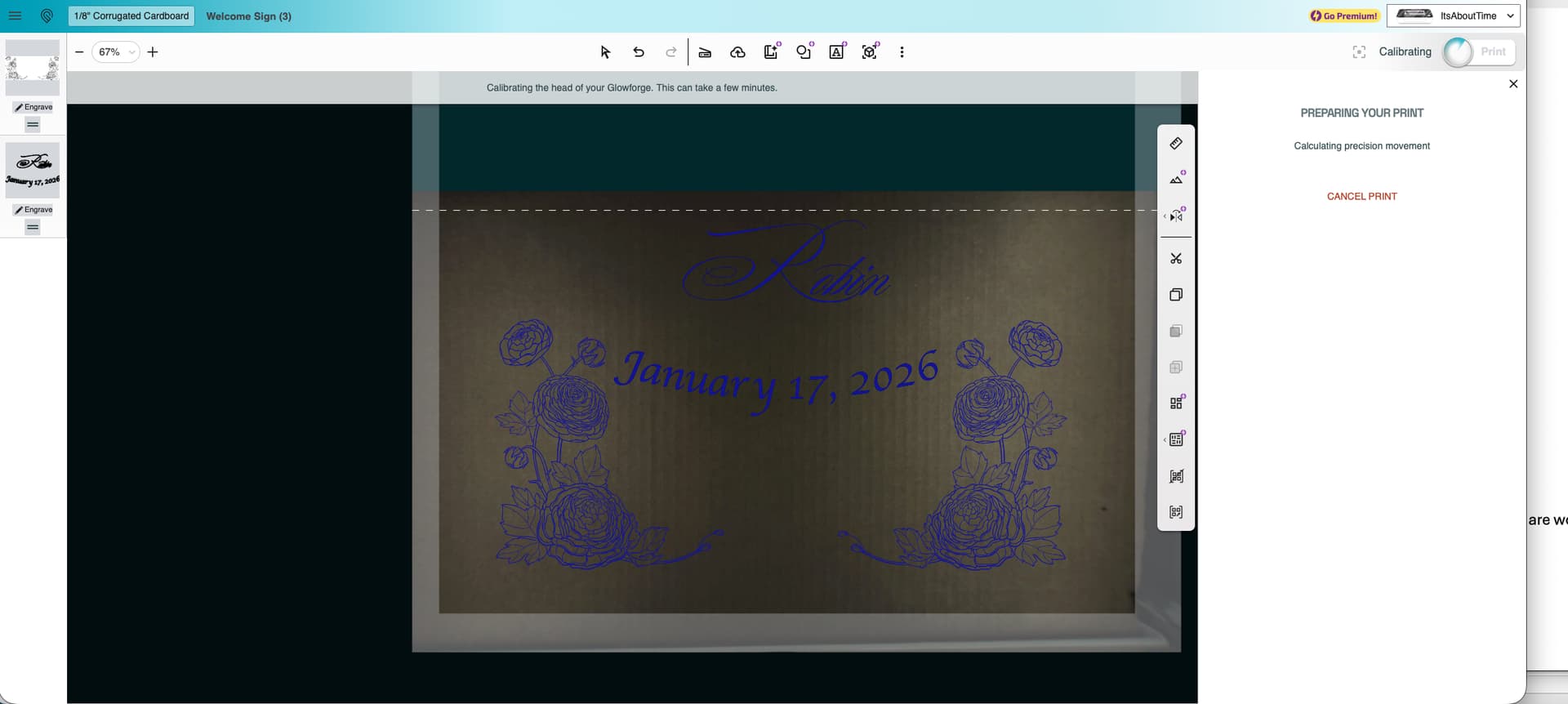
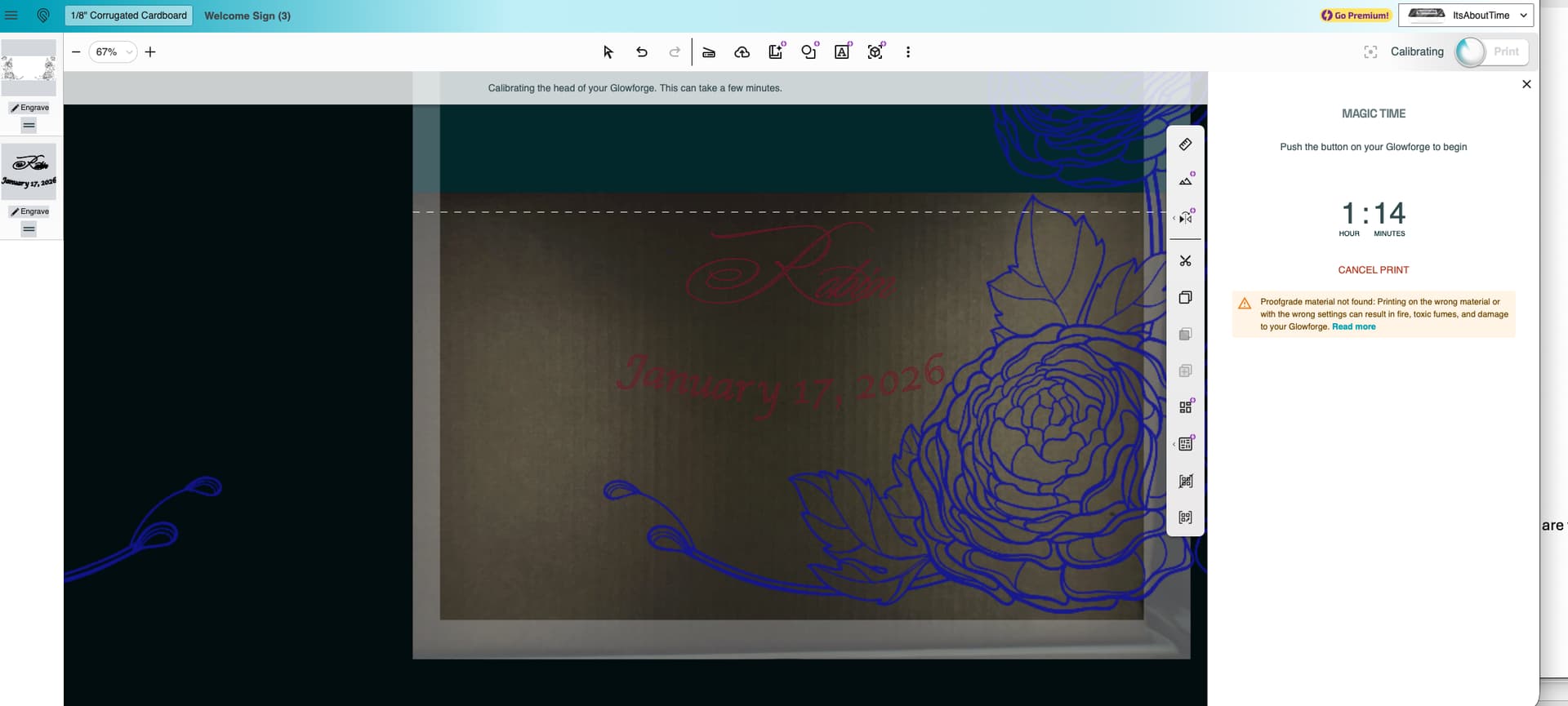
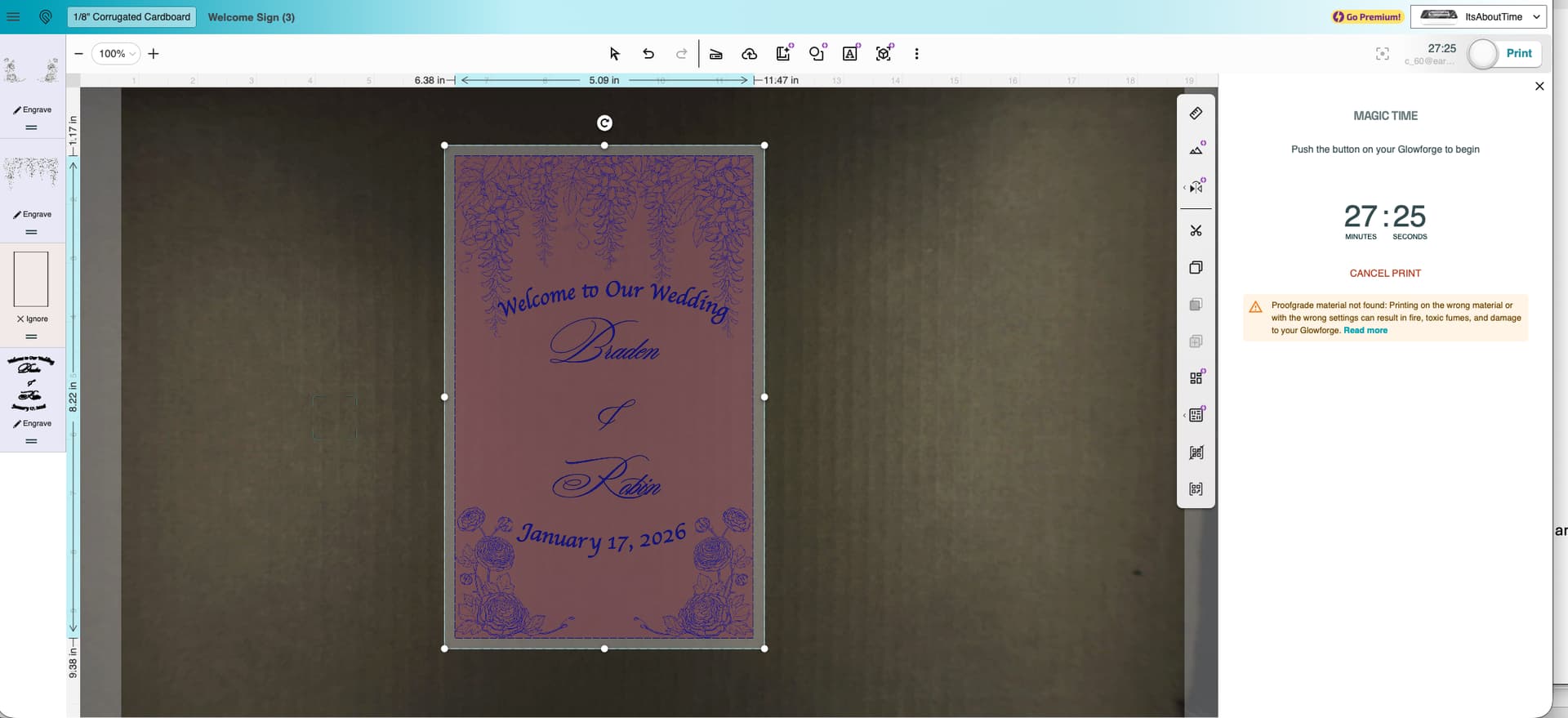
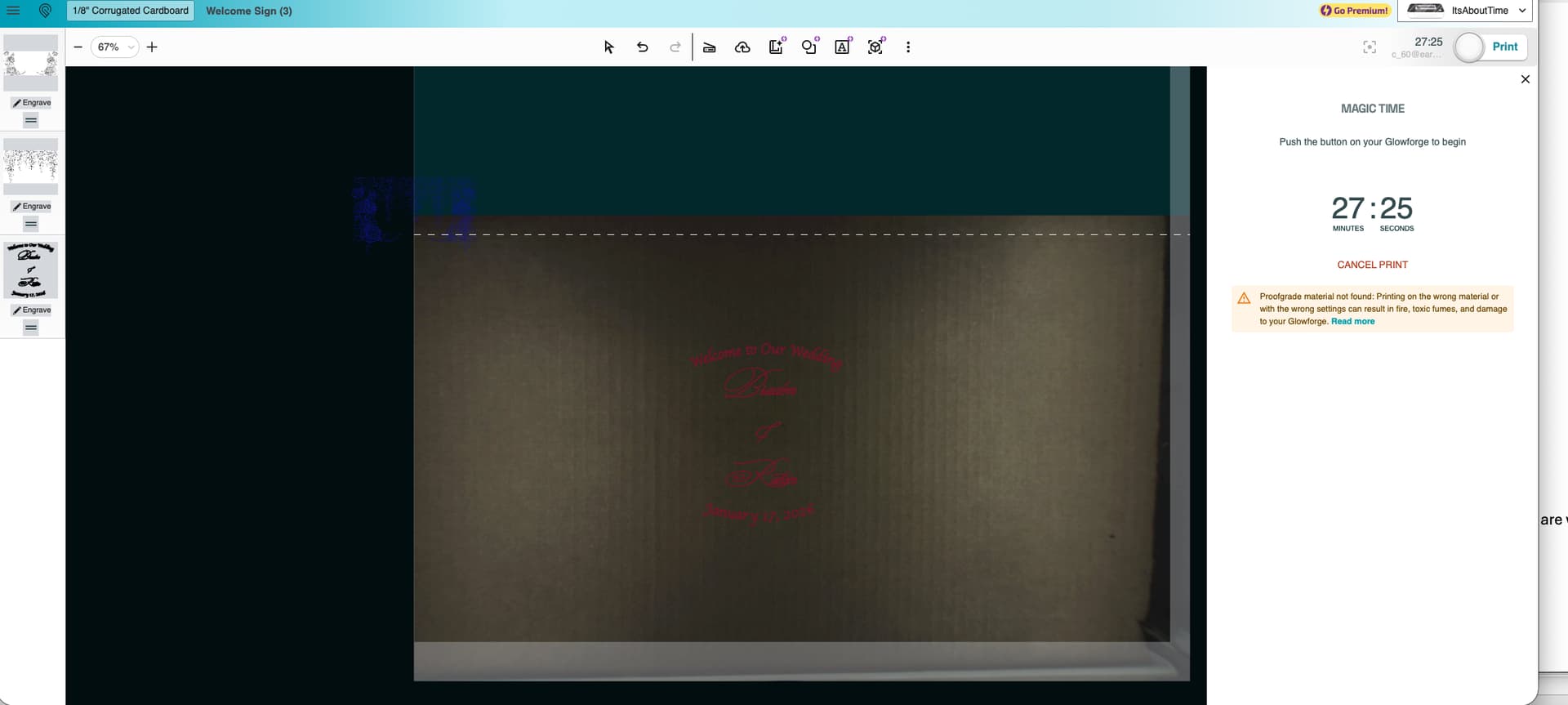
UPDATE: I got past the alignment issues mentioned below by performing the Recalibrate Camera procedure. After a couple of test prints with other artwork, all seemed to be going fine. I re-created the SVG file below as suggested, art still blew up. I decided to try a print anyway, and sure enough, it printed the roses at the proper scale. BUT, we’re not done yet. I went through one Print-move the material-re-alignment-print cycle successfully. Now though, the GF refuses to recognize that the material has been moved, and just tries to align to what it just printed. I’ll post a separate thread….
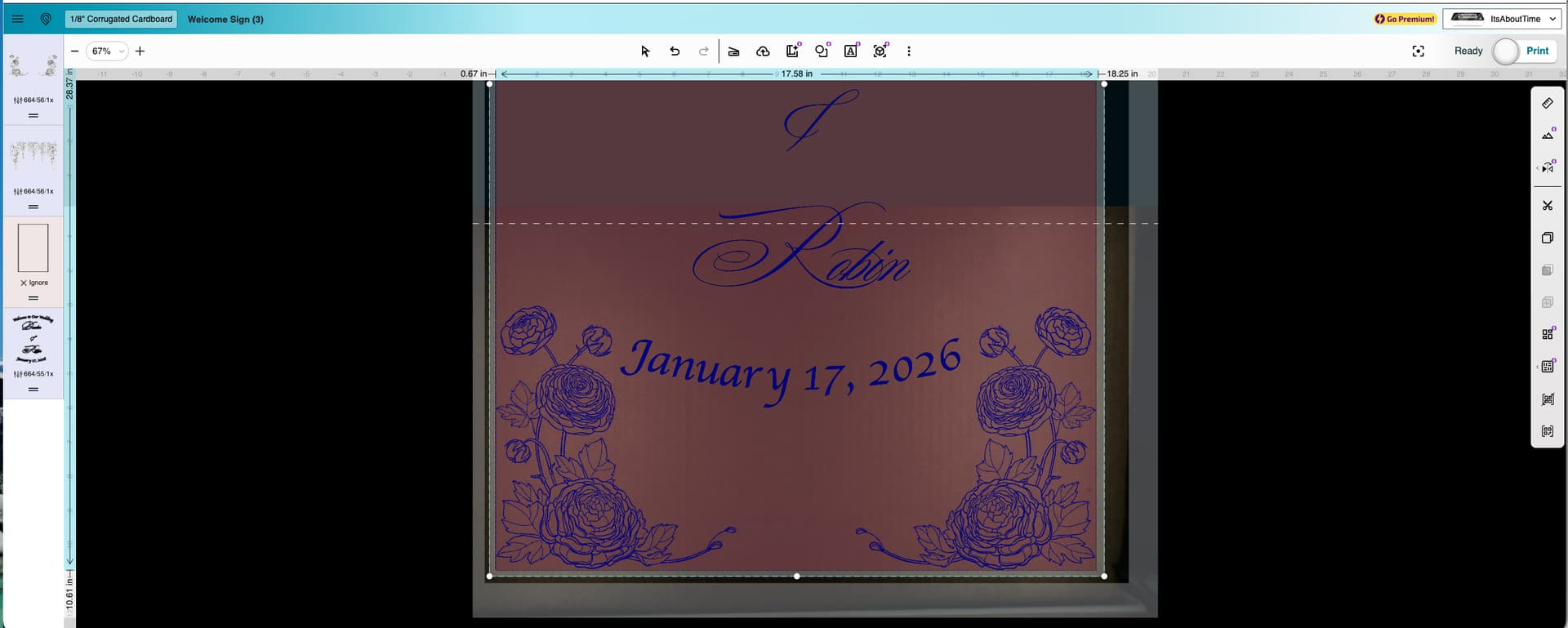
My art looks fine when I’m positioning it and selecting settings. Note that this is using the passthrough and is just a fast draft on cardboard. See first screenshot. But then, I hit Print……
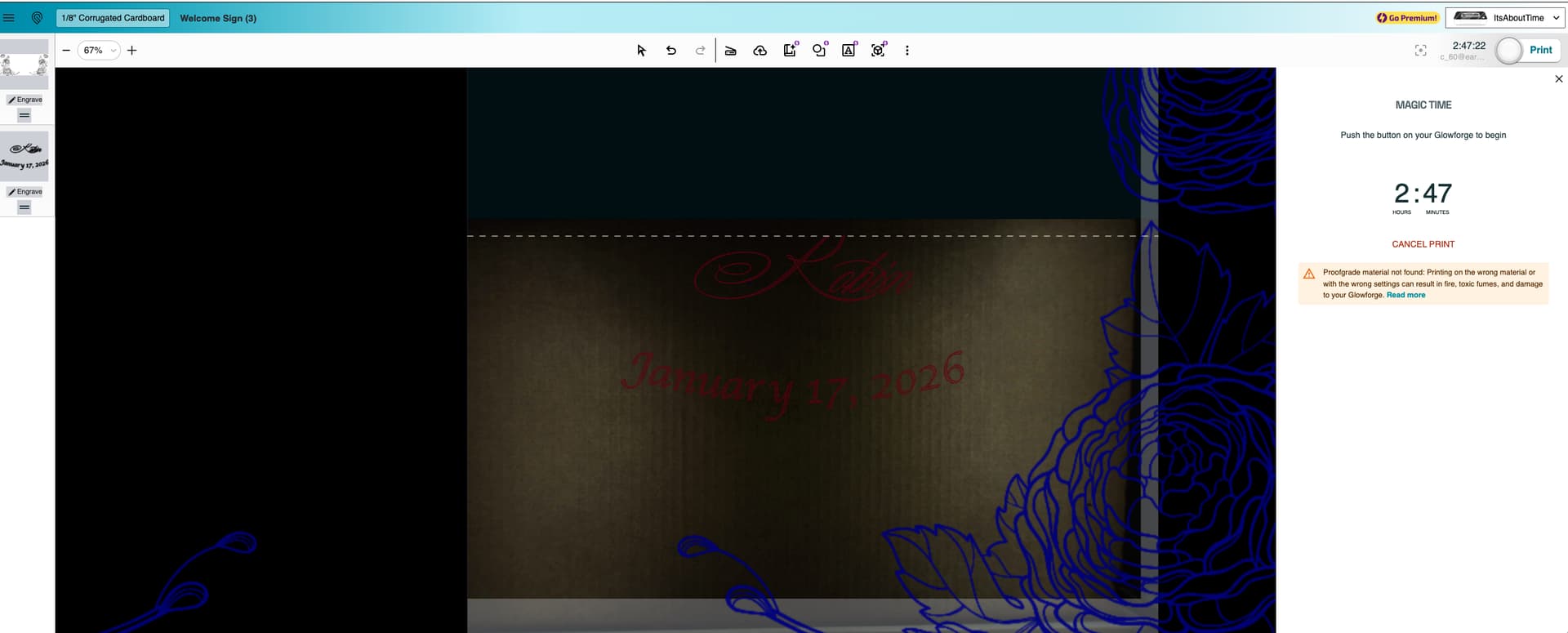
Once I hit print, the app magnifies the roses and makes them huge, loses the upper part of the art altogether, and the result is a very long print time, especially considering this is just a proof on cardboard with high speed/low res settings. Upon further review, the app has also changed my settings between the first and second screenshots too, all I did was press Print. Help!!
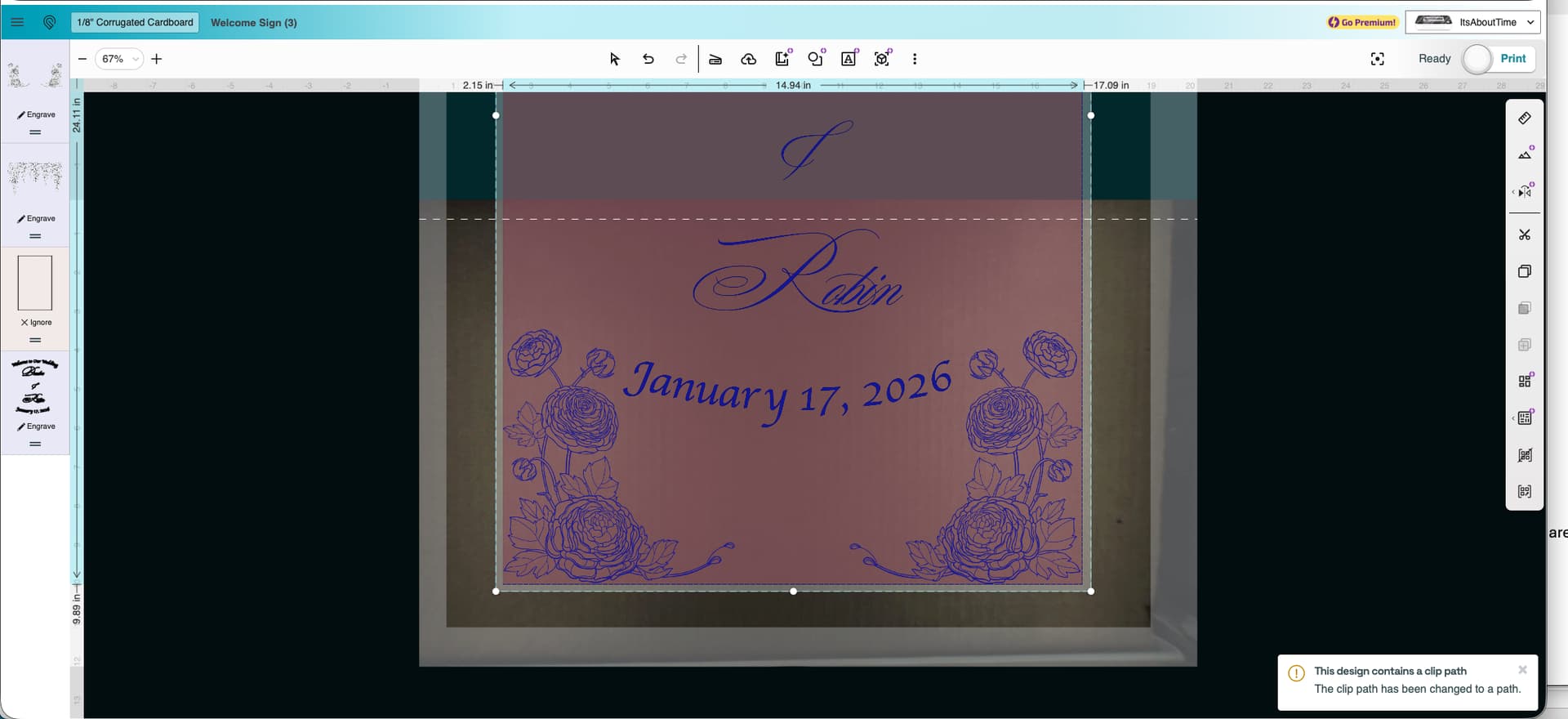
I didn’t mention it, but I had first tried importing a SVG of a rectangle to cut out the outline. I imported the rectangle as a separate file from the roses & text. The UI lets me select different cutting/engraving settings, then when I click Print, the only thing left is the rectangle on cut. I think the issues are related.
I have also printed the roses and the text in smaller (5” x 7”) versions (slightly different designs, but same flowers) with no issues.
I just tried shrinking the design down to fit on a single screen, and it creates no issues when I hit Print.
I then clicked the Passthrough to “on”, and stretched the design out to cover more of the area but less than above, and it still does the same thing.
As soon as I turn on Pro Passthrough, the problem happens EVEN if I keep all the artwork in the printable area.
From screen above, I hit cancel print, then turned on Pro Passthrough, then Print again. Nothing else. Results: (note leaves that should be hanging down from top of artwork off to top left of screen)
Well, now I’m stuck good. The print is eternally cancelling with the spinning print button, even if I log out, log back in, and start a new design on both browsers. I have submitted a request to Support.
UPDATE - I did get out of the eternally cancelling print by turning off the GF and turning it back on.
At this point, I can’t even get the GF to align with other files to finish a Passthrough print. I thought I would try that out to get ahead of any other problems, but can’t even get it to work. I’ll post a separate thread on that.