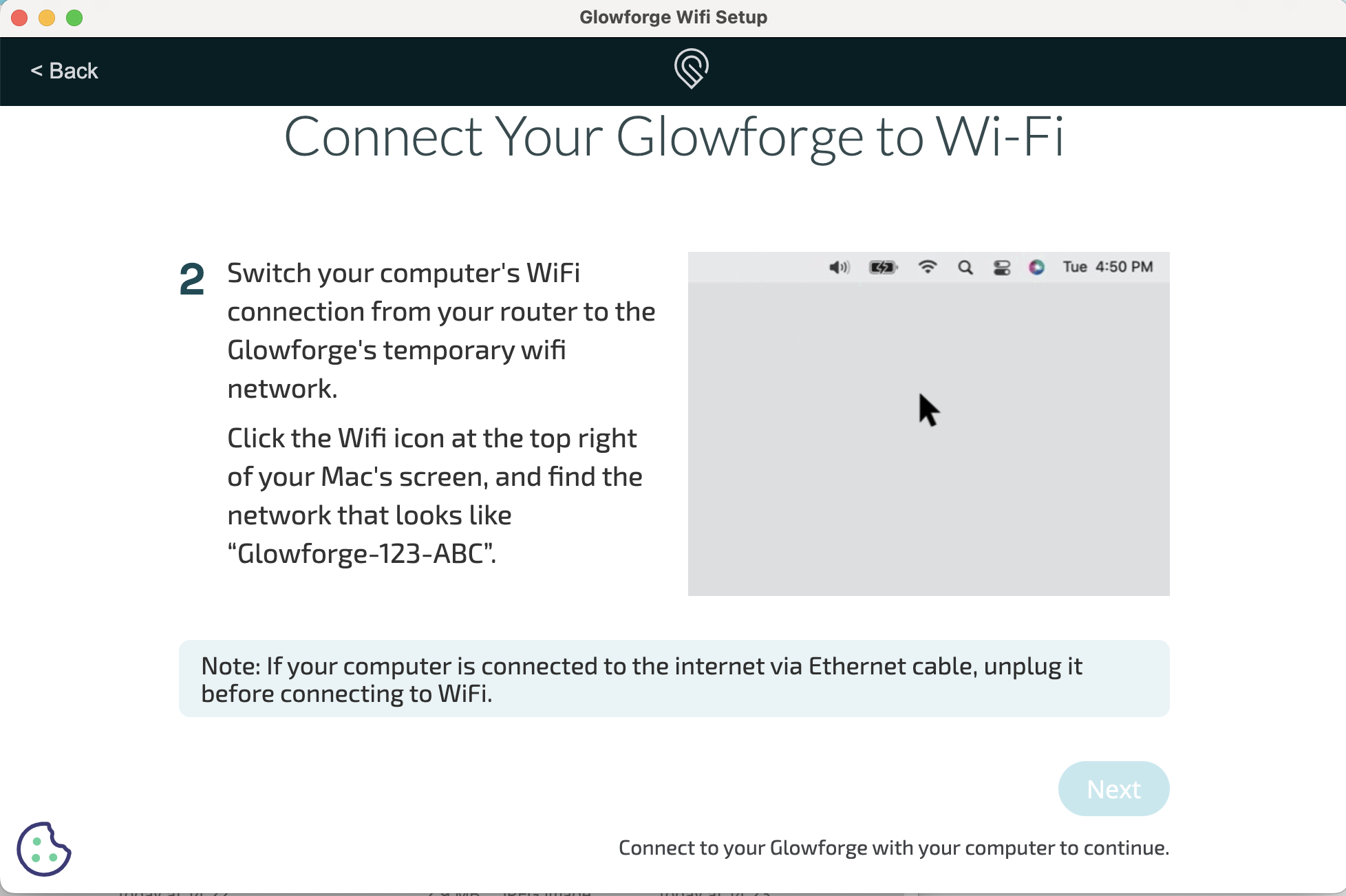
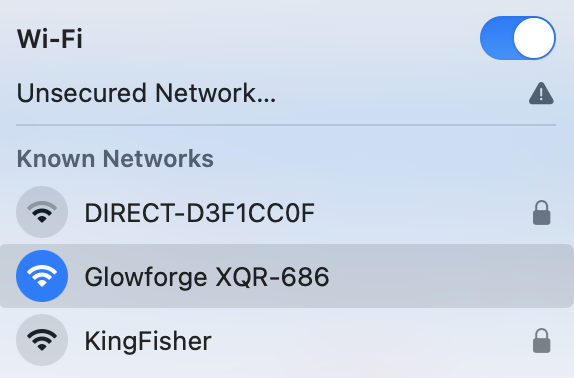
Hey team - I’ve read several posts about wifi issues but didn’t see an answer to mine.
I have a new wifi network I need to connect my machine to. I got the light on my machine to be teal and therefore, for it to send off it’s temp WiFi connection. I can get both my computer and my phone to connect to that network but when I go back to the prompt to select ‘next’ and go to the next step, it is not selectable and I can not move forward.
There has to be an easy solution! What am I missing? I can confirm I am connected to the network on both my phone and my computer when I see this.
Your wifi must be 2.4gHz, not 5G. If there is not a 2.4gHz signal, no network will show up in the list. Did you get a new router when you got the new wifi?
Thank you! The network shows up and I can connect to it. It shows connected on my computer. And I’ve even confirmed it by trying to use internet necessary pages/tasks on my computer when connected to the Glowforge network.
But to answer the router question - it is different, yes. I had 2 separate connections on my property, deactivated one and of course, that was what my Glowforge was connected to. So I’m now trying to connect it to the remaining network. I will try swapping the routers to see if that fixes the issue.
You can try using a different browser to do this. Sometimes that works. Some people have also had luck downloading the Glowforge Setup App and running that. Just to be clear, you see the Glowforge network in your dropdown list but when you select it it never states “connected”?
Once connected to the GF wifi (“Glowforge-…”) then the setup should detect that and allow you to select Next. So something is preventing the setup page to run correctly. Usually the browser on a phone will work if your desktop has protections in place that block it, but as stated, a different browser on either device might solve it. Have you at least tried hitting refresh once you have connected the device to the GF WiFi? A reload may allow it to detect correctly.
I use Chrome 99% of the time, but I have it secured and occasionally I have to use Safari or Firefox on my Mac, or the native browser (which is mobile Safari) on my phone, if a page does not work as expected. That does happen quite a lot.
Thank you! Yes, I am attaching a screenshot because I want to make sure I’m not missing something small and dumb. I am using the setup app - in fact I can’t get it to run on just the browser. Every time it gets to the point where I need to do the wifi steps, it says I need to download the app.
This is good to know also. My window to fix this was yesterday, so I can’t get back to it until Sunday, but will try another browser. Though like I said in my reply to a different suggestion, my computer prompts me to download/launch the app every time I get to the wifi portion of the setup.
To be clear - what web link are you guys using? I’ve tried setup.glowforge.com
In all the years I’ve owned one, I’ve never used the app to configure my GF. I am pretty sure there is no app download option when using a phone - that is the correct URL..
I suggest that you download the Glowforge Wifi Setup application when prompted and see if that works. It is an application that is different than the interface. I had to download it recently when resetting up my Spark.
Finally had time to come back to this - I managed to fix it by going from the WiFi Setup app to using Safari direct. Doesn’t sound like that would fix your issue, but maybe it is a browser problem?
Wanted to post an update - I haven’t had any time to work on this until today. I tried everything I did the first time round to see if maybe time and a nap for my machine fixed anything. It did not.
I unplugged my router and plugged it back in as well as used Safari instead of the WiFi Setup app. Chrome always forced me into the app and the app never worked. Safari got me through! Phew. Glad to have that fixed! What a pain in the butt.
Great suggestion of the phone! When I used my phone on Chrome it was still an issue. I never tried Safari on the phone, but I will keep this idea in my back pocket in case it happens again. Thanks!