Thanks for starting a new thread @ChristyM . The initial one closed off prohibiting further updates & findings.
Within days of unpacking mine, the very first thing I attempted was to see what it’d do with stainless steel. Honestly had zero idea what a UV laser could do here given the posts I’ve poured through on all the steps needed to prepare a metal surface for marking with the Glowforge.
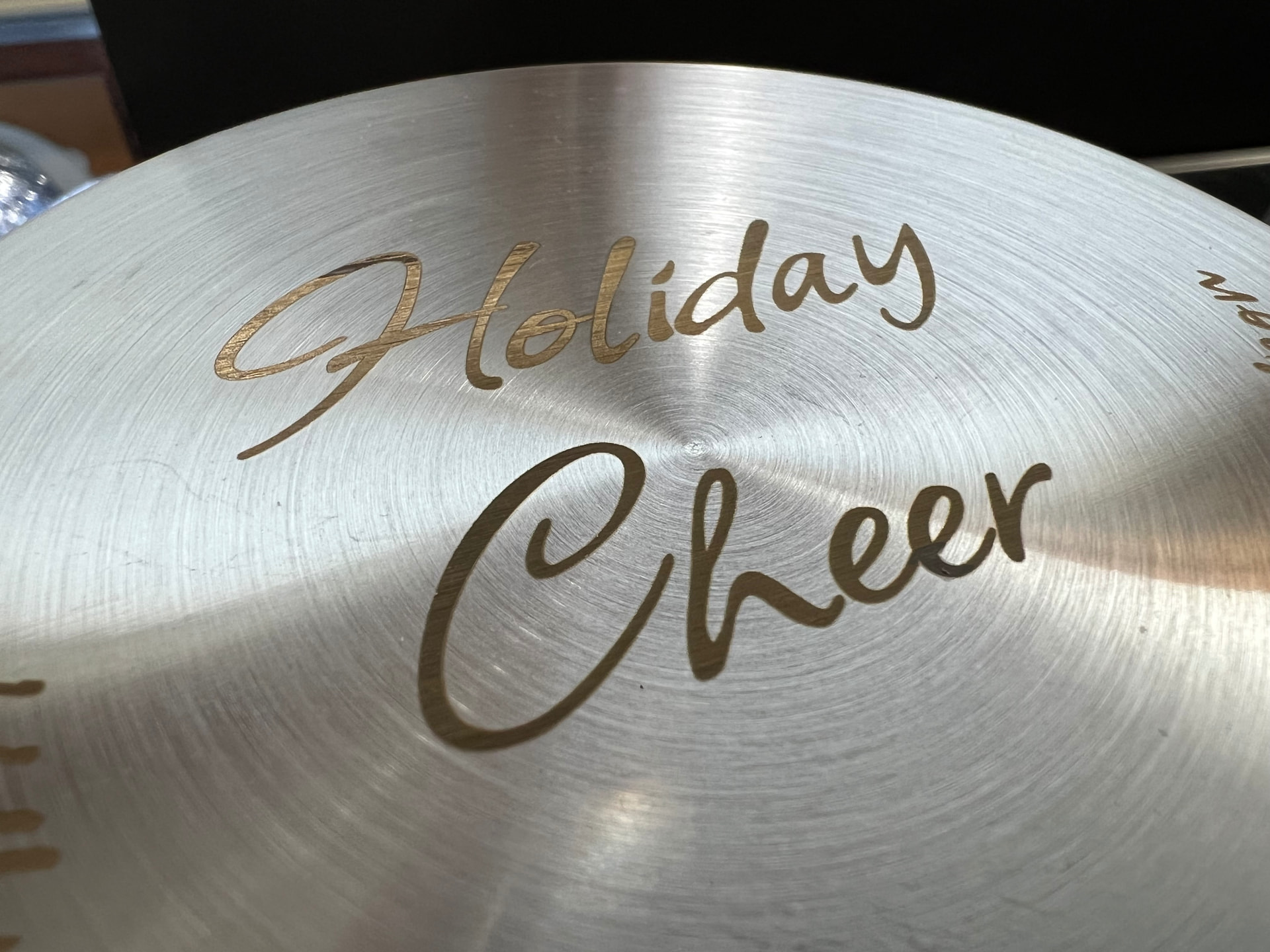
With a dollar-store gift jar, I took its stainless steel cap and centered it on the platform. Just used the default power setting for stainless steel. The laser sizzled its way through and within a minute or two there was some proper no-fuss engraving on metal! It was definitely engraving as the original brushed texture went bye-bye.
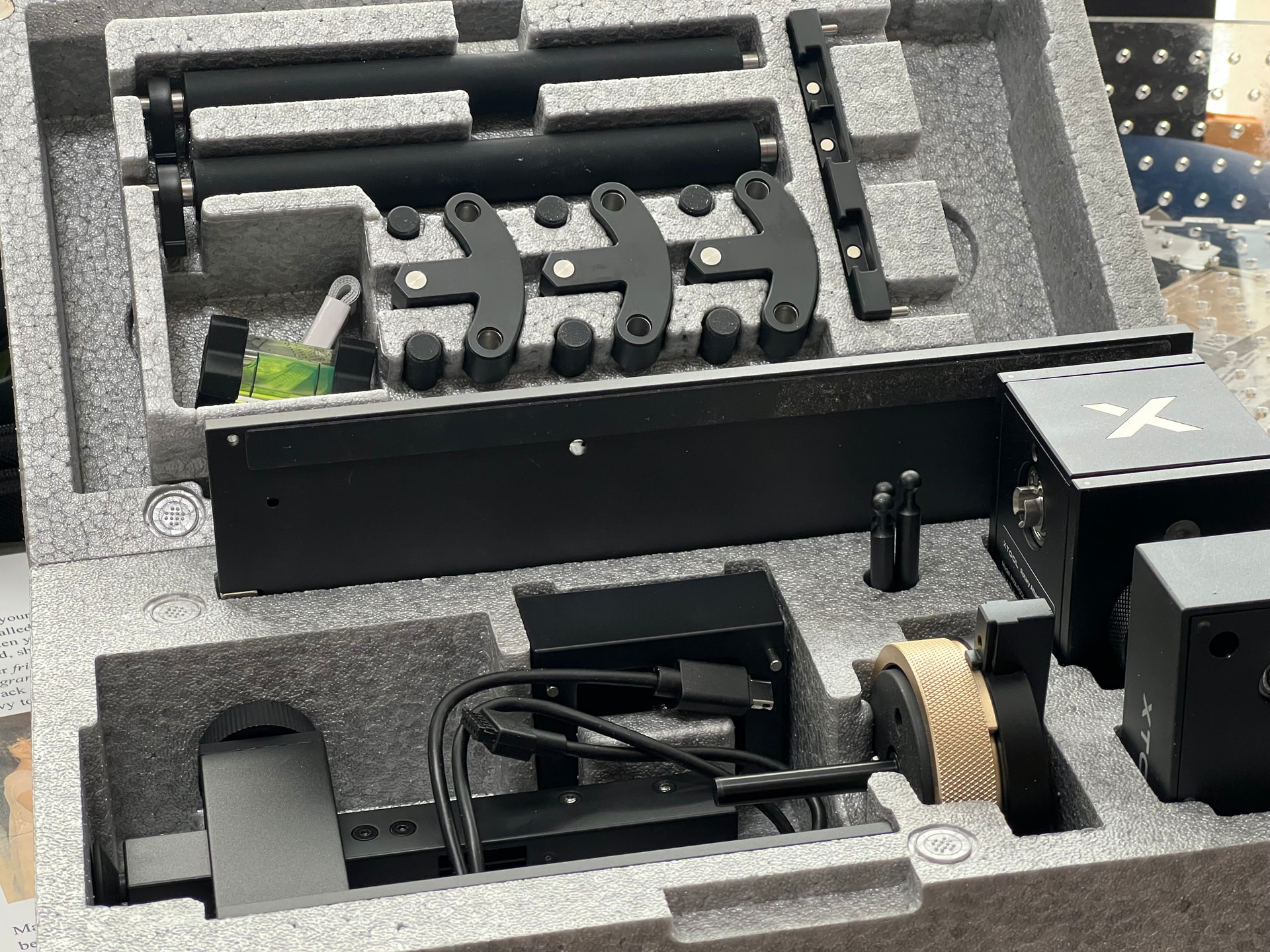
I chucked the glass jar onto the RA3 Rotary Accessory. This add-on itself is a nice piece of gear. Cleverly modular to shape-shift into a myriad of configurations. Capable of holding a variety of things from its inside or the outside; tumblers, mugs, drinking glasses, rings. Many of its parts slot-in and locked into place with a captive magnet instead of endless thumbscrews. Shown here disassembled in a foam storage case. Did a 70% wrap-around engrave on the soda-lime glass and was equally astonished for a first-time attempt.
A bit later on when time permitted, I investigated its supposed ability to do “3D Engraving”. Years ago, I ran through a Glowforge session trying all sorts of settings with this goal in mind. The old-timers here all remember the original marketing showing 3D depth engraved pieces. That huge delay following the launch of the Glowforge was partially due to the effort perfecting their power supply… presumably for the variable power planned for 3D engraving. A controlled test using graduated greyscales got me to this result:
With my Glowforge Pro’s max power and duration, it engraved down to 4.5mm with a propensity to catch fire at that point. Despite all that charring I pressed on and tested two height maps several times trying to dial-in a better setting. Never got anywhere near the marketing hype.
With the F2 Ultra UV, their approach with a height map image was to peel away material layers at a time instead of trying to blast it into oblivion in one go. This screenshot shows it planning for 250 layers and the other settings based on one of their pine presets.
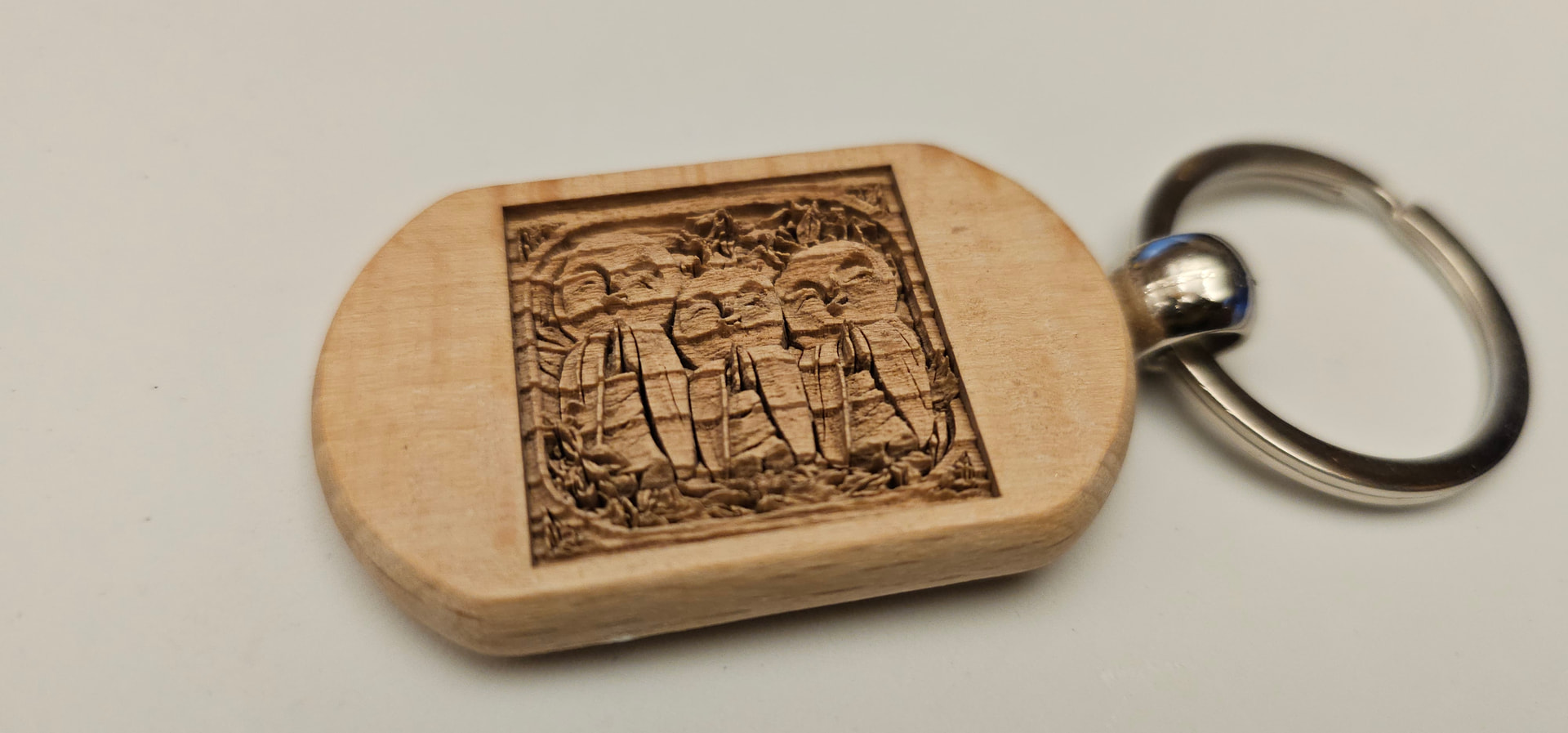
The end result and comparison? XTool delivered. Keep in mind this test is based on a POSTAGE-STAMP sized engrave. Despite the macro shot of the wood grain; teeth, fang, furrow bumps are visible. That final layer reached a 5.9mm depth. And yes, all this without a hint of charring. Zero processing/clean-up needed. “Cold laser” indeed. CAN I make the UV laser char? Yes, crank the power and duration numbers high enough and it starts to look like the mid-point of the Glowforge controlled test. Had I done a larger 3D engrave, the wood grain would be less detectable.
Those who watched to the very end of the sculpting vid posted the other day saw the XTool F2 Ultra UV doing it’s subsurface engraving thing.
A number of things was learned in sacrificing a block of K9 glass for testing.. whether detail or engraving time changed comparing a decimated 3D mesh versus its full-fat original.. and on the backside, a comparative study on the effects of different subsurface settings.
Subsurface engraving works by precision-focusing the laser on a certain volumetric spot and creating a micro-fracture. My testing showed the laser offering a cushioned range of leniency and the engraves stayed mostly the same. Under the stereo zoom microscope, only the highest UV power setting I was willing to go showed signs of over-fracturing…
YouTubers who have pushed their subsurface settings far more than I was willing to go ended up fracturing (destroying) the ENTIRE block… so to anyone who’s eager to chime in about NEEDING a 20 watt version; spare me. The XTool F2 Ultra UV’s 5 watts can already do plenty damage enough when misused.
Is this the end-all-be-all of lasers? No. I’ve come to realize it’s absolutely a critical piece if the goal is to laser the world. My gantry-operated CO2 Glowforge continues to be invaluable for making large sweeping 90º cuts into sheet material and excels at cutting through clear acrylic like buttah. On the other hand, the newly acquired UV XTool is the precision galvo scalpel I can count on to cover an extended swath of things ill-suited or ill-advised with the Glowforge. In my current view, the only missing part of the ultimate trinity is a FIBER laser (ie, XTool F2 Ultra MOPA) to complete the final frontier of materials; metal. As it stands, the plate’s already full just using these two initial machines.
In the time it took to collect these observances, I’ve tried to come up with any blind-side issues with the F2 Ultra UV. All our lasers whether Glowforge or XTool have a finite lifespan. The moment it’s put into service, it will eventually die. That inability to do a user-replaceable swap of the laser is baked into this party cake. I’m willing to live with the notion that my XTool might provide around 5 years of service and will do what I can to make the most of its service in that time. If I get extra time beyond that, gravy. If not, I’m willing to re-up when that time comes. On the Glowforge front, my understanding is that laser-death means plunking down another large pile of money for a refurbished unit (not even sure if that truly applies to a 9th year old timer like me) The only remaining nit about the F2 Ultra UV is that the main lens is (semi-intentionally) NOT available as a replacement spare. Whole. Machine. Repurchase. Then again, we Glowforgers should be no strangers to critical parts not being offered. I’ve only seen two Reddit instances of XTool users pointing out this lens discovery. My laziest from-the-hip guess is cranking power & duration on something metal directly 90º below the galvo where a beam lingers back onto the lens. Destroying the main primary lens would only leave the option to swap-in the subsurface lens for K9 glass internal engraving.
The UV laser does a phenomenal job marking plastics and even 3D resins. Will report with findings as time permits, but in the meantime, there ought to be a variety of YouTube clips demonstrating/verifying this.




 's closed system, but I’m curious.