I haven’t done much Glowforging since April 2023, but started up a new design project recently. Since then, both the Glowforge software and my favored design software have changed quite a bit, so it’s hard to tell which might be the culprit for this issue.
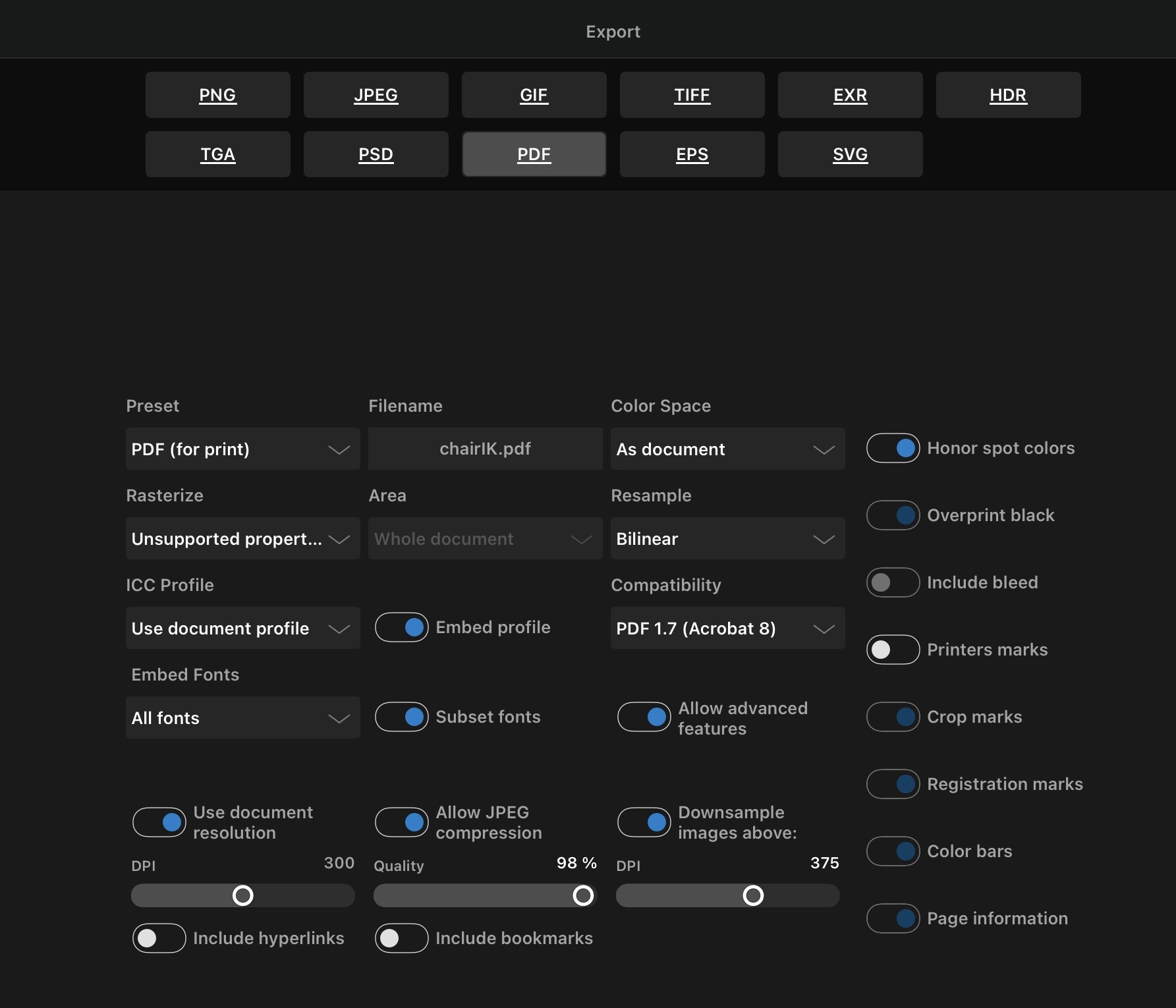
Before, I did almost all of my GF design work in Affinity Designer 2.0 on iPad. I’d export to PDF using that app’s “PDF for print” preset, import to app.glowforge.com, and be ready to prep my design for cutting: both text and vectors would be recognized, color differences would come through as separate steps that could be set to engrave/score/cut, and dimensions would be accurate.
Now (since Affinity 2.1 and possibly changes on the GF side), many of my PDFs, especially those including text, import to the GF software only as raster images — a single step, eligible only for engraving, with the GF software offering brightness/contrast and other raster image controls. Affinity has a lot of PDF export options and the roundtrip to GF software is not fast, so I haven’t tried all the combinations of settings, but haven’t had any luck with the several I’ve tried so far.
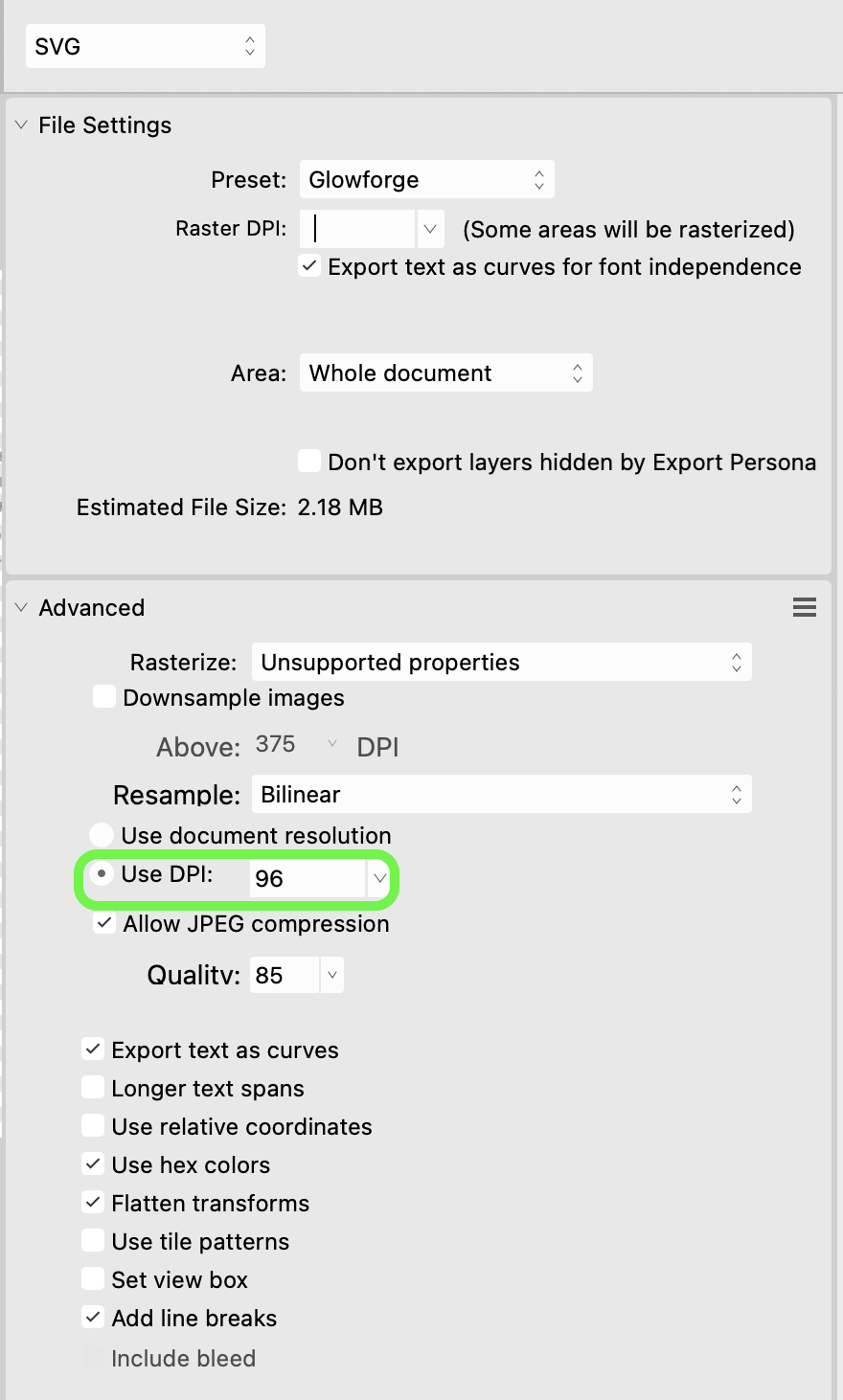
I can work around this issue by exporting as SVG, but I haven’t found a good way to make Designer export / GF import preserve units, so I have to wrap up my design in a box of known size and manually resize it after import.
Has anyone else encountered similar issues and found a fix?
The Glowforge software has not changed in how it processes pdf files so the problems you are having are related to Afinity Design. Also, text from Affinity Design has always been engrave only in my experience unless vector outlines are generated. I do not use Affinity Design as much as I do Inkscape, so I haven’t updated the app for quite some time. PDF files, no matter the source, maintain their size so I find them preferable to svg.
The easiest way to make SVG come out the right size is to set the document size to exactly 20 inches wide and 12 inches tall. If you do that the Glowforge software will always size it correctly.
Otherwise you have to make sure the SVG is exported at 96 DPI.
I usually export PDFs from Affinity Designer and have pretty much never had trouble but I haven’t used my Glowforge in quite a long time now so I don’t know if anything has changed recently.
 will automatically preserve your sizes for you.