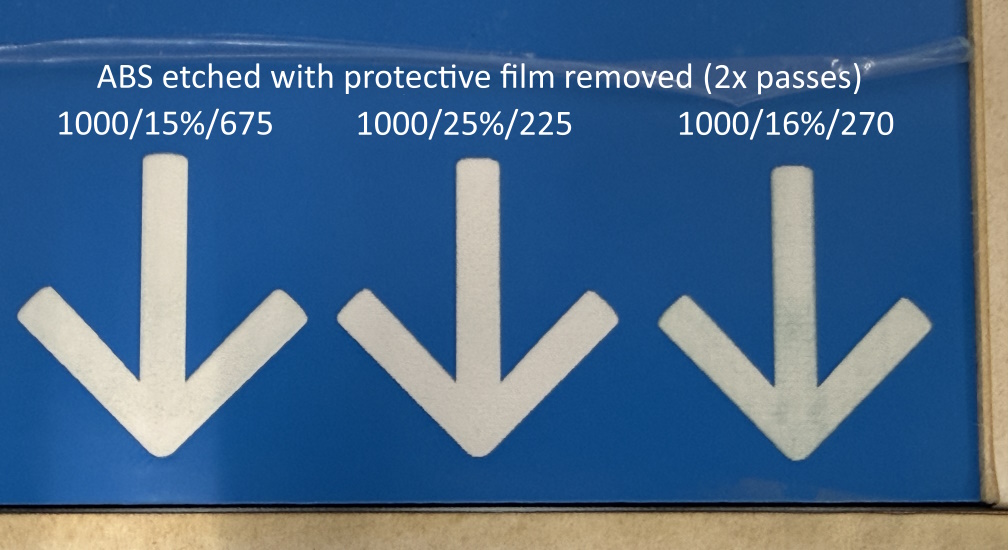
I’ve been trying to create some signs using two-layer plastic (not a Proofgrade product) on a Glowforge Pro. The plastic has a white core with a thin colored layer on top. The top layer is designed to be etched away, producing a white design and leaving the colored layer as the background.
My problem is: As the etching proceeds, some residue seems to be left behind on the etched (white) areas, leaving it with a dark (and uneven) tinge. The wider the etched area, the worse the problem becomes.
I’ve experimented with a variety of settings (for example: speed 250 with 12% power, speed 115 with 1% power, and many combinations in between) and various engraving resolutions. But no combination has given me a clean etch. I have found that slower speed and higher resolution gives better results than higher speed and lower resolution, but it’s still not great.
I have tried multiple passes, but that just seems to melt the dark residue in place, rather than removing it.
Is this a material that just won’t work on Glowforge? Should I be investing in a CNC machine instead?
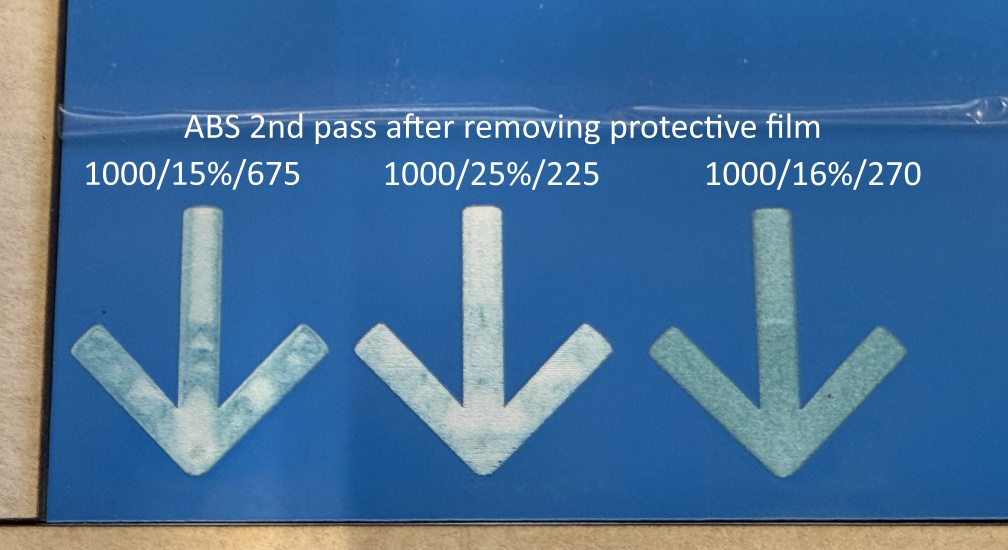
You can get great results on two ply acrylic and over the years people have shared their methods. One way is to do a second engraving pass at high speed to burn away the debris.
I am curious about your settings. Why are you engraving at such a slow speed and such low power?
I am going to move this post to Beyond the Manual so settings can be discussed.
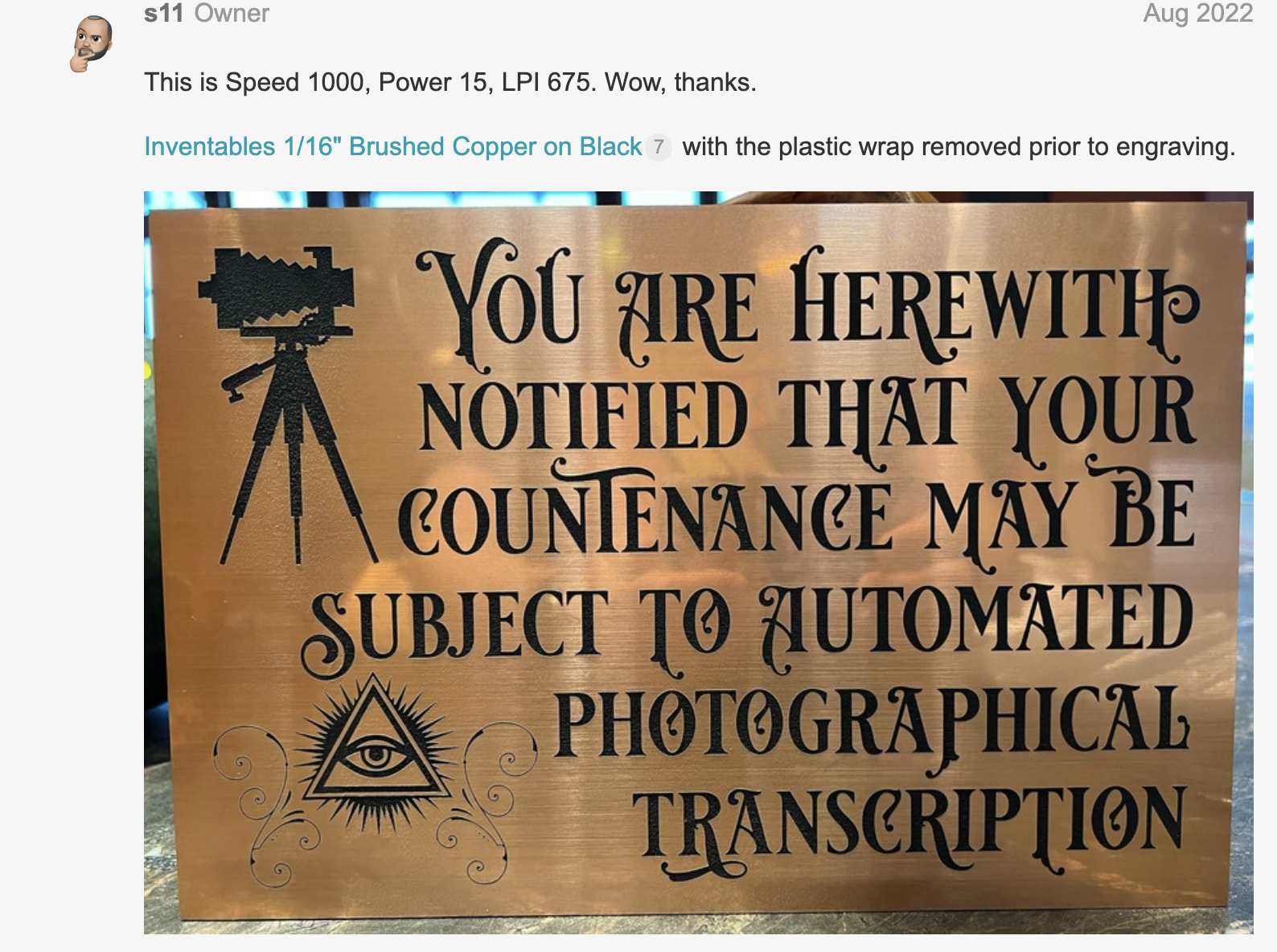
I haven’t had any issues engraving the top material. I’ve got two settings I’ve gotten out of the forum here, one for a really slow, but clean engrave at low power and high dpi, the other for a faster one with more power. Both work fine. To remove the residue of the higher speed, I used to just do a fast pass with lower power. If you’re having an issue with the residue blowing and burning, then maybe you should mask it with a paper masking or the dish soap method that people use?
I think this is where i first got my settings and they worked great, just slow because i was doing a huge piece:
Thank you for your suggestions! My latest experiments are bearing good results.
It seems the mistakes I was making were:
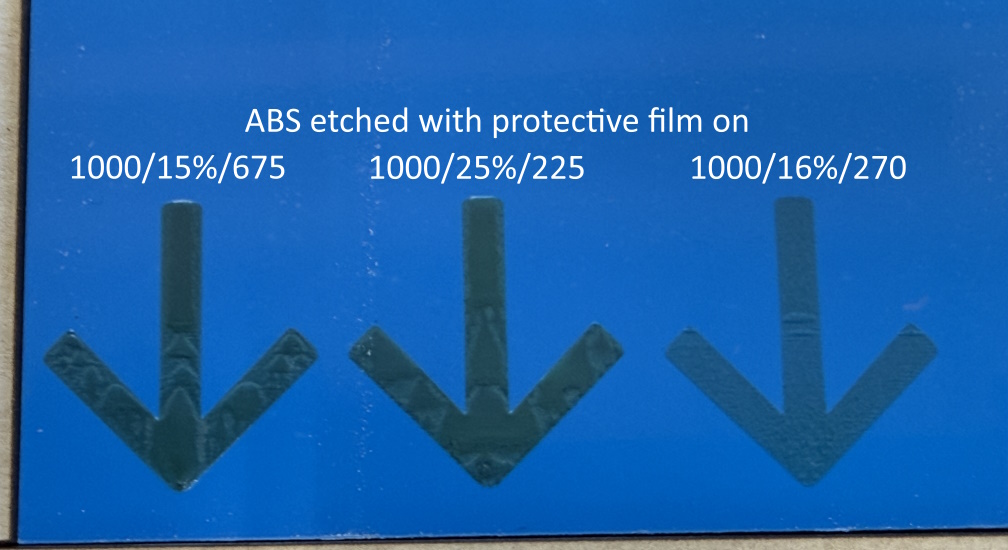
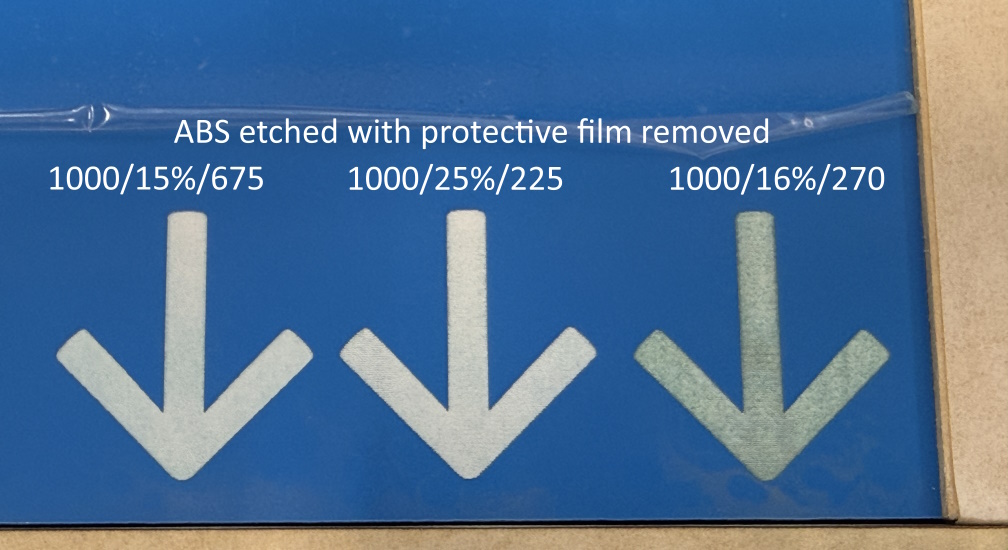
Etching with the protective film on. The film seems to be the main contributing factor to the discoloration I was seeing.
Etching too slowly/deeply. With the settings you recommended, I see that the laser barely scratches the surface, so to speak. This produces a much more consistent and even result on the etched area. In my earlier attempts, I was really cutting a fairly deep groove into the plastic.
Oh, that film would do it. You’re supposed to remove plastic film before engraving. Some of the companies I ordered from had instructions to remove the film before engraving and cutting because of the melting.