EDITED known issues with Tahoe and Glowforge reported. my dashboard will load but it will not let get to my designs nor will it let me upload or create new designs. and YES I can switch to chrome but I PREFER to stay with Safari if I can just my preference so
I just updated my Mac to Tahoe OS and now I can not get to the Dashboard. I have another Mac that has not been updated no problem. is it me or is there something going on with Tahoe and Glowforge?
Gotta say, having had my journey stay with leopard(2005? White MacBook-then iPhones since 5s-iPads since original), this is the worst, most buggy os I’ve had. As far as I can figure, the network driver keeps crashing. M1 mini. Have to reboot to fix.
But as stated, the OS shouldn’t have anything to do with accessing the dashboard as a webpage. Though if trying from safari, it would. It’s late for me but sometime Sunday I could try. I’ve mostly used safari on iPad for my laser needs these last few years.
I’m having the same issue with my Glowforge Pro after the Mac Tahoe OS update. I just tried to print a new file today, and the print button kept spinning like it was trying to upload the file. I use Safari for my browser. Will there be any Glowforge software updates to fix the problem?
Open the app in a different browser. As you can well imagine, it would be a nightmare if every time Apple or Android or Windows updated something Glowforge had to adjust their software. This is not a Glowforge software issue. This is a browser issue. Try using Chrome or Firefox.
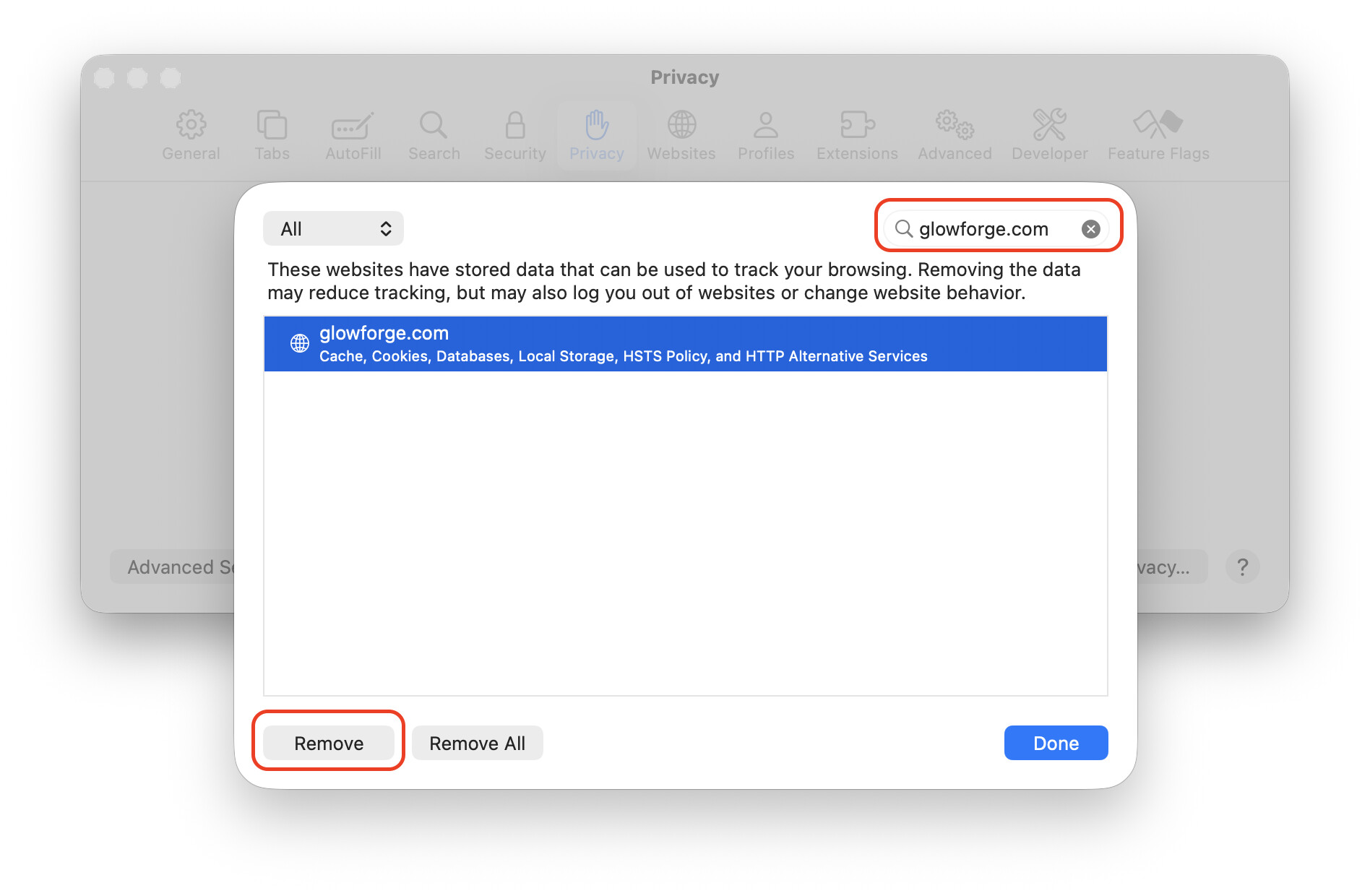
Usually when the Glowforge app stops working in a particular browser it’s because the cookies or other saved data for the site is messed up. This can be remedied by deleting the relevant data. Exactly how you do this depends on the browser, but here’s how it works in Safari:
Open Safari’s Settings window and click on the Privacy tab at the top. Then click the “Manage Website Data…” button:
Same issue immediately after upgrading to Tahoe, spinning circle that never lets the file load onto the canvas. Ran my print on my iPad to get around it and it worked just fine, gonna try the clear specific cache trick and otherwise looks like I’ll be using chrome or my iPad until it gets sorted.