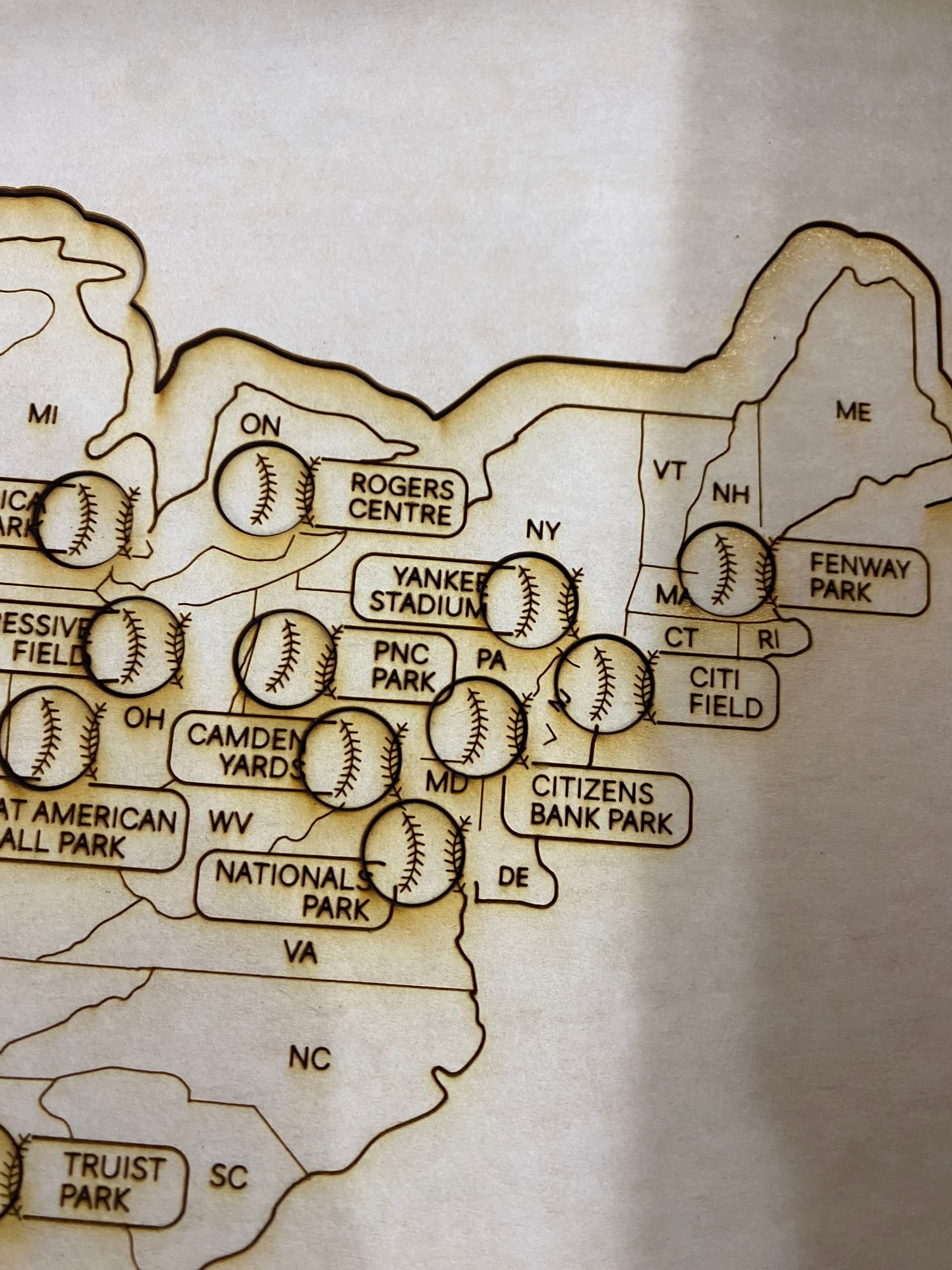
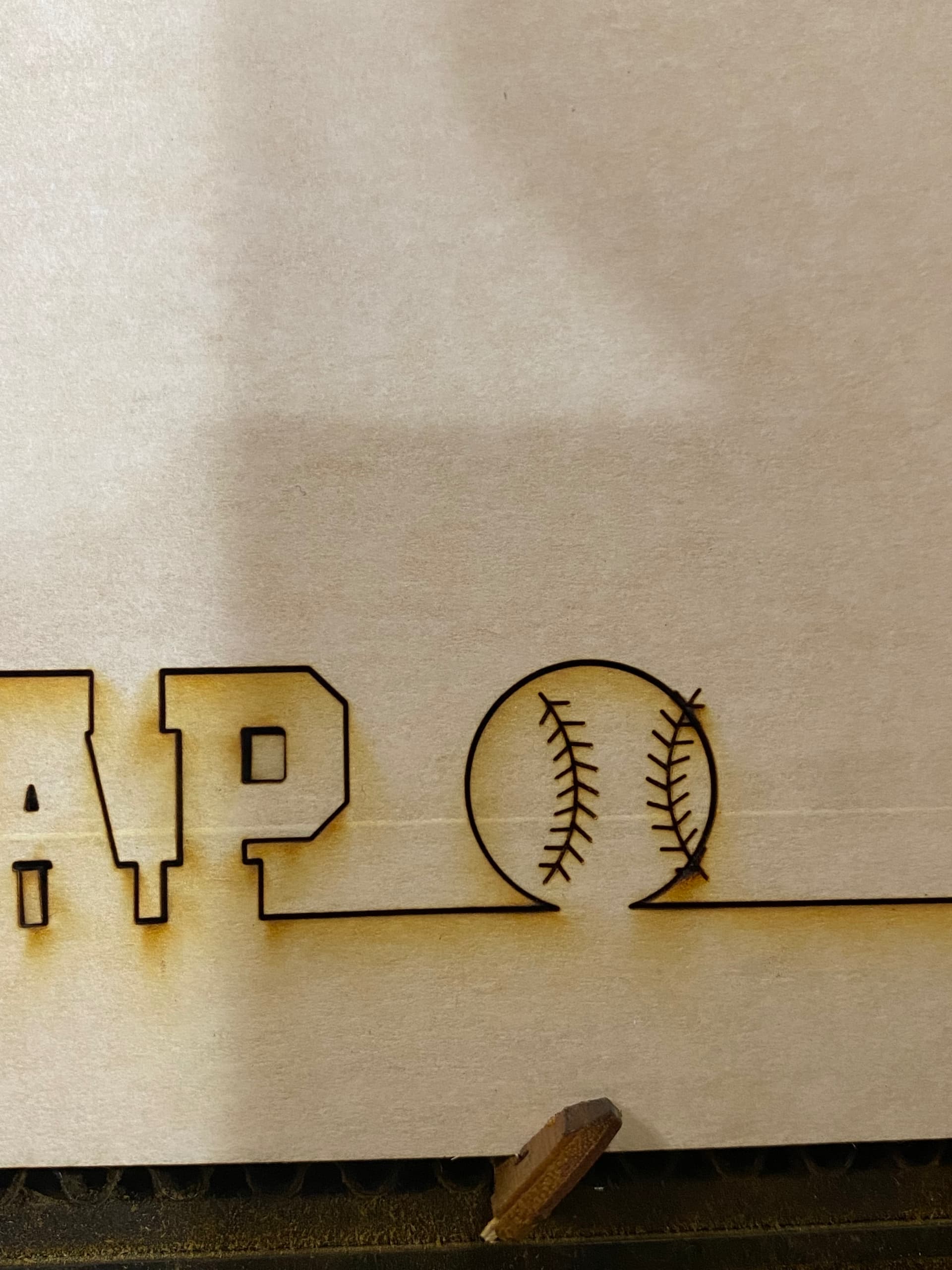
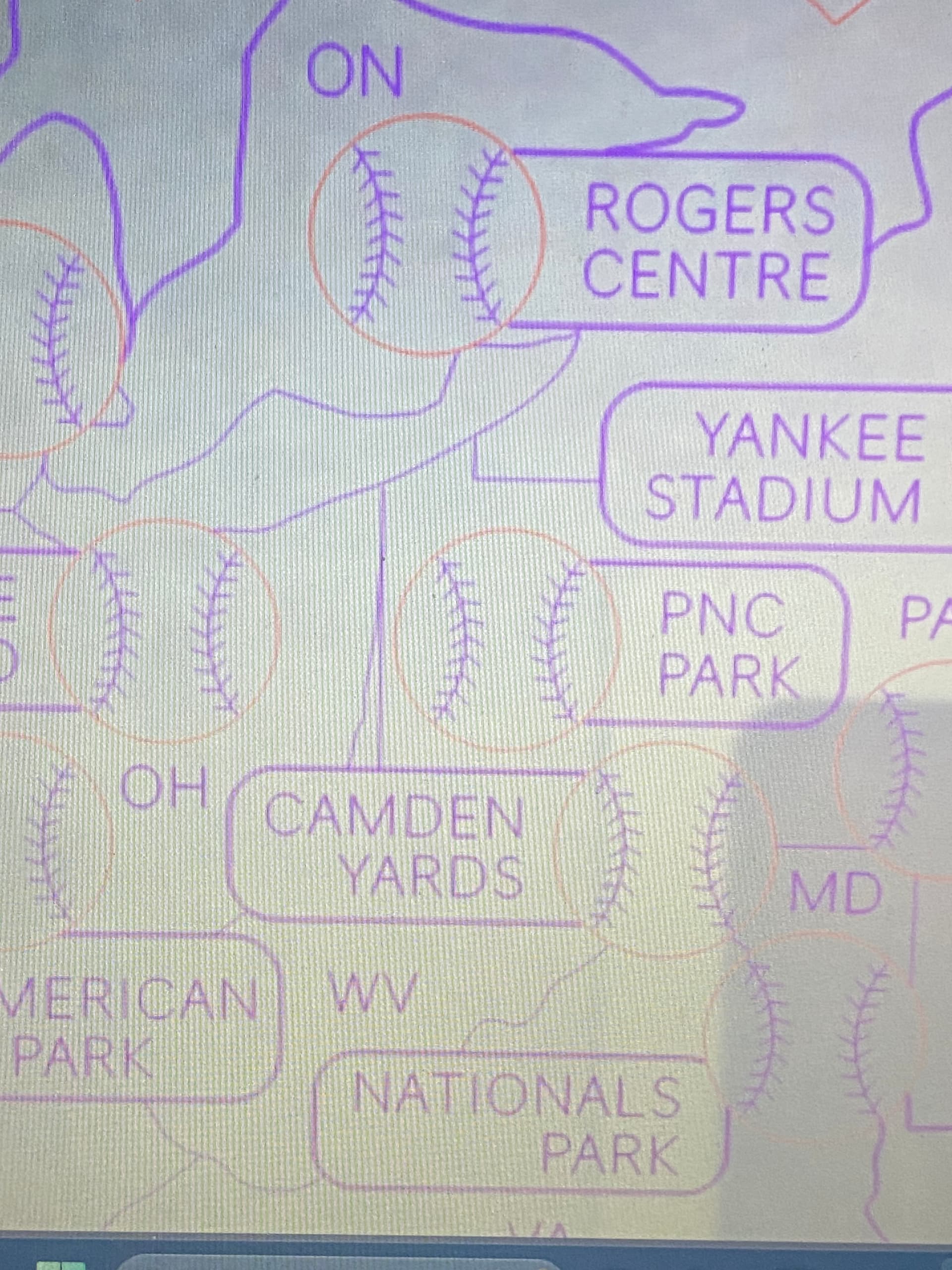
This is day #2 of wasted materials because something in the Glowforge software is shifting my score lines away from my cut lines.
Yesterday, this occurred after using the file successfully since winter of 2023.
Twice it occurred on large GF Proofgrade material.
Today, it’s happened again. EVEN AFTER reuploading the file, which WORKED YESTERDAY. Now again, today it has done the same shift. I have not restarted or reloaded my browser window or my computer since using it successfully after reuploading the file.
What I’ve tried and clarifications:
My machine is well maintained.
Material at the time of use is pinned in place and stable.
No obstruction to the laser head movement.
Restarted computer.
Tried different browsers; still happened.
Deleted everything in the workspace that wasn’t being used for this cut.
I’ve reuploaded the .svg file; failed; 11/11/2025
I uploaded the PDF version; Success for 11/11/2025, now fail for 11/12/2025
Why would it happen again? Is there a glitch?
At what point can I bill for lost materials
It appears to me that the printhead may have collided with a hold down pin or something else causing the position to shift. Are you scoring before cutting or after cutting?
The interface processes the paths that the laser will take all at one time. It would not shift elements of the design. It is more likely that this is being caused by a physical problem rather than a software problem.
I score before cut. As mentioned in my OP, this file has been in use, successfully, since winter of 2023; also, the material was stable/pinned down to the honeycomb tray and there are no obstructions to the laser head.
I’ve owned this machine since 2020; at this point, I wish it were user error, but it is not. There is no reason my file should become corrupt inside the GF software after successful use.
The interface is going to process the file as it is presented. It doesn’t process some parts differently from others. Once you click print and the file is processed, the path that the laser will take is determined. Something mechanical is causing this problem. Sometimes fast score lines can throw the printhead off path, but it appears that the score lines are all “off” the same distance, so that means it is a constant, not a variable. This is a guess, since you don’t share a photo of the entire print. If you care to share the file, I’ll process it on construction paper and try to replicate the error.
One final observation. The cut lines appear too thick. Something is definitely wrong, but I’m pretty sure it isn’t how the interface is interpreting the file. There is a mechanical problem we need to identify.
Since the score lines are done first, maybe the cut lines are what are off, not the scores. The cuts are left of where they should be.
You got your machine in 2020 so it’s a performance model. Generally if this starts happening in performance models it can be what’s already been covered here or it can indicate a problem in your belts and pulleys.
I would investigate the tension of your belts and check your pulley wheels for any damage.
From everything I’m reading it doesn’t sound like a file problem, I think that’s a red herring.
There are a couple of links in number 17 of my FAQ about maintaining your machine, I’d start there.
You may find that reloading the file never “fixed” the problem, it may be a random variable that’s unrelated to which runs are successful and which aren’t. A cracked wheel could produce both good and bad prints from the same exact file, for example.